Aivora - Imagine. Generate.
Aivora lets you turn text descriptions or photos into short video clips using AI. It's designed for quick creative experiments, not professional editing, making it ideal for social sharing. The app offers templates for those who prefer not to start from scratch. With over 5,000 installs and a 4.3 rating, it's a niche tool for casual video generation.
Pros
- Generate video from text or photo input
- Includes templates for quick starts
- Simple interface for casual users
- No professional editing skills required
- Lightweight app with low install base
Cons
- Limited to short clips, not full-length videos
- Results may vary in quality and coherence
- Relatively new with few installs and reviews
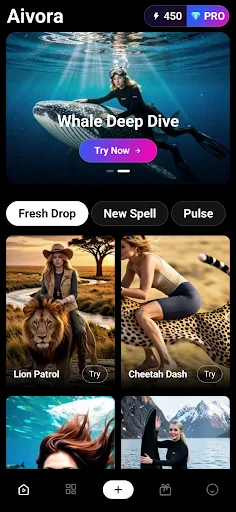
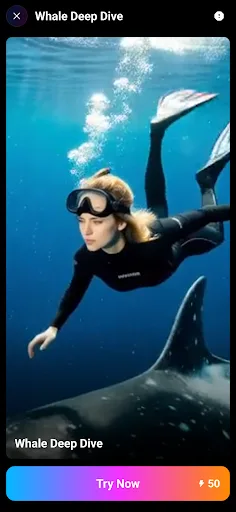
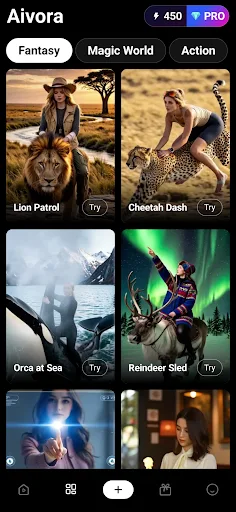
Aivora - Imagine. Generate. Screenshots
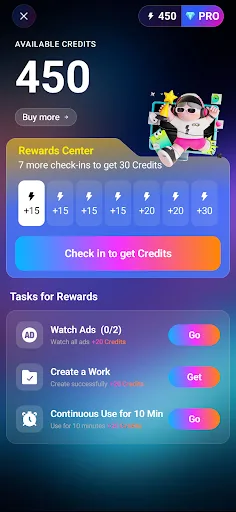
Official app screenshots from the Google Play Store.
About Aivora - Imagine. Generate.
Aivora — Imagine a Scene, Watch It Become a Clip Some ideas are easier to picture than to put into a video. Aivora is built to close that gap—you bring the idea, it handles the motion, and you stay in control the whole way. It's made for everyday sharing and quick creative tries, not heavy professional editing. 🔭 Where do I start? With whatever you've got. A sentence works—describe the subject, the mood, and the kind of movement you're after. A photo works too, or both. And if you'd rather not begin from a blank page, there are templates ready to open. 🎏 Don't want to start from scratch? Then lean on the templates. Aivora gives you a wide range of ready-made templates to browse—pick one that matches the look you're after, drop in your own photo or a few words, and a lot of the setup is already done for you. Less fiddling up front, with plenty of room to make it your own. ☀️ Can it make my photo move? Often, yes—where your device and media support it. Faces, pets, scenery, and products all qualify. Just know that results vary by input: smoothness depends on the lighting, resolution, and subject of the photo you bring. 🪐 What about looks and color? Explore styl…
Frequently Asked Questions
Is Aivora safe to use?
Yes, it's developed by Shenzhen Nature Grip Technology and available on the Play Store. However, as with any AI app, avoid sharing sensitive personal information in your prompts.
Does Aivora contain ads?
The Play Store listing does not specify ad presence. Given its free model with 5,000+ installs, it may include ads or in-app purchases.
Can I use Aivora offline?
No, Aivora requires an internet connection to process AI video generation on cloud servers.
Who should install Aivora?
Casual creators who want to quickly turn ideas or photos into short videos for social media. Not suitable for professional video editing or long-form content.