
Amber Clarity
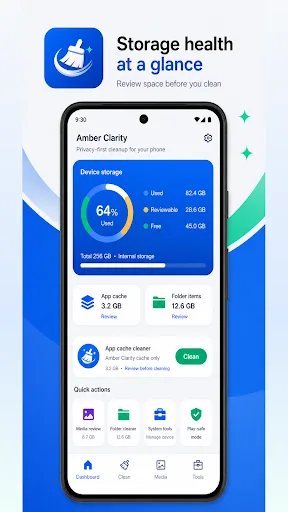
Amber Clarity is a focused storage management tool that emphasizes a review-first approach, letting you inspect items before cleaning. It provides a simple dashboard showing used and available storage, and it avoids broad file access by using Android Photo Picker for media selection. The app is designed for users who want transparent, controlled cleanup without aggressive permissions.
Pros
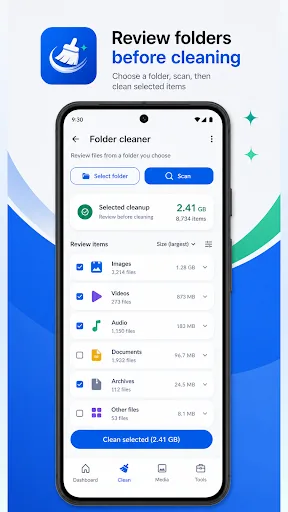
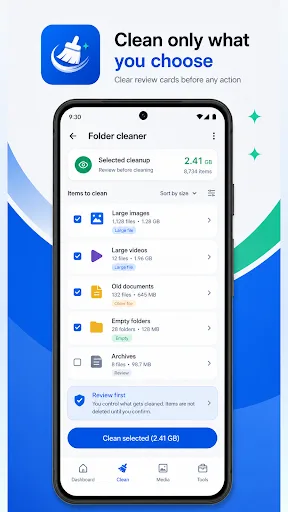
- Review-first flow: you can inspect items before deleting, reducing accidental data loss.
- Focused feature set: no unnecessary bloat, keeping the app simple and easy to use.
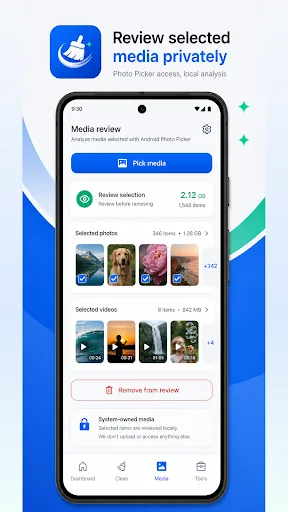
- Privacy-friendly: uses Android Photo Picker instead of broad media-library access.
- Clear storage dashboard: quickly see used and available space on your device.
- Lightweight: small app size, ideal for devices with limited storage.
Cons
- Limited features: no automatic junk cleaning or app management tools.
- No ratings yet: limited social proof or user feedback to gauge reliability.
- May not suit power users: lacks advanced file management capabilities.
Amber Clarity Screenshots
Official app screenshots from the Google Play Store.
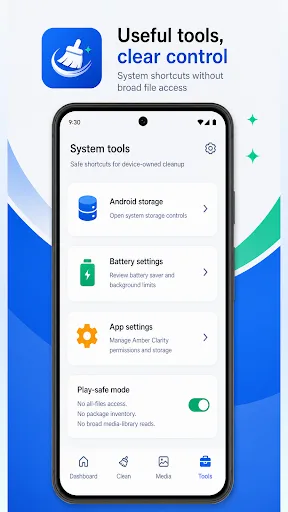
About Amber Clarity
Amber Clarity helps you understand storage and make careful cleanup decisions on your Android phone. It is built around a review-first flow, so you can scan, inspect, and clean selected items with clear control. Use the dashboard to check device storage, review app cache created by Amber Clarity, choose folders for local review, and inspect media selected through Android Photo Picker. The app keeps its feature set focused and transparent, without broad file access or broad media-library reads. Key features: - Storage insight: See used and available device storage in a simple dashboard. - App cache cleaner: Clear files created by Amber Clarity. - Folder cleaner: Choose a folder with Android's document picker, scan for large, older, or empty files, and clean selected items. - Media review: Pick photos and videos with Android Photo Picker, review them locally, and remove selected items from the review list. - System tools: Open Android storage, battery, and Amber Clarity app settings from one place. - Play-safe mode: No all-files access, no package inventory, and no broad media-library reads. Amber Clarity is designed for transparent storage management. You choose what to review and w…
Frequently Asked Questions
Is Amber Clarity safe to use?
Yes, it is designed with privacy in mind. It does not request broad file access or media-library reads; instead, it uses Android Photo Picker for media selection, so you control what it can see.
Does Amber Clarity contain ads?
The app description does not mention ads, and it appears to be ad-free. However, since it's a free tool, future updates might introduce ads, but currently, there is no indication of them.
Can I use Amber Clarity offline?
Yes, the app works offline. All scanning and cleaning functions are performed locally on your device, so no internet connection is required.
Who should install Amber Clarity?
It's ideal for users who want a simple, transparent way to understand their storage and make careful cleanup decisions. It's especially suited for those who prefer a review-first approach to avoid deleting important files.