
Animo: Photo to Video AI
Animo turns a single photo or text prompt into a short AI-generated video, ideal for quick creative experiments and casual social posts. It analyzes your image's lighting, depth, and composition to produce cinematic motion without manual editing. The app supports iterative refinement—sketch, review, fix, and finalize your clip. With over 1,000 installs and a 4.4 rating, it's a lightweight tool for beginners exploring AI video creation.
Pros
- Generates short cinematic clips from a single photo or text prompt with minimal effort
- Offers an iterative workflow: sketch, preview, fix, and finalize your video
- Lightweight and beginner-friendly, no heavy manual editing required
- Analyzes image composition (lighting, depth) to create natural-looking motion
- Free to download with a simple interface for casual posting and creative experiments
Cons
- Results vary significantly depending on input quality and complexity
- Limited to short clips—not suitable for long-form video projects
- No offline mode; requires internet connection for AI processing
Animo: Photo to Video AI Screenshots
Official app screenshots from the Google Play Store.
About Animo: Photo to Video AI
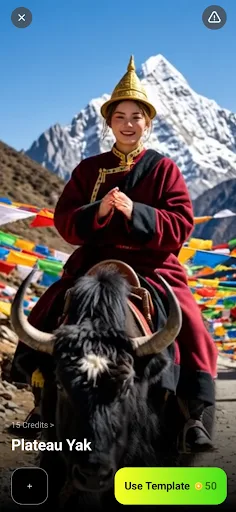
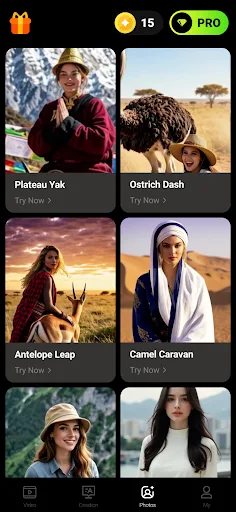
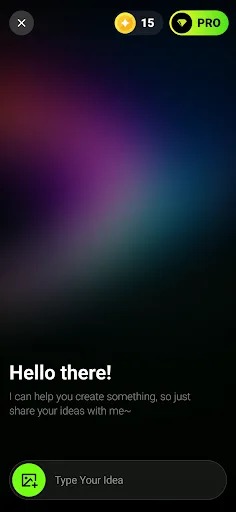
Animo — A Photo, a Sentence, a Short Clip Animo starts from a single photo or one line of text and shapes it into a short video with you. Sketch the idea, look at what comes back, fix the parts that miss, and keep the clip once it sits right. It is built for casual posting and small creative tries, not heavy manual editing. 📼 Start from a photo Hand the app one image and let it read the frame—how the light falls, where the depth sits, how a shot like this might move—then build a short, cinematic clip with gentle motion. Results vary by input, and how smooth the motion feels depends on the lighting, resolution, and subject of the photo you bring. 🗒️ Or start from a sentence Prefer to begin with words? Describe the subject, the mood, and the kind of movement you are after in plain language. The app treats that as its brief and generates a short clip; reword the prompt and run it again until a direction clicks. 🕹️ Templates when a blank page is too much Open a ready-made layout instead of starting cold. Pick one that fits the feel you want, drop in your own photo or a few words, and most of the setup is already handled—with room left to make it yours. ⏱️ Kept…
Frequently Asked Questions
Is Animo safe to use?
Yes, Animo is developed by Shenzhen Jingguangda Technology Co., Ltd and is available on the Google Play Store. It requests standard permissions for photo access and internet. As with any AI app, avoid uploading sensitive or private images.
Does Animo contain ads?
The app description does not specify ad-free usage. Given it's free with over 1,000 installs, it may include ads or in-app purchases for additional features. Check the Play Store listing for the latest details.
Can I use Animo offline?
No, Animo requires an internet connection to process photos or text into videos. AI generation happens on the server side, so offline use is not supported.
Who should install Animo?
Animo is best for casual users who want to quickly turn a photo or idea into a short, shareable video without learning complex editing tools. It's not designed for professional video production or heavy manual control.