Aptidy Space
Aptidy Space is a storage management tool for Android that prioritizes user control and transparency. It provides a clear dashboard with storage, memory, and battery insights, and its cleanup process requires you to review and select files before deletion. The app uses the Android system folder picker instead of requesting broad all-files access, and it only lists launcher-visible apps without needing special permissions. It's a lightweight, privacy-conscious choice for users who want to understand and manage their device storage safely.
Pros
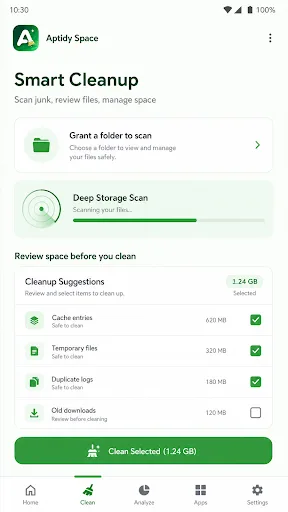
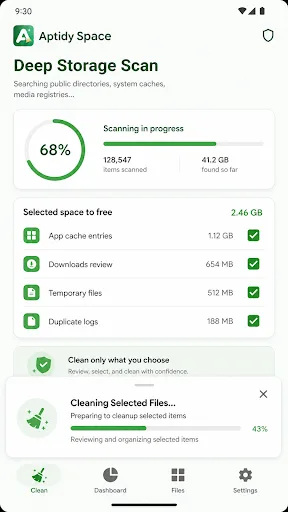
- Review-first cleanup flow ensures you control what gets deleted.
- No broad all-files access; uses Android's system folder picker for user-selected areas.
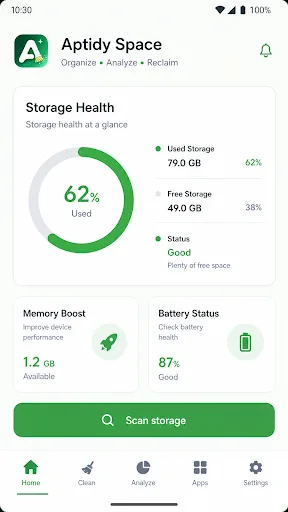
- Dashboard shows storage, memory, and battery status in one place.
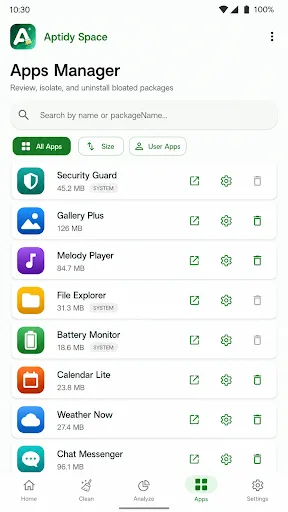
- Apps screen lists only launcher-visible apps without restricted visibility permissions.
- Lightweight and focused on storage insight rather than aggressive cleaning.
Cons
- Limited install base (1,000+) may indicate early-stage development or fewer user reviews.
- Last update date is unknown, which could raise concerns about ongoing maintenance.
- Cleanup requires manual folder selection, which may be less convenient for users expecting one-tap cleaning.
Aptidy Space Screenshots
Official app screenshots from the Google Play Store.
About Aptidy Space
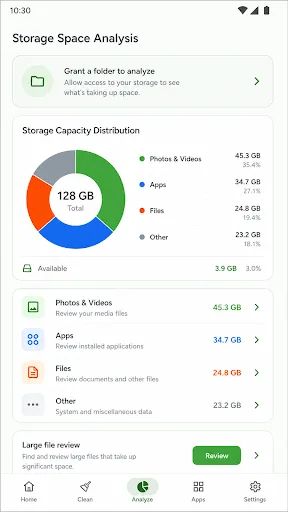
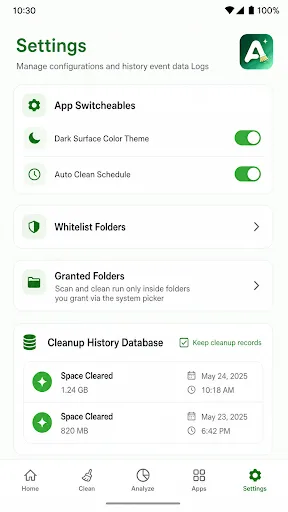
Aptidy Space helps you understand and manage Android storage with a review-first cleanup flow. It focuses on clear storage insight, user-selected cleanup, and transparent folder access. The app runs on your device and uses the Android system folder picker for storage areas you choose to grant. It does not request broad all-files access, and its Apps screen lists launcher-visible apps without restricted package visibility permissions. Key features: - Storage Health: view used storage, remaining space, memory status, and battery details from the home dashboard. - Smart Cleanup: scan app cache entries and files inside folders you grant, then review categories and items before cleaning. - Cleanup Suggestions: select only the items you want to clean, with size summaries before action. - Storage Analysis: see a breakdown of granted folders by file type and review large files with clear confirmation. - Apps Manager: search, sort, and manage launcher-visible apps, with shortcuts to app details and uninstall flows. - Whitelist and granted folders: keep selected paths out of cleanup checks and manage folder access from Settings. - Cleanup History: review past cleanup records in the local his…
Frequently Asked Questions
Is Aptidy Space safe to use?
Yes, it is designed with privacy in mind. It does not request broad all-files access and uses the Android system folder picker, so you only grant access to specific folders you choose. It also avoids restricted package visibility permissions.
Does Aptidy Space show ads?
Based on the Play Store listing, there is no mention of ads. The app appears to be ad-free, focusing on utility and user experience.
Can I use Aptidy Space offline?
Yes, the app runs entirely on your device and does not require an internet connection for its core features like storage scanning and cleanup. It works offline.
Who should install Aptidy Space?
It's ideal for users who want a transparent and controlled way to manage storage, especially those who are privacy-conscious and prefer not to grant broad permissions. It's suitable for anyone who wants clear storage insights without aggressive auto-cleaning.