Arcfolio PDF
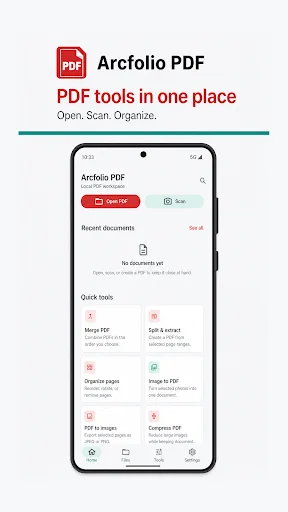
Arcfolio PDF is a practical Android workspace for reading, scanning, organizing, and converting PDF documents. It uses the Android system picker to open files, then lets you configure tasks, review choices, and save results to your preferred location. Key features include continuous page scrolling, Google ML Kit document scanning, merging, and splitting PDFs. With over 1,000 installs, this tool is ideal for basic PDF management without unnecessary extras.
Pros
- Supports continuous page scrolling for smooth reading
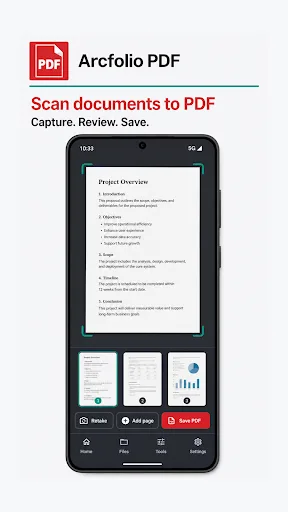
- Integrates Google ML Kit Scanner for multipage document capture with page management
- Allows merging multiple PDFs in user-defined order
- Enables splitting or extracting page ranges into separate PDFs
- Uses Android system picker for flexible file selection and saves to user-chosen location
Cons
- Limited to basic PDF features; no advanced editing like annotations or form filling
- No cloud integration or direct sync with services like Google Drive
- Lacks user ratings and reviews, indicating possible early-stage development or low adoption
Arcfolio PDF Screenshots
Official app screenshots from the Google Play Store.
About Arcfolio PDF
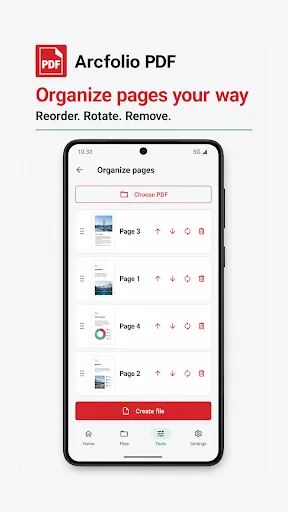
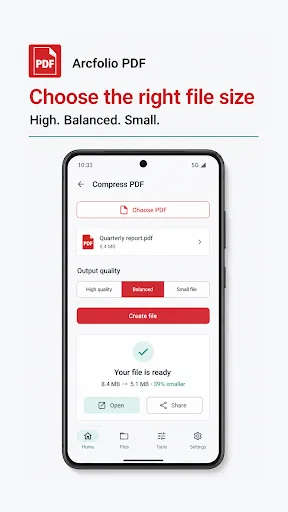
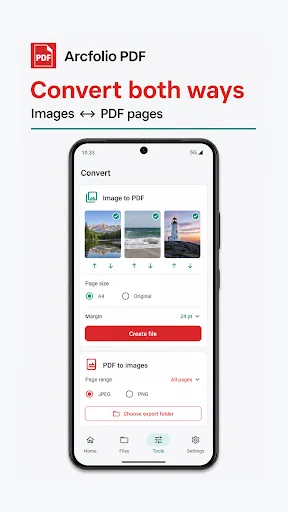
Arcfolio PDF is a practical Android workspace for reading, scanning, organizing, and converting PDF documents. Open files with the Android system picker, configure each task, review your choices, and save the result to a location you select. Key features: - Read local PDFs with continuous page scrolling, zoom controls, page navigation, and sharing. - Scan multipage documents to PDF with Google ML Kit Document Scanner, including capture review and page management. - Merge multiple PDF files in the order you choose. - Split or extract selected page ranges into one PDF or separate page files. - Reorder, rotate, and remove pages before creating a new document. - Compress image-heavy PDFs with High quality, Balanced, and Small file presets while keeping the document structure. - Turn selected images into one PDF with A4 or original page sizing and adjustable margins. - Export all pages or a selected page range as JPEG or PNG images. - Search recent documents, reopen generated files, and share completed results with other apps. Local file control: Arcfolio PDF uses Android system file and photo pickers instead of requesting broad storage access. PDF reading and conversion tasks run on yo…
Frequently Asked Questions
Is Arcfolio PDF safe to use?
Yes, it requests only standard storage permissions to access and save PDF files. It does not collect personal data or require unnecessary permissions.
Does Arcfolio PDF contain ads?
The app is free and does not display ads, providing an uninterrupted experience.
Can I use Arcfolio PDF offline?
Yes, all core features like reading, scanning, merging, and splitting work offline. No internet connection is required.
Who should install Arcfolio PDF?
Anyone who needs a straightforward tool for basic PDF tasks like reading, scanning, merging, or splitting documents on Android without complex features or subscriptions.