
Aurora Clear
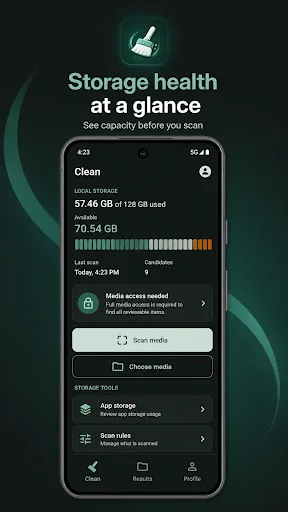
Aurora Clear helps you understand phone storage before you clean. It scans only the photos and videos you allow, groups them for review, and deletes selected media only after you confirm. The app is built for careful media management, not automatic deletion, and keeps your review data on your device. It shows storage health at a glance with a clear scale and helps find large videos and large photos.
Pros
- Scans only media you explicitly allow, respecting privacy
- Shows storage health at a glance with a clear visual scale
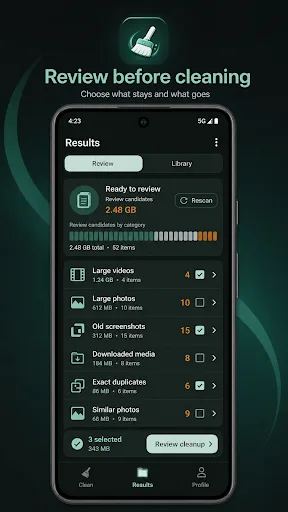
- Groups large videos and large photos for easy review
- Requires manual confirmation before deleting any media
- Review data stays on your device, not uploaded to servers
Cons
- Limited to 1,000+ installs, so community feedback is minimal
- No automatic cleanup features; requires manual review for each file
- Last update date unknown, so future support is uncertain
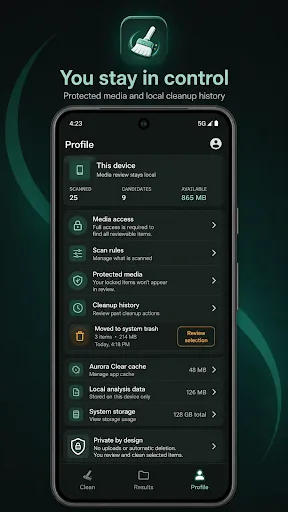
Aurora Clear Screenshots
Official app screenshots from the Google Play Store.
About Aurora Clear
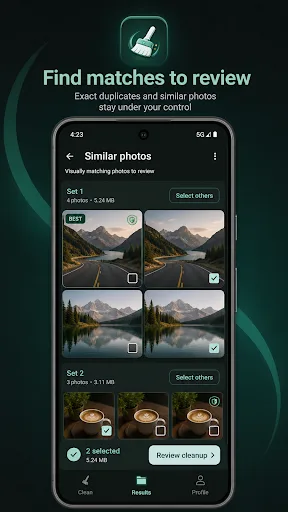
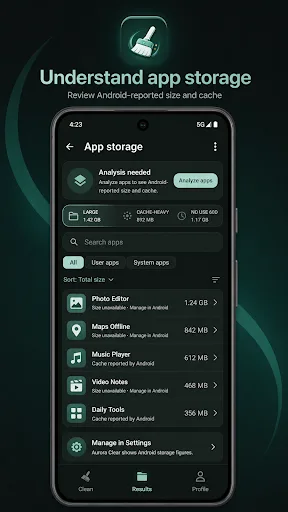
Aurora Clear helps you understand phone storage before you clean. Scan the photos and videos you allow, review clear groups, and clean selected media only after you confirm. The app is built for careful media management, not automatic deletion. Your review stays on this device, and Android handles system confirmation when media is moved to trash or when app storage needs to be managed in Settings. Key features: - Storage health at a glance See used, available, and review candidate storage with a clear storage scale. - Media scan with review groups Find large videos, large photos, old screenshots, downloaded media, screen recordings, old videos, exact duplicates, and similar photos. - Exact duplicate checks Aurora Clear groups byte-for-byte matching files, keeps one copy by default, and lets you review the rest. - Similar photo review Compare visually matching photos offline, mark the item to keep, and choose whether to select others. - Review and Library modes Move between cleanup suggestions and a media library view with search, timeline, albums, photo/video filters, and size or date sorting. - Protected media Mark important items as protected so they are excluded from bulk select…
Frequently Asked Questions
Is Aurora Clear safe to use?
Yes, it is safe. The app only scans media you allow, requires manual confirmation before deletion, and keeps your review data on your device. It does not automatically delete anything.
Does Aurora Clear contain ads?
The Play Store listing does not mention ads. The app appears to be ad-free, focusing on a clean utility experience.
Can I use Aurora Clear offline?
Yes, the app works offline since all scanning and review happens on your device. No internet connection is required for core functionality.
Who should install Aurora Clear?
It is ideal for users who want a careful, manual approach to cleaning photos and videos without risk of accidental deletion. Best for those who prefer to review each file before removing it.