
Crystal Clear
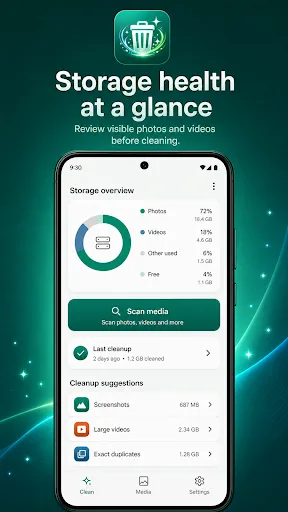
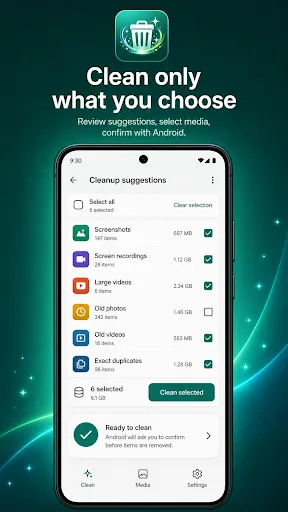
Crystal Clear is a storage management tool that helps you review and clean photos and videos on your Android device. It scans your media, groups items into categories like screenshots, large videos, and duplicates, and lets you decide what to delete. The app emphasizes a review-first approach, ensuring you only remove what you intend to. It uses Android's confirmation dialog for deletions, making the process safer.
Pros
- Review-first cleanup: browse items before deleting, reducing accidental removal.
- Categorizes media (screenshots, videos, duplicates) for easy decision-making.
- Uses Android's native confirmation dialog for deletions, adding a safety layer.
- Focuses on storage management without unnecessary features.
- Lightweight and simple to use, suitable for users who want a straightforward tool.
Cons
- Limited to photos and videos; does not clean other file types.
- No rating or reviews yet, so user feedback is unavailable.
- Low install count (1,000+) may indicate early-stage development or limited exposure.
Crystal Clear Screenshots
Official app screenshots from the Google Play Store.
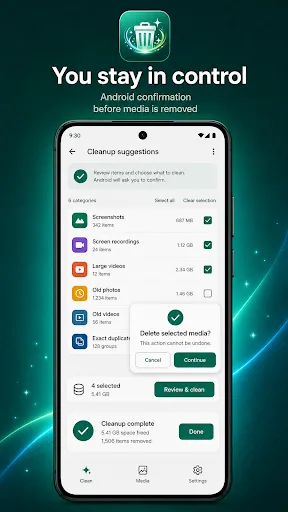
About Crystal Clear
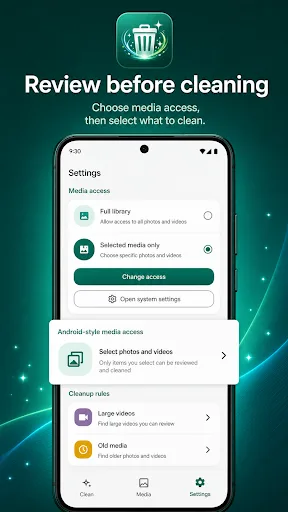
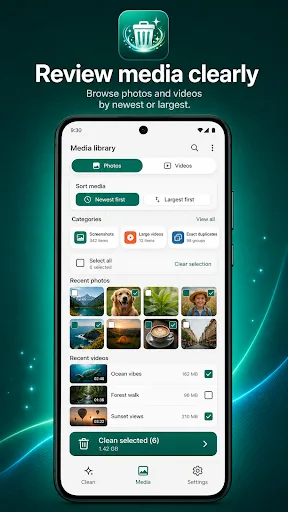
Crystal Clear helps you understand and manage storage used by photos and videos on your Android device. It scans the media you allow, groups items into clear review lists, and lets you choose what to clean. Everything is designed around review-first cleanup. You can browse screenshots, screen recordings, large videos, old photos, old videos, and exact duplicate photos before taking action. Deletion uses Android confirmation, and cleanup results are based on what is actually removed from your media library. Key features: - Scan visible photos and videos on your device - Review cleanup suggestions for screenshots, recordings, large videos, old media, and exact duplicates - Browse the Media library by photos or videos, then sort by newest or largest - Select items manually, use Select all when helpful, and clean selected items with confirmation - Use media access controls for full library or selected media access on supported Android versions - Adjust cleanup rules for large videos and old media in Settings - Open Android app storage settings to review storage used by other apps - Keep analysis on device, with no account or cloud sync required Crystal Clear does not request all files…
Frequently Asked Questions
Is Crystal Clear safe to use?
Yes, it is designed with safety in mind. It only scans media you allow, and deletions require confirmation through Android's system dialog. You always have control over what gets removed.
Does Crystal Clear show ads?
The Play Store listing does not mention ads. However, as with any free app, ads may be introduced in future updates. Currently, it appears to be ad-free.
Can I use Crystal Clear offline?
Yes, the app works offline. It scans and manages media locally on your device, so no internet connection is required for its core functions.
Who should install Crystal Clear?
Anyone who wants to free up storage by cleaning up photos and videos, especially those who have many screenshots, large videos, or duplicate images. It's ideal for users who prefer a cautious, review-based cleanup process.