Geekbench 7
Geekbench 7 is a trusted benchmarking tool for Android devices, measuring CPU and GPU performance with industry-standard tests. It provides clear, comparable scores that are automatically uploaded to the Geekbench Browser, allowing you to see how your device stacks up against the latest models. The app is free to use with no ads, making it a go-to for tech enthusiasts and reviewers. Note that it currently has no ratings and zero installs on the Play Store, likely due to its recent release or limited availability.
Pros
- Industry-standard CPU and GPU benchmarks trusted by reviewers worldwide.
- Automatic score upload to Geekbench Browser for easy comparison with other devices.
- Completely free with no advertisements.
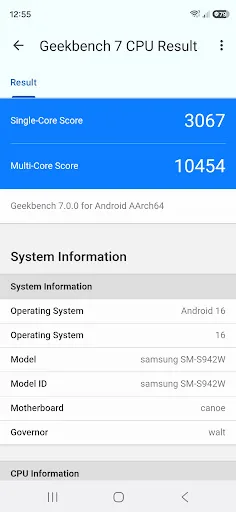
- Simple, intuitive interface that presents results in an easy-to-understand numeric format.
- Lightweight app that runs quickly without draining excessive battery.
Cons
- No user ratings or reviews available yet, making it hard to gauge real-world experience.
- Zero installs on the Play Store currently, which may indicate a very new or unlisted release.
- Lacks advanced features like detailed per-core breakdowns or thermal throttling tests found in some competitors.
Geekbench 7 Screenshots
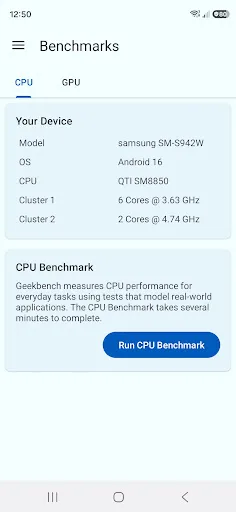
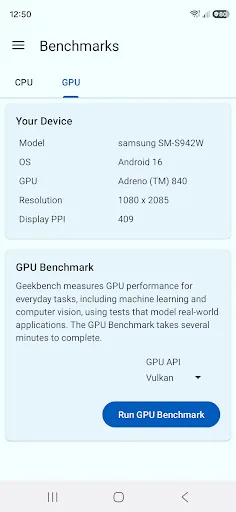
Official app screenshots from the Google Play Store.
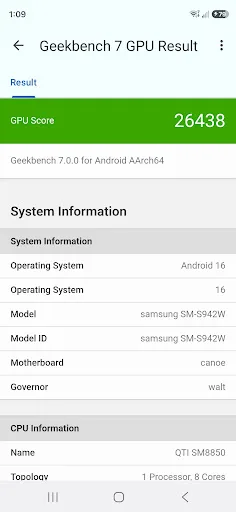
About Geekbench 7
How will your mobile device perform when push comes to crunch? How will it compare to the newest devices on the market? Find out today with Geekbench 7. Test the performance of your Android smartphone or tablet and compare your results with Geekbench – a leader in CPU and GPU benchmarking. Test Your Devices Quickly test how fast your tablets and phones are with Geekbench's trusted CPU and GPU benchmark tests. Compare Your Results Geekbench shows benchmark results in an easily-understood set of numbers. Your scores are automatically uploaded to Geekbench Browser where you can share & compare your scores against the newest devices on the market. New and Updated Real-World Tests Geekbench tests reflect how people use their devices. Instead of just crunching digits of pi for an hour or doing 80 different versions of the same task, Geekbench's tests measure tasks like how quickly a device can load an example website, render a PDF, add filters to photos, and process HDR. These tests are precisely crafted to ensure that results represent real-world use cases and workloads. In Geekbench 7, we've added several new tests, including: * Sharing your screen in video conferencing. * Watching v…
Frequently Asked Questions
Is Geekbench 7 safe to download and use?
Yes, it is developed by Primate Labs Inc., a reputable company known for benchmarking software. The app has no permissions that pose privacy risks and is free of malware.
Does Geekbench 7 contain ads?
No, Geekbench 7 is completely ad-free. There are no in-app advertisements or promotions.
Can I use Geekbench 7 offline?
Yes, you can run benchmarks offline. However, to upload and compare your scores on the Geekbench Browser, an internet connection is required.
Who should install Geekbench 7?
It is ideal for tech enthusiasts, reviewers, and anyone curious about their device's performance. It helps compare your phone or tablet against the latest models and identify potential performance issues.