
Granola - AI Meeting Notes
Granola AI Meeting Notes lets you record and transcribe meetings effortlessly, generating concise summaries with highlights, decisions, and action items. It works well in noisy environments and allows you to stay present in conversations. The app is ideal for professionals who need to capture meeting details without manual note-taking. With one-tap capture and shareable notes, it streamlines post-meeting follow-ups.
Pros
- Accurate transcription even in noisy environments
- Creates shareable summaries with highlights and action items
- One-tap capture for quick ad-hoc notes
- Lets you stay focused on conversations instead of note-taking
- Clean, intuitive interface with minimal setup
Cons
- Requires internet connection for transcription
- Free tier may have limited recording time
- Occasional inaccuracies with heavy accents or specialized jargon
Granola - AI Meeting Notes Screenshots
Official app screenshots from the Google Play Store.

About Granola - AI Meeting Notes
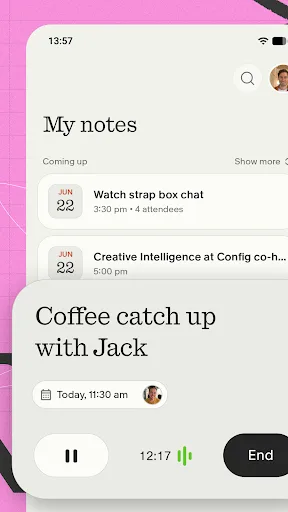
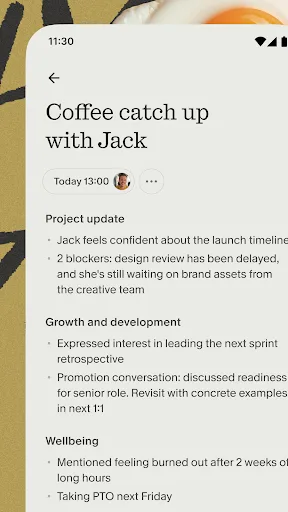
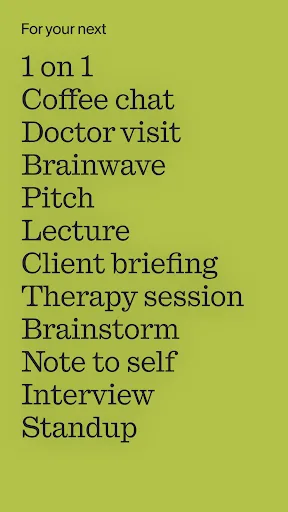
Stay present and capture every conversation on-the-go — perfect for coffee catch-ups, conference days, or just distilling your thoughts. Just open the app, tap start and Granola instantly begins transcribing. Granola creates a shareable summary with highlights, decisions, and action items. BEAUTIFUL NOTES, ZERO EFFORT • Accurately transcribes meetings, even in noisy environments • Lets you stay focused on the conversation instead of taking notes • Gives you clarity on key moments, decisions, and action items ONE-TAP CAPTURE • Create an ad-hoc note from within the app • Use the Lock Screen or Home Screen notifications for easy access Here's how it works: • Start a new note in the app • Sync with Google Calendar to launch notes for upcoming events • Stay present while Granola transcribes in the background • Afterward, share notes with attendees or keep them private • Chat with your notes to get answers and uncover new insights • Search, view, and manage all your notes in one place Try Granola for a few meetings today. It's free to get started. Need support? Head to our Help Center: https://www.granola.ai/docs Terms of Use: https://www.granola.ai/docs/policies/…
Frequently Asked Questions
Is Granola safe to use for confidential meetings?
Granola uses encryption for data in transit and at rest. However, review their privacy policy for specifics on data handling and storage. Avoid recording highly sensitive information without consent.
Does Granola show ads?
No, Granola does not display ads. It operates on a freemium model with optional subscription for extended features.
Can Granola work offline?
No, Granola requires an active internet connection to process and transcribe audio. Offline mode is not supported.
Who should install Granola?
Professionals who attend frequent meetings, students, journalists, or anyone who needs to capture conversations accurately without manual note-taking.