
KPass(ケーパス) - KLMS連携の授業・課題・時間割
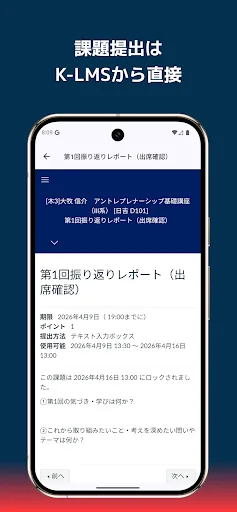
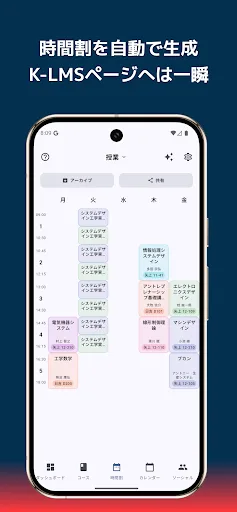
KPass is an app designed to make using Keio University's learning support system, "K-LMS," even more convenient. It allows you to manage classes, assignments, timetables, and communication all in one app, smartly supporting the busy student life of Keio students. [One-Shot Jump from Timetable to Class Page] Check what classes you have today and open the K-LMS class page directly. KPass's timetable is not just for vie…
KPass(ケーパス) - KLMS連携の授業・課題・時間割 Screenshots
Official app screenshots from the Google Play Store.
About KPass(ケーパス) - KLMS連携の授業・課題・時間割
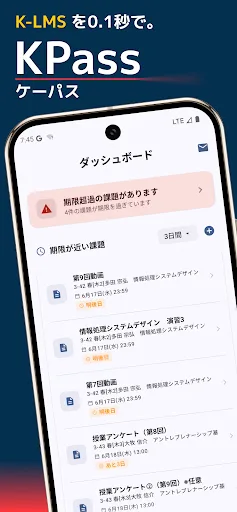
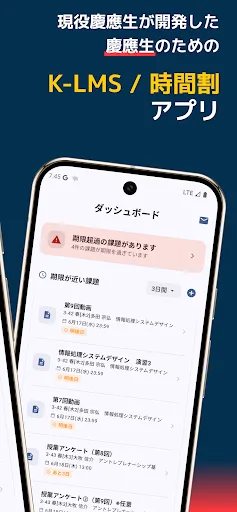
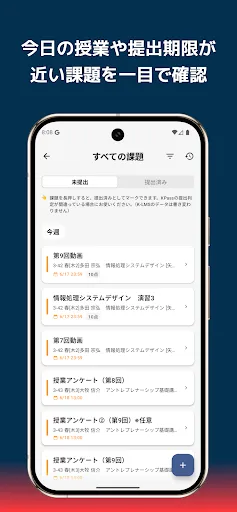
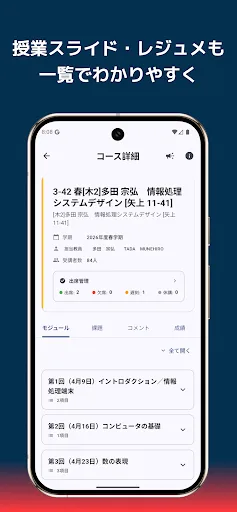
KPass is an app designed to make using Keio University's learning support system, "K-LMS," even more convenient. It allows you to manage classes, assignments, timetables, and communication all in one app, smartly supporting the busy student life of Keio students. [One-Shot Jump from Timetable to Class Page] Check what classes you have today and open the K-LMS class page directly. KPass's timetable is not just for viewing, but a "usable" timetable. Simply tap a class period to instantly access the class page where assignments, announcements, and files are displayed. Pre-class checks and post-class assignment checks can all be completed without leaving the timetable. The timetable itself is automatically generated, eliminating the need for manual input. The "Course Registration" mode also allows you to simulate your timetable for the next semester. [Never Miss Assignment Deadlines] Assignments for all courses are consolidated into a single list and automatically grouped by deadline, such as "Today," "Tomorrow," and "This Week." Quickly check only the assignments you want to see by switching between "Not Submitted" and "Submitted" tabs. Overdue assignments are automatically alerted on…