Lineate - Sketch & AR Trace
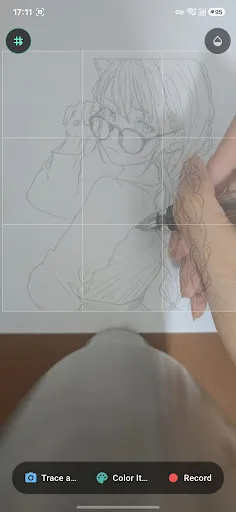
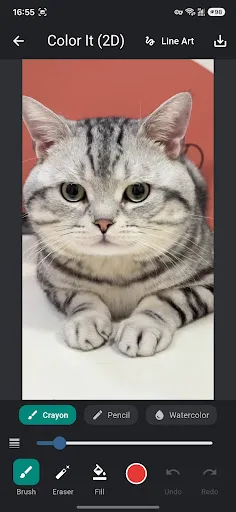
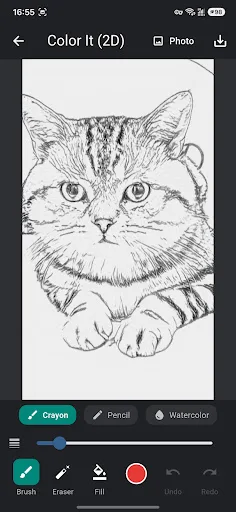
Lineate is a practical tool that transforms any photo into clean line art using on-device AI, ensuring your images never leave your phone. It offers multiple styles like Anime, Contour, and Pencil Sketch, with adjustable line intensity and thickness. The standout feature is AR tracing, which overlays the line art onto the real world so you can trace it onto paper. You can also color directly on your screen, making it versatile for both digital and traditional artists.
Pros
- On-device AI conversion keeps photos private and works offline
- Multiple line art styles (Anime, Contour, Pencil Sketch) for creative variety
- AR tracing lets you draw on paper with real-world overlay
- Fine-tune line intensity and thickness for customized results
- Manual eraser to clean up stray lines for a polished look
Cons
- Very low install base (10+) suggests limited community and feedback
- No user ratings yet, making it hard to gauge reliability
- AR tracing may require a stable surface and good lighting for best results
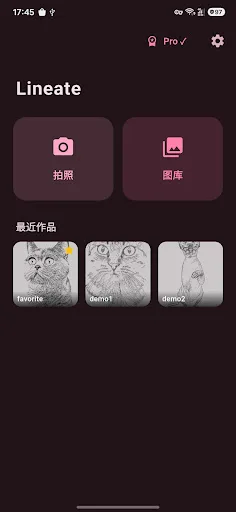
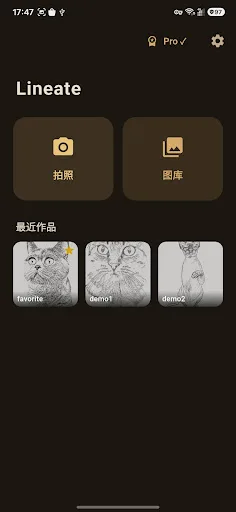
Lineate - Sketch & AR Trace Screenshots
Official app screenshots from the Google Play Store.
About Lineate - Sketch & AR Trace
Lineate turns any photo into line art and helps you draw it for real — on paper through AR tracing, or right on your screen with coloring tools. KEY FEATURES • Photo to Line Art Pick any photo from your gallery or snap a new one. Lineate instantly converts it into clean line art using on-device AI — no internet upload, everything stays on your phone. • Multiple Line Art Styles Choose from Anime, Contour, and Pencil Sketch styles to match the look you want. Fine-tune line intensity and thickness, and manually erase stray lines for a clean result. • AR Tracing Overlay the line art onto your real paper through your camera and trace along with your own pencil. Adjustable grid and mirror modes help you get proportions right. Record your drawing process as a video. • 2D Coloring Color directly on the line art with crayon, colored pencil, and watercolor brushes. Tap to flood-fill areas, undo/redo freely, and save your finished artwork to your gallery. • Your Work, Your Device All photos and artworks are processed and stored locally on your device. Nothing is uploaded to any server. Lineate is free to use. An optional one-time Pro upgrade removes ads and exports without a wat…
Frequently Asked Questions
Is Lineate safe to use?
Yes, Lineate processes all images on-device, so your photos are never uploaded to the internet. The app has no known security issues and is available on the Play Store.
Does Lineate contain ads?
The Play Store listing does not mention ads, and given the app's early stage, it likely has no ads. However, this could change with future updates.
Can I use Lineate offline?
Absolutely. Since all AI processing happens on your device, you can convert photos to line art and use AR tracing without an internet connection.
Who should install Lineate?
Artists, hobbyists, and anyone interested in drawing or tracing will find Lineate useful. It's also great for those who want to practice drawing from photos without needing advanced skills.