Native Camera
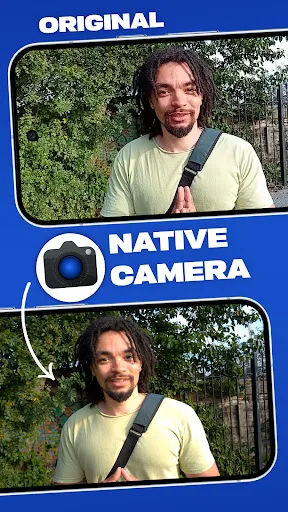
Native Camera by N8 Media is a professional-grade camera app that bypasses your phone's default processing to deliver cleaner, more detailed images. It supports 10-bit HLG HDR video for cinematic dynamic range, along with manual controls for precise adjustments. The app is designed for enthusiasts and filmmakers who want to unlock the full potential of their device's camera hardware. Available on the Play Store, it has received a rating of 4.1/5 from users.
Pros
- Bypasses manufacturer processing for cleaner, more natural images
- Supports 10-bit HLG HDR video for high dynamic range and vibrant colors
- Offers manual controls for precision adjustments
- Designed for both enthusiasts and professionals
- Simple clips in 8-bit are also supported for flexibility
Cons
- May require some technical knowledge to fully utilize
- No information on pricing or in-app purchases
- Limited user reviews due to low install count
Native Camera Screenshots
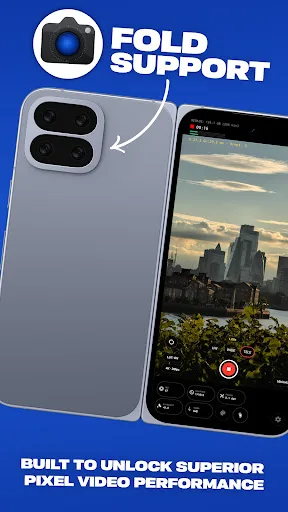
Official app screenshots from the Google Play Store.
About Native Camera
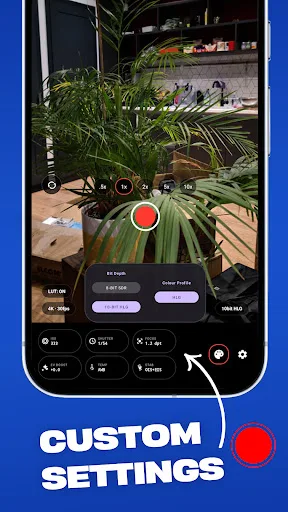
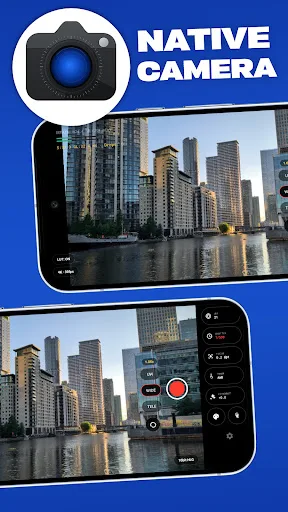
Take full control of your mobile filmmaking with Native Camera. Designed for enthusiasts and professionals, Native Camera unlocks the raw power of your device's camera hardware by bypassing the default processing provided by your phone manufacturer. Resulting in a cleaner image. Whether you are capturing cinematic 10-bit HLG HDR videos or simple clips in 8bit, Native Camera gives you the manual precision you need to bypass standard processing issues. KEY FEATURES: • Professional Video Formats Shoot in stunning 10-bit HLG HDR for unmatched dynamic range and vibrant colors, or stick to standard 8-bit SDR for maximum compatibility. • Custom High Bitrates Don't let default settings compress your work. Control your bitrate settings to record videos at maximum quality for clean post-production editing. • Hardware-Optimized Boosted ISO Banish dark viewfinders and low-light noise. Toggle the custom "Boosted" ISO mode to significantly brighten your preview and capture clean night shots. • Complete Manual Control Quickly adjust exposure, ISO, focus, white balance, and stabilization modes on a clean, modern, single-page interface. • Multi-Lens Support Easily swap between ultra-wide,…
Frequently Asked Questions
Is Native Camera safe to use?
Yes, it is a legitimate camera app from N8 Media, available on the Play Store. It does not request unnecessary permissions beyond what is needed for camera and storage access.
Does Native Camera include ads?
The app description does not mention ads, so it is likely ad-free. However, for the most current information, check the Play Store listing for any updates.
Can I use Native Camera offline?
Yes, the app operates entirely on your device and does not require an internet connection to take photos or videos. Internet may be needed for future updates.
Who should install Native Camera?
This app is ideal for mobile filmmakers, photography enthusiasts, and professionals who want manual control and higher quality video output. It may be less suitable for casual users who prefer point-and-shoot simplicity.