
OneCleaner
OneCleaner is a practical utility tool that helps you manage storage space on your Android device. It allows you to find and delete large files, manage photos by identifying duplicates or similar images, and view storage usage of installed apps. Additionally, it provides basic device information. The app is free to use and has a rating of 4.2 on Google Play.
Pros
- Free to use with no ads
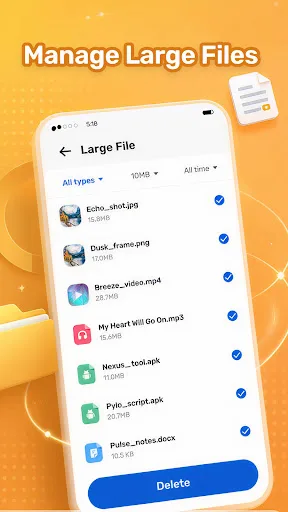
- Effectively identifies large files for easy cleanup
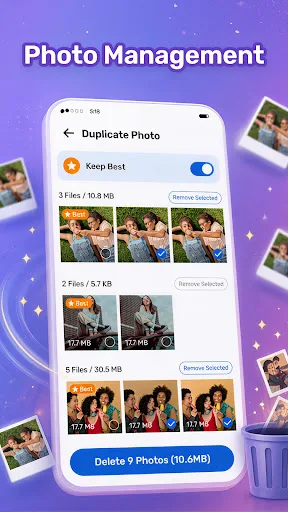
- Helps find duplicate or similar photos to free up space
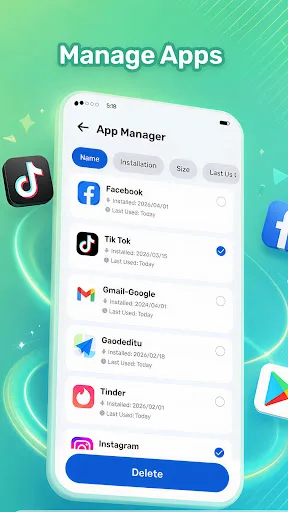
- Provides clear storage usage for installed apps
- Simple and intuitive interface
Cons
- Limited advanced features compared to some cleaners
- No automatic cleaning or scheduling
- May not detect all duplicate photos on all devices
OneCleaner Screenshots
Official app screenshots from the Google Play Store.
About OneCleaner
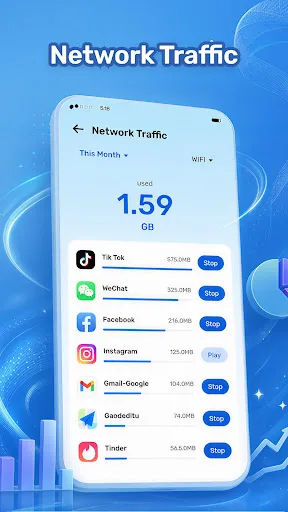
OneCleaner is a practical utility tool. Core Features: 1. Large File Manager Find large files stored on your device, such as videos, photos, and archives. You can review these files and choose whether to keep or delete them. 2. Photo Management Review photos on your device and find items that may take up storage space, such as duplicate or similar photos, if available. 3. Application Manager View installed applications and their storage usage. You can open app details and manage apps through your device settings. 4. Device Information View basic device information, including memory status, battery information, and network speed test results. You can review our full Privacy Policy here: https://sites.google.com/view/onecleanerpro/privacy-policy
Frequently Asked Questions
Is OneCleaner safe to use?
Yes, OneCleaner is safe. It does not request unnecessary permissions and only deletes files that you explicitly choose to delete. The app is designed to help you manage storage without intrusive access.
Does OneCleaner include ads?
No, OneCleaner is completely free and does not display any advertisements, providing a smooth and uninterrupted user experience.
Can I use OneCleaner offline?
Yes, OneCleaner works entirely offline. All scanning and management features are performed on your device without needing an internet connection.
Who should install OneCleaner?
OneCleaner is ideal for anyone looking to free up storage space on their Android device, especially those who accumulate large files, photos, or have many apps installed. It's also great for users who prefer a simple, no-frills utility without ads.