PDF Reader - Viewer, Edit PDF
PDF Reader - Viewer, Edit PDF by Zenstack Labs is a versatile tool that goes beyond basic viewing, offering editing, scanning, merging, splitting, compressing, and image-to-PDF conversion. With over 100,000 installs, it aims to handle a wide range of PDF tasks in one app. However, its current rating of 3.6 suggests mixed user feedback. For a comprehensive PDF solution, this app is worth considering, though you may want to weigh its features against potential performance issues.
Pros
- All-in-one PDF toolkit: view, edit, annotate, scan, merge, split, compress, and convert images to PDF.
- Smooth reading experience with clear page display for comfortable viewing.
- Document scanning feature allows you to create PDFs from physical papers.
- Compression feature helps reduce PDF file size for easier sharing.
- Supports batch operations like merging and splitting multiple PDFs.
Cons
- User rating is low (3.6), indicating possible bugs or performance issues.
- May include ads or in-app purchases, which can be intrusive.
- Advanced editing features might be limited compared to dedicated PDF editors.
PDF Reader - Viewer, Edit PDF Screenshots
Official app screenshots from the Google Play Store.
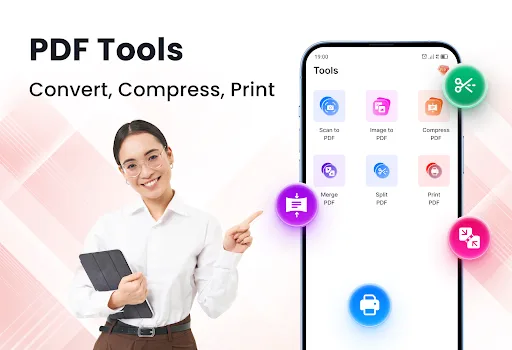
About PDF Reader - Viewer, Edit PDF
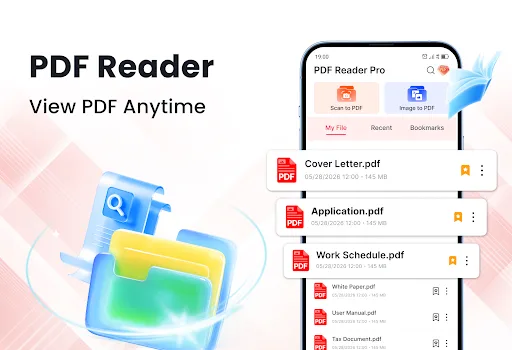
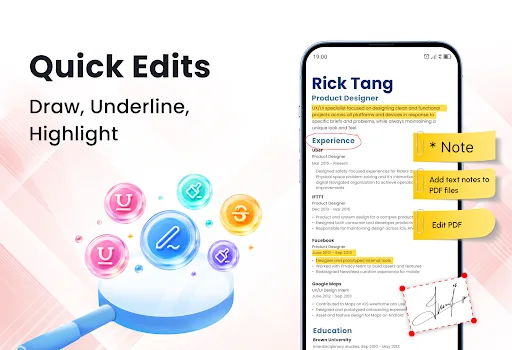
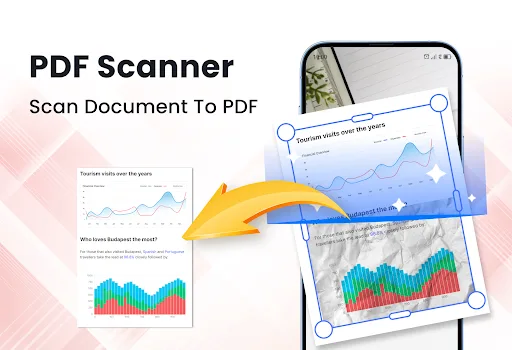
❓Looking for a powerful PDF Reader that does more than simply open PDF files? PDF Reader - Viewer, Edit PDF app has everything you need to work with PDF documents. You can edit PDF files and scan paper documents in one convenient app. Manage every PDF task more easily! Download app now! 🔴 Main Features 🔺Read PDFs smoothly 🔺Quick edit and annotate PDFs 🔺Scan documents to PDF 🔺Split or Merge multiple PDFs 🔺Image to PDF 🔺Compress PDFs to a smaller size 📕PDF Viewer Read PDF files with a smooth and comfortable viewing experience. PDF Reader displays every page clearly for easy reading. With fast loading, your PDF documents are always ready whenever you need them. ✏️ PDF Editor Review your PDF files with practical editing tools. Highlight text, underline key information, draw on pages, and annotate documents to make reviewing reports, assignments, contracts, and presentations more organized. PDF Editor helps you keep important information easily accessible. ♦️ PDF Scanner Turn paper documents into digital PDF files using your phone's camera. Scan receipts, invoices, notes, and other business documents, then save them as high-quality PDFs. ♦️ Merge PD…
Frequently Asked Questions
Is PDF Reader - Viewer, Edit PDF safe to install?
The app is listed on the Google Play Store with a developer account (Zenstack Labs). However, due to its lower rating, you should review permissions and user feedback before installing. It's generally safe, but always check the latest reviews.
Does the app contain ads?
The Play Store listing does not specify ad policies. Many free PDF tools include ads to support development. Check the app's description or recent reviews for mentions of ads.
Can I use the app offline?
Core PDF viewing and editing features typically work offline. However, features like scanning or cloud integration may require internet. The app likely works offline for basic tasks, but check for any online requirements.
Who should install this app?
This app is suitable for users who need a multi-functional PDF tool for occasional tasks like reading, editing, merging, or compressing PDFs. It's not ideal for heavy professional use due to mixed reviews, but it's a convenient option for everyday needs.