PDF Utility - PDF Tools - PDF
PDF Reader, PDF Viewer, PDF Tools & PDF Utility. PDF Reader - PDF Tools an ultimate combination of 17 PDF Tools & Utilities with PDF Editor. PDF Reader: Quickly open and read the pdf file with inbuilt pdf reader & pdf viewer. Zoom In & Zoom out in PDF Reader Scroll horizontal (Book Reading View) or Scroll vertically continues page mode in pdf viewer Jump to specific pdf page in pdf reader Bookmark the content of the…
PDF Utility - PDF Tools - PDF Screenshots
Official app screenshots from the Google Play Store.

About PDF Utility - PDF Tools - PDF
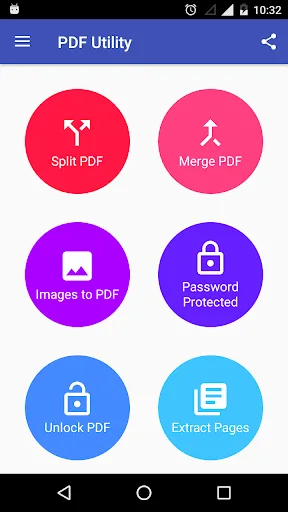
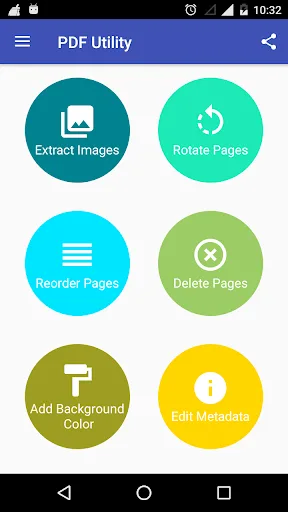
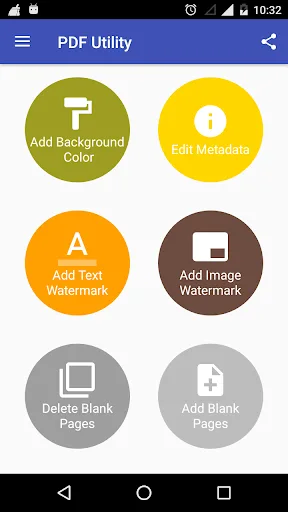
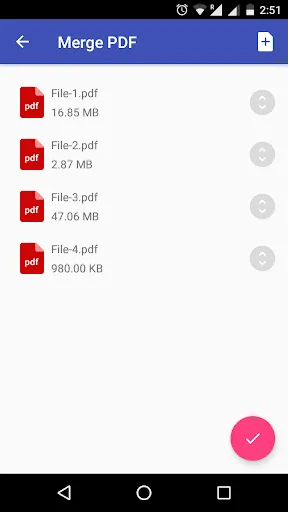
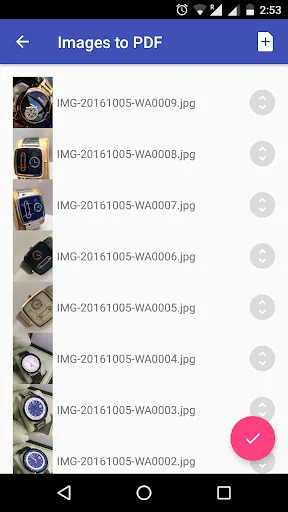
PDF Reader, PDF Viewer, PDF Tools & PDF Utility. PDF Reader - PDF Tools an ultimate combination of 17 PDF Tools & Utilities with PDF Editor. PDF Reader: Quickly open and read the pdf file with inbuilt pdf reader & pdf viewer. Zoom In & Zoom out in PDF Reader Scroll horizontal (Book Reading View) or Scroll vertically continues page mode in pdf viewer Jump to specific pdf page in pdf reader Bookmark the content of the pdf with notes for future reference Night mode in pdf reader for comfortable reading in night Read password protected PDF Jump to specific page from PDF content & index Split PDF: Split a PDF file at a particular page into multiple files. Now no worries about a large file to split. Merge PDF: Select two or more PDF and merge into a Single PDF Document. Images to PDF(PNG to PDF or JPG to PDF): Select one or more images to create a PDF files of it. Now enjoy an album of your golden memory into PDF and share it with anyone. Lock PDF (Encrypt PDF): Enjoy an unlimited privacy of your PDF Document by encrypting it with a Password. Unlock PDF (Decrypt PDF): Remove password from a PDF to enjoy hassle free access. Extract Pages: Extract specific pages from a PDF. Extract Images:…
Comparisons Featuring PDF Utility - PDF Tools - PDF
 VS
VS
City Utilities – My Account vs PDF Utility - PDF Tools: Which Tool App Suits You Best?
 VS
VS
My Utility Account vs PDF Utility: Which Tool App Wins for Your Needs?
VS

PDF Utility vs Flex Utility Premium: Which Tool App Reigns Supreme?
VS

PDF Utility vs Util Master: Tools App Showdown – PDF Editing vs CS2 Gaming Guides
VS