Reelova:AI Photo & Video Maker
Reelova is an AI-powered video maker that transforms static photos into cinematic motion videos with a single tap. It automatically optimizes lighting, depth, and atmosphere, making it ideal for quick social media content. The app targets users who want professional-looking videos without editing skills. Currently with 0+ installs, it's a new tool by developer Lumixor.
Pros
- One-tap AI video creation from a single photo
- Automatically enhances lighting, tones, and depth
- No video editing experience required
- Creates smooth, lifelike motion from static images
- Quick sharing-ready output for social media
Cons
- Very new app with zero installs and no user reviews yet
- Limited to photo-to-video; no advanced editing features
- May require internet access for AI processing
Reelova:AI Photo & Video Maker Screenshots
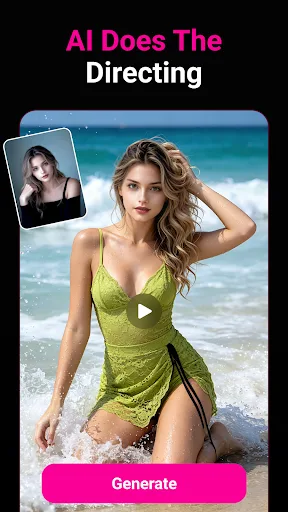
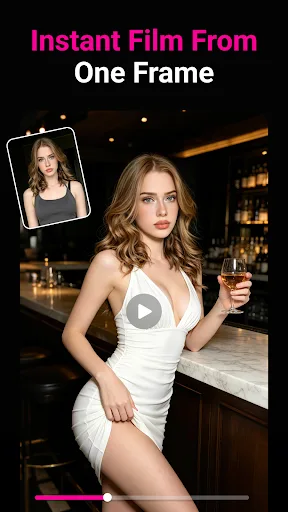
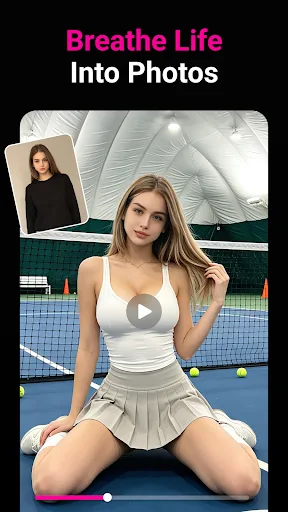
Official app screenshots from the Google Play Store.
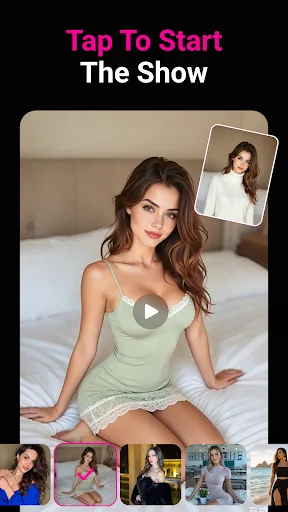

About Reelova:AI Photo & Video Maker
Powered by advanced AI, Reelova lets you make stunning short videos with a single tap, no complicated Operate required. Core Features Turn one single photo into cinematic motion videos.Upload just one image, and AI auto optimizes lighting, tones, depth and scene atmosphere. It generates smooth, lifelike moving footage instead of plain static slides—no extra shots or materials needed. Turn all gallery photos into video AI adds natural motion to portraits and scenes, converting static album photos into expressive, ready-to-share videos automatically. One-Click Ultra-Easy Creation Skip messy menus, repeated tweaks and confusing pro settings. One tap launches full auto video generation for hassle-free creation. Zero-Threshold AI Creation Ditch hard-to-use traditional apps with steep learning curves. Capture any daily moment casually; AI handles all directing, grading and scene polishing to output eye-catching professional videos. Turn your phone into a pocket AI studio. Download, Tap, Create.
Frequently Asked Questions
Is Reelova safe to use?
As a new app with no installs, safety isn't verified yet. Download from official Play Store and check permissions. Avoid granting unnecessary access.
Does Reelova contain ads?
The Play Store listing doesn't mention ads. Since it's new, ad policy is unknown. Free apps often include ads, but not confirmed.
Can I use Reelova offline?
AI processing likely requires internet. The summary implies cloud-based optimization, so offline use may be limited or unavailable.
Who should install Reelova?
Ideal for social media enthusiasts, content creators, and anyone who wants to turn photos into short videos quickly without editing skills. Not for advanced video editors.