
Remini AI Video Enhancer
Remini AI Video Enhancer helps creators shape video edits with AI-assisted support for enhanced-looking video concepts, caption structure, scene ideas, and polish planning. It is built for short videos, stories, reels, and social clips where the edit needs a clear idea, readable captions, and a consistent visual direction. Use it when you want to prepare a video concept, organize clip order, draft caption text, explo…
Remini AI Video Enhancer Screenshots
Official app screenshots from the Google Play Store.
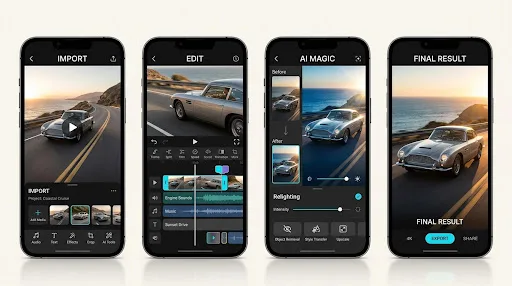
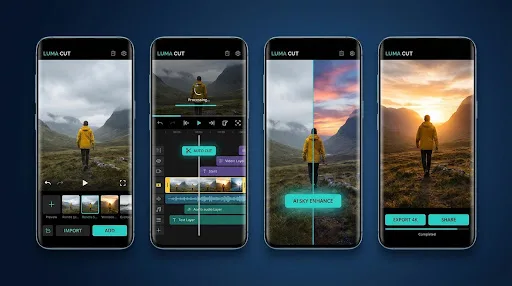
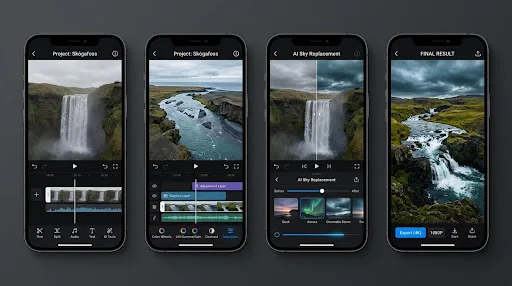
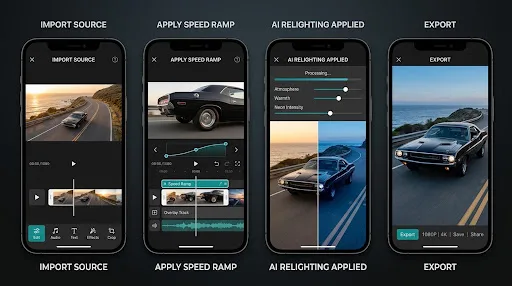
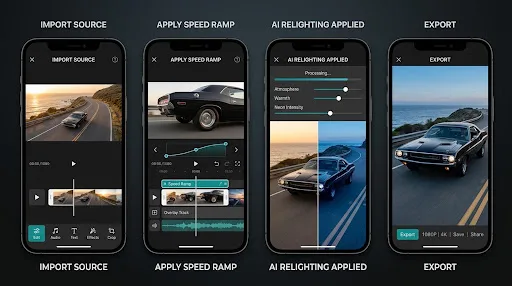
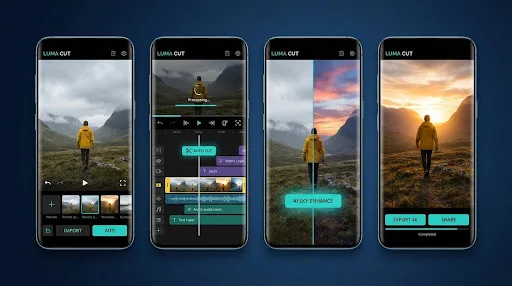
About Remini AI Video Enhancer
Remini AI Video Enhancer helps creators shape video edits with AI-assisted support for enhanced-looking video concepts, caption structure, scene ideas, and polish planning. It is built for short videos, stories, reels, and social clips where the edit needs a clear idea, readable captions, and a consistent visual direction. Use it when you want to prepare a video concept, organize clip order, draft caption text, explore prompt-based creative ideas, and keep the project moving without a crowded editing workspace. The experience focuses on planning and refining the parts that make a video feel coherent: scene purpose, clip flow, text, and style. Key features: - AI-assisted prompt ideas for video concepts and scene direction - Caption and title text planning for short-form video projects - Clip-flow organization for reels, stories, edits, and social videos - Visual style ideas for cleaner, more consistent video direction - Simple project-focused layout for planning and refining edits This listing describes the app's video editing and AI-assisted creative purpose. The app does not promise professional production results, third-party platform publishing, or features that depend on servic…