Remote for Sharp Tv
Turn your phone into a Sharp TV remote with WiFi or IR blaster support. Control power, volume, channels, and menu navigation. Ideal backup for lost or broken remotes. Lightweight and easy to set up.
Pros
- Dual connectivity: works over WiFi or built-in IR blaster
- Simple interface with essential TV controls
- No Bluetooth pairing required for IR mode
- Lightweight app with minimal permissions
- Free to download with no hidden costs
Cons
- Limited to Sharp Smart TVs and models with IR support
- Requires phone with IR blaster for IR mode (rare in newer phones)
- No voice control or advanced features like keyboard input
Remote for Sharp Tv Screenshots
Official app screenshots from the Google Play Store.
About Remote for Sharp Tv
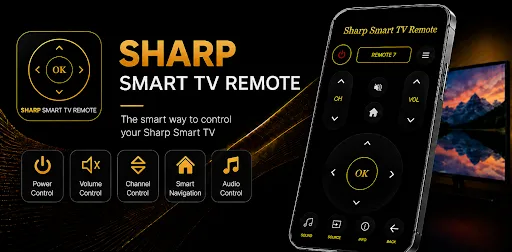
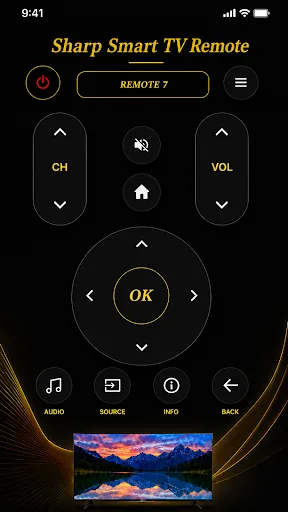
Sharp Smart TV Remote is a powerful and easy-to-use remote control app designed to control your Sharp Smart TV using either WiFi or your phone's built-in IR blaster. Whether your physical remote is lost, damaged, or out of battery, this app provides a convenient way to control your TV directly from your smartphone. Key Features: • Control Sharp Smart TVs over WiFi • IR Remote support for phones with IR blaster • Power ON/OFF control • Volume Up/Down and Mute • Channel switching • Navigation buttons (Up, Down, Left, Right, OK) • Smart TV menu access • Launch and control installed TV apps • Fast connection and responsive controls • Simple and user-friendly interface • No additional hardware required How to Connect: WiFi Mode: Connect your phone and Sharp TV to the same WiFi network. Open the app and select your TV. Start controlling your TV instantly. IR Mode: Ensure your phone has an IR blaster. Open the app and select the appropriate Sharp TV model. Use your phone as a traditional TV remote. Why Choose Sharp Smart TV Remote? ✓ Easy setup ✓ Lightweight and fast ✓ Supports both Smart TVs and traditional Sharp TVs (via IR) ✓ Reliable and responsive perfor…
Frequently Asked Questions
Is this app safe to use?
Yes, the app only requires network or IR permissions to control your TV and does not access personal data.
Does the app contain ads?
The app is free and may display occasional ads, but they are not intrusive and do not affect functionality.
Can I use this app without an internet connection?
Yes, if your phone has an IR blaster, you can control the TV without WiFi. WiFi mode requires both devices on the same network.
Who should install this app?
Anyone with a Sharp Smart TV who needs a backup remote, or prefers using their phone instead of a physical remote.