Smart Teleprompter
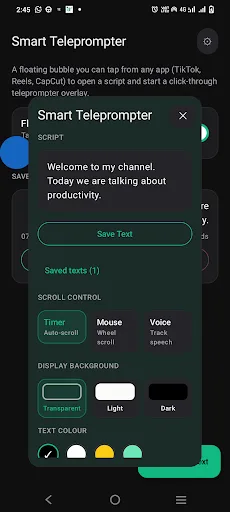
Smart Teleprompter turns your phone into a hands-free teleprompter for any recording app — TikTok, Instagram Reels, CapCut, YouTube, Zoom, or your camera app. Tap the floating bubble from anywhere, and your script scrolls right over whatever you're filming with. HOW IT WORKS • Tap the always-on floating bubble to open your script. • Choose how it scrolls: a steady Timer auto-scroll, Mouse wheel control, or Voic…
Smart Teleprompter Screenshots
Official app screenshots from the Google Play Store.
About Smart Teleprompter
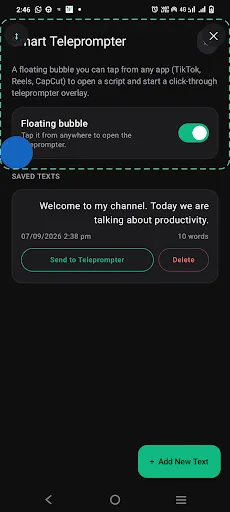
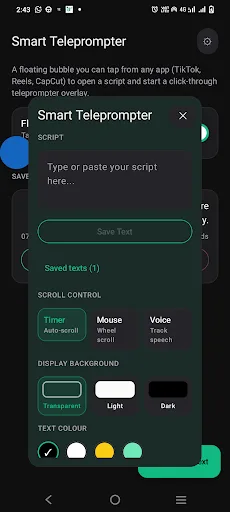
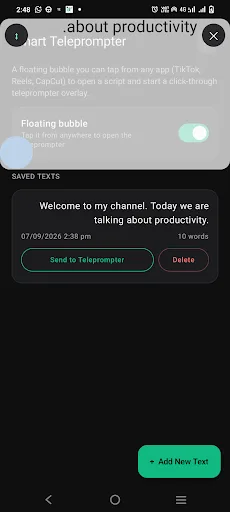
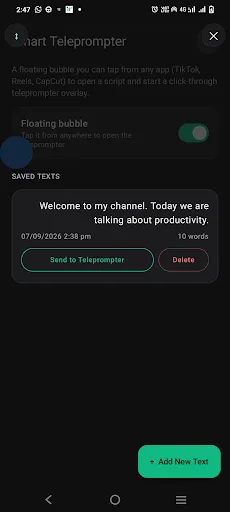
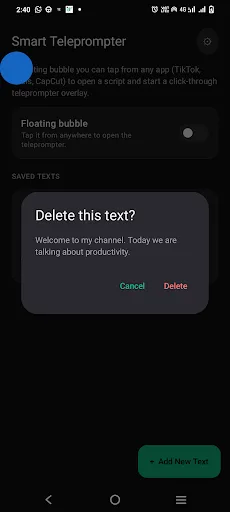
Smart Teleprompter turns your phone into a hands-free teleprompter for any recording app — TikTok, Instagram Reels, CapCut, YouTube, Zoom, or your camera app. Tap the floating bubble from anywhere, and your script scrolls right over whatever you're filming with. HOW IT WORKS • Tap the always-on floating bubble to open your script. • Choose how it scrolls: a steady Timer auto-scroll, Mouse wheel control, or Voice Tracking — the script follows your own voice as you read, pausing when you pause and catching up when you speak again. • Start the teleprompter and keep recording in your camera app underneath — the overlay is click-through, so nothing you're filming is interrupted. MAKE IT YOURS • Pick a transparent background with a dashed border so the camera preview stays visible, or a solid light/dark panel. • Choose your text color: black, white, yellow, or green. • Adjust scroll speed and font size to match how you read. • Drag the panel anywhere on screen and it stays put. YOUR SCRIPTS, ORGANIZED Save as many scripts as you like right on your home screen, edit them anytime, and send any one straight to the teleprompter with a tap. PRIVACY BY DESIGN No account, no…