Talk Forward
Talk Forward is a powerful screen reader for Android, designed for blind and low-vision users. It offers fast, low-latency speech feedback and deep customization, including fully configurable gestures. The app focuses on speed, reliability, and modern features to make devices fully usable by voice and touch. With over 1,000 installs, it's a specialized tool for accessibility.
Pros
- Low-latency speech feedback for fast, fluid navigation
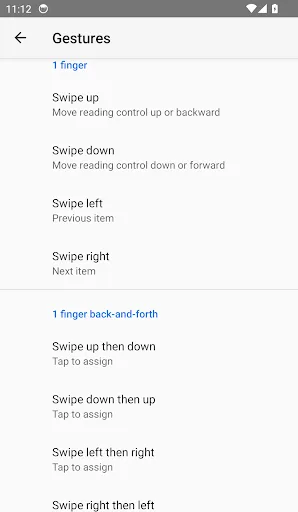
- Fully customizable one- and two-finger gestures for quick actions
- Configurable verbosity levels to control how much information is spoken
- Designed specifically for blind and low-vision users with accessibility in mind
- Regular updates and active development by a dedicated developer
Cons
- Limited user base may mean fewer community resources or tutorials
- No built-in tutorial or onboarding guide for new users
- May require initial setup time to configure gestures to personal preference
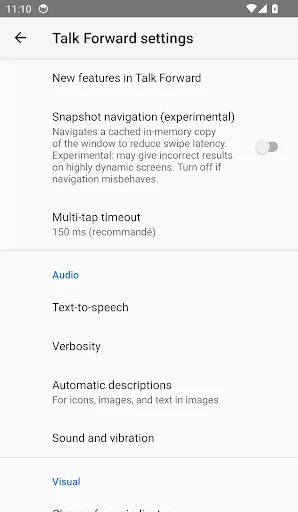
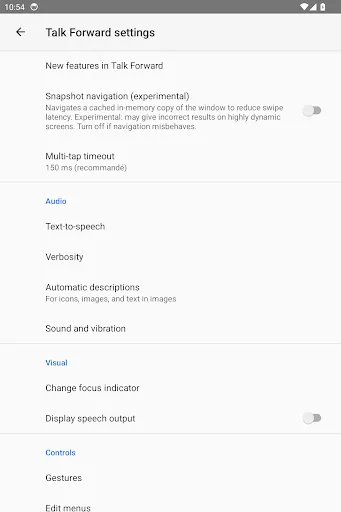
Talk Forward Screenshots
Official app screenshots from the Google Play Store.
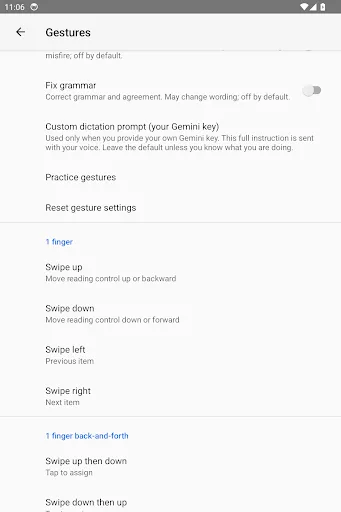
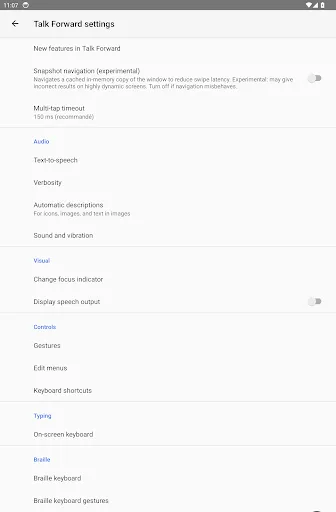
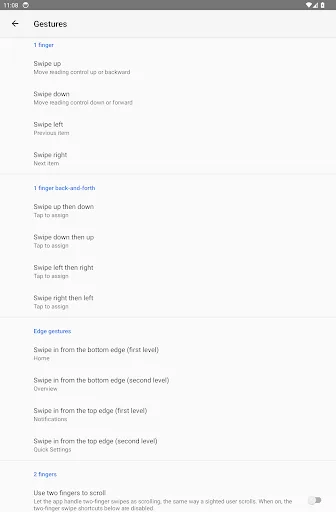
About Talk Forward
Talk Forward is a powerful screen reader that makes your Android phone and tablet fully usable by voice and touch — built for blind and low-vision users who want speed, control, and modern features. Refined for responsiveness, Talk Forward focuses on what matters most: fast, reliable feedback and deep customization, so the device works the way you do. KEY FEATURES • Fast, fluid navigation — explore the screen by touch with low-latency speech and clear, configurable verbosity. • Fully customizable gestures — assign one- and two-finger swipes to the actions you use most, globally or per app. • Automatic image descriptions — get descriptions of images, icons, and unlabeled controls. • On-device translation — translate the focused text instantly, offline and free. • Smart voice dictation — speak naturally; optional cleanup removes hesitations and adds punctuation. • Built-in braille keyboard — type braille directly on the screen, with support for many languages and tables. • Pronunciation dictionary — teach the screen reader how to say names and terms your way, globally or per app. • Phones and tablets — feedback tuned for real, everyday use on any scr…
Frequently Asked Questions
Is Talk Forward safe to use?
Yes, Talk Forward is safe. It only requires accessibility service permissions to function as a screen reader and does not access personal data beyond what is needed for navigation.
Does Talk Forward contain ads?
No, Talk Forward is completely ad-free. It focuses on providing a seamless accessibility experience without interruptions.
Can Talk Forward be used offline?
Yes, Talk Forward works fully offline. All speech synthesis and gesture recognition are processed locally on the device.
Who should install Talk Forward?
Talk Forward is ideal for blind or low-vision Android users who want a fast, customizable screen reader. It's also suitable for developers testing accessibility features.