Microsoft Copilot vs Microsoft 365 Copilot: Which AI Assistant Reigns Supreme?
Microsoft Copilot (com.microsoft.copilot) is a general-purpose AI companion powered by GPT-5, ideal for everyday tasks like chatting, learning, and creative exploration. Microsoft 365 Copilot (com.microsoft.office.officehubrow) is an AI-first productivity app for work, designed for drafting documents, managing projects, and summarizing content. While both are developed by Microsoft, they serve distinct audiences: Copilot for personal use, and 365 Copilot for professionals and enterprise users.

Microsoft Copilot
Recommended- Rating
- ★ 4.66
- Downloads
- 50,000,000+
- Developer
- Microsoft Corporation

Microsoft 365 Copilot
- Rating
- ★ 4.51
- Downloads
- 1,000,000,000+
- Developer
- Microsoft Corporation
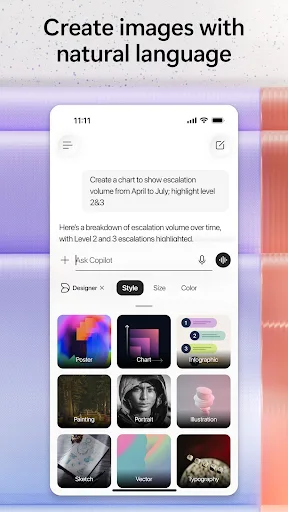
Copilot just landed AI's leading model. GPT-5 is AI at its smartest and most intuitive, combining the best of our reasoning and chat models into one cohesive experience. Select "Smart" mode to try GPT-5 today. Microsoft Copilot is your daily AI companion. Talking with Copilot is…
Pros
- Powered by GPT-5, the latest and most intelligent AI model
- Higher user rating (4.66) with 50M+ installs
- Versatile for chatting, learning, and creative tasks
- Free to use with optional premium features
- Regular updates with cutting-edge AI capabilities
Cons
- Limited productivity features for office tasks
- May not integrate deeply with Microsoft 365 apps
- Requires internet connection for AI responses
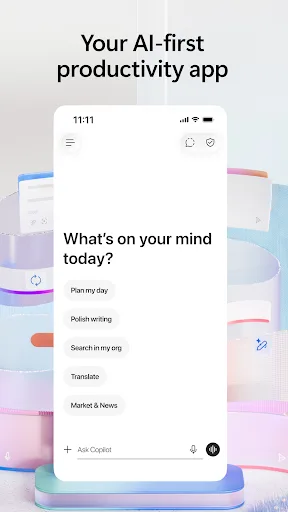
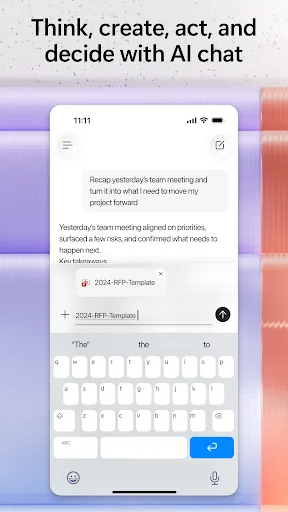
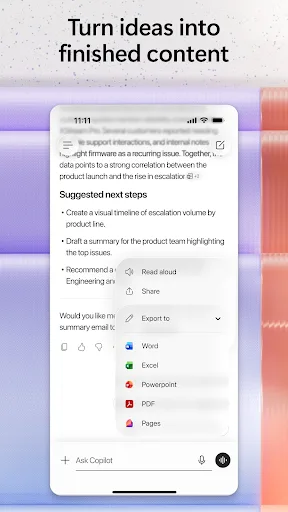
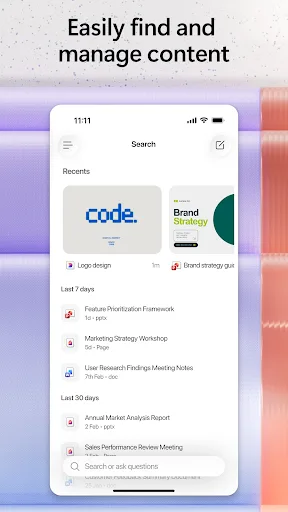
The Microsoft 365 Copilot app is your AI-first productivity app for work. It provides one place for you to chat with your AI assistant, create content, manage projects and quickly find files on the go – helping you get more done, without doing more. With the Microsoft 365 Copil…
Pros
- Tailored for work productivity with AI-first features
- Seamless integration with Microsoft 365 apps like Word, Excel, and Teams
- Can create, summarize, and manage documents on the go
- Supports project management and file search
- Over 1 billion installs, indicating massive enterprise adoption
Cons
- Requires a Microsoft 365 subscription for full functionality
- Lower rating (4.52) compared to Copilot
- Less suitable for casual, non-work-related AI interactions
Final Verdict
Our pick: Microsoft Copilot
For most users, Microsoft Copilot is the better choice due to its cutting-edge GPT-5 model, higher rating, and broader appeal for everyday AI assistance. However, if you are a professional deeply integrated into the Microsoft 365 ecosystem and need AI-powered productivity features like document creation and project management, Microsoft 365 Copilot is indispensable. Consider your primary use case: personal AI companion vs work productivity booster. The decision ultimately hinges on whether you need general intelligence or office-specific automation.
Microsoft Copilot Screenshots
Official app screenshots from the Google Play Store.





Microsoft 365 Copilot Screenshots
Official app screenshots from the Google Play Store.
Frequently Asked Questions
Which app has a higher rating?
Microsoft Copilot has a higher rating of 4.66 compared to Microsoft 365 Copilot's 4.52.
Can I use these apps offline?
Both apps require an internet connection for AI features. Some cached content may be accessible offline, but core AI functions need connectivity.
Do these apps contain ads?
Neither app displays third-party ads. Microsoft Copilot may offer premium features, while Microsoft 365 Copilot requires a subscription for full access.
What are the device requirements?
Both apps require Android 8.0 or later. Microsoft 365 Copilot may need additional permissions for integration with Office apps.
Which app should I choose for personal use?
For personal use, choose Microsoft Copilot for its advanced AI model and versatility. For work productivity, choose Microsoft 365 Copilot.
Related Comparisons
 VS
VS

ChatOn vs LumoAI: Best AI Assistant for 2026
 VS
VS
Amazon Alexa vs Offline AI Chat Private: Which AI Assistant Is Right for You
VS

Microsoft Copilot vs Meta AI: Which AI Assistant Reigns Supreme
 VS
VS

ChatGPT vs DeepSeek AI Assistant: Which Android AI App Reigns Supreme?
 VS
VS
Grok AI vs ChatGPT: Which AI Assistant Reigns Supreme
VS