Samsung Music vs Pandora: Offline Player vs Streaming Giant
Samsung Music is a robust offline music player designed specifically for Samsung devices, supporting a wide range of audio formats and offering a clean interface for managing local files. Pandora, on the other hand, is a leading music streaming and podcast platform that creates personalized radio stations based on your tastes. Samsung Music is ideal for users who own a Samsung phone and want a powerful local player, while Pandora suits those who prefer curated streaming and discovery without managing files.

Samsung Music
- Rating
- ★ 3.80
- Downloads
- 1,000,000,000+
- Developer
- Samsung Electronics Co., Ltd.

Pandora - Music & Podcasts
Recommended- Rating
- ★ 3.89
- Downloads
- 100,000,000+
- Developer
- Pandora
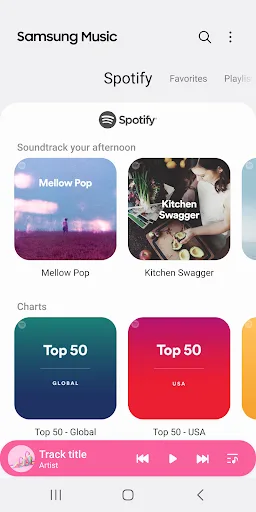
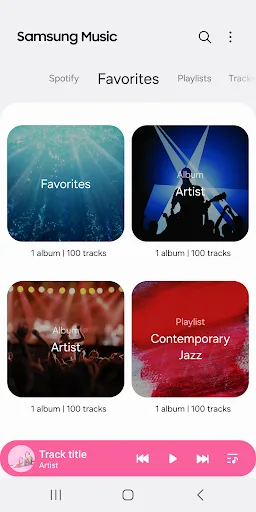
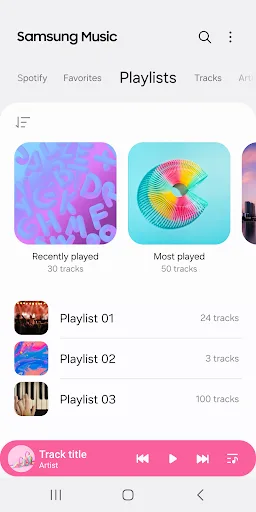
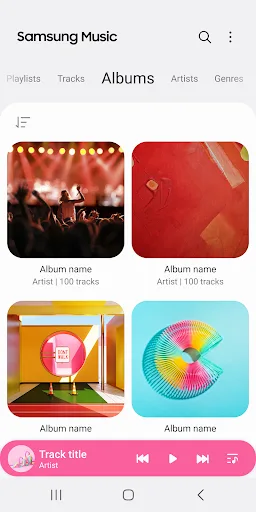
Samsung Music is optimized for Samsung android device and provides a powerful music play functionality and the best user interface. Key Features 1. Supports playback of various sound formats such as MP3, AAC, FLAC. (Supported file formats may vary depending on the device.) 2. Hel…
Pros
- Supports high-res audio formats like FLAC, AAC, and MP3
- Optimized for Samsung devices with seamless integration
- Excellent folder-based music management and categorization
- No ads or internet required for playback
- Lightweight and fast, even with large libraries
Cons
- Limited to Samsung devices only
- No streaming or music discovery features
- Outdated interface with fewer customization options
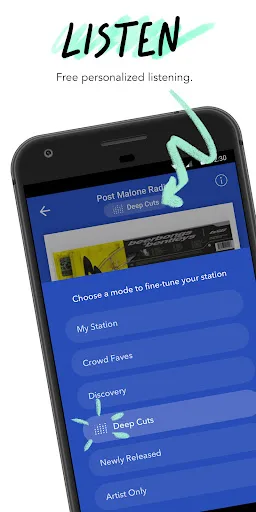
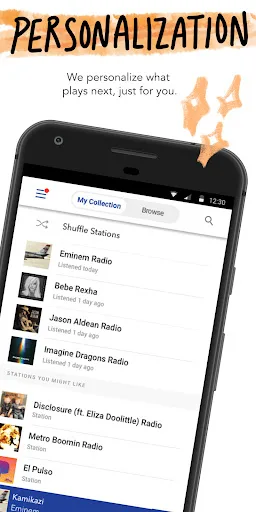
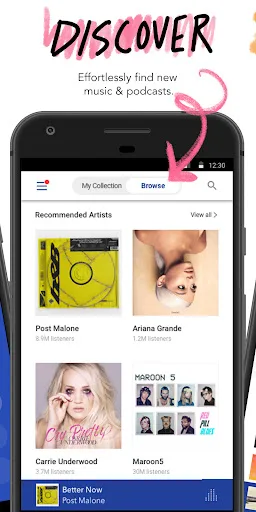
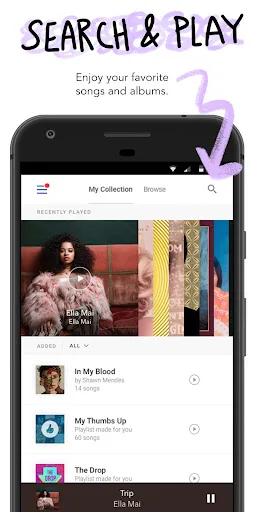
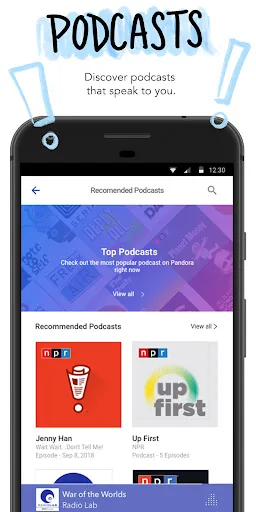
Pandora gives you a personalized listening experience that continually evolves with your tastes. Create stations from your favorite songs, artists or genres, search or browse to find recommended stations for your mood or activity, and discover podcasts that speak to you. Download…
Pros
- Personalized radio stations based on your tastes
- Vast library of songs and podcasts
- Available on multiple platforms (Android, iOS, web)
- Offline listening with premium subscription
- Regular updates and new features
Cons
- Free version includes ads
- Requires internet for streaming (offline limited to premium)
- Not ideal for managing local music files
Final Verdict
Our pick: Pandora - Music & Podcasts
For most users, Pandora offers a more versatile and engaging experience with its personalized streaming, podcast integration, and cross-platform availability. However, if you own a Samsung device and have a large local music collection, Samsung Music is an excellent choice for offline playback with high-quality format support. The winner depends on your primary use case: streaming vs offline. Pandora edges out for its broader appeal and constant updates, but Samsung Music is unbeatable for Samsung users who value offline organization and playback. Ultimately, Pandora is recommended for its superior discovery and accessibility.
Samsung Music Screenshots
Official app screenshots from the Google Play Store.

Pandora - Music & Podcasts Screenshots
Official app screenshots from the Google Play Store.
Frequently Asked Questions
Which app has a higher rating?
Pandora has a slightly higher rating of 3.89 compared to Samsung Music's 3.79, though both are well-rated.
Can I use either app offline?
Samsung Music supports full offline playback of local files. Pandora offers offline listening only with a Pandora Plus or Premium subscription.
Do these apps have ads?
Samsung Music is completely ad-free. Pandora's free tier includes audio and visual ads; ad-free listening requires a paid subscription.
What devices are required?
Samsung Music is exclusive to Samsung Android devices. Pandora works on any Android device, as well as iOS and the web.
Which app should I choose?
Choose Samsung Music if you have a Samsung device and want a powerful offline player for your local music library. Choose Pandora if you prefer streaming, personalized radio, and discovering new music and podcasts.
Related Comparisons
 VS
VS

Music Player vs Shazam: Which Music App Reigns in 2026
VS
Shazam vs SoundCloud: Which Music App Reigns Supreme in 2026
 VS
VS
TIDAL Music vs Shazam: Which Music App Should You Choose
VS

Pandora vs Poweramp: Music Streaming vs Local Player Comparison
VS

SoundCloud vs Deezer: Which Music App Is Best for You
 VS
VS