Telegram vs Google Chat: Which Messaging App Wins for Speed, Privacy, and Team Collaboration?
Telegram is ideal for users who prioritize speed, privacy, and cross-platform syncing with over 1 billion active users. Google Chat is designed for businesses and teams using Google Workspace, offering AI-powered collaboration and seamless integration with Google apps. This comparison helps you choose based on your messaging needs.

Telegram
Recommended- Rating
- ★ 3.86
- Downloads
- 1,000,000,000+
- Developer
- Telegram FZ-LLC
Pure instant messaging — simple, fast, secure, and synced across all your devices. One of the top 5 most downloaded apps in the world with over 1 billion active users. FAST: Telegram is the fastest messaging app on the market, connecting people via a unique, distributed network…
Pros
- Blazing fast messaging with a distributed global network of data centers.
- Seamless sync across all devices including phones, tablets, and desktops.
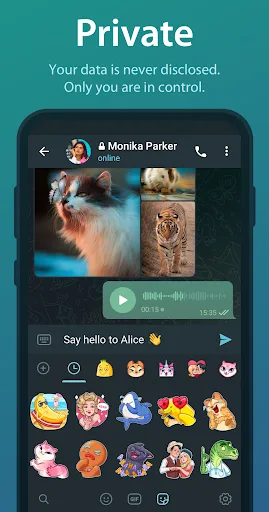
- End-to-end encryption for secret chats and robust privacy options.
- Supports large file sharing up to 2GB, channels, and bots.
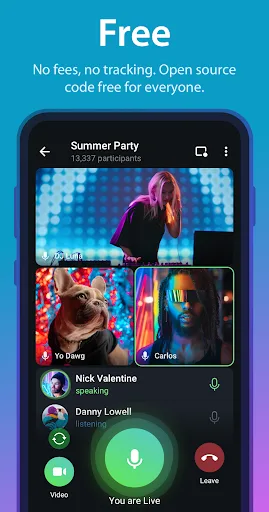
- Completely free without ads and no subscription required.
Cons
- Default chats are not end-to-end encrypted; only secret chats are.
- Requires phone number for registration, which may deter privacy-focused users.
- Some advanced features have a learning curve for new users.
Google Chat is the best way for teams using Workspace to connect, collaborate and get things done. AI-first messaging & collaboration, transformed by Gemini • Stay on top of things with conversation summaries • Automatically translate messages across more than 120 languages �…
Pros
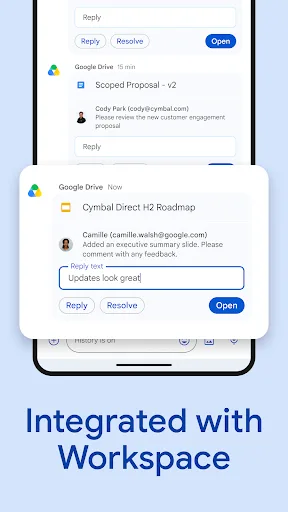
- Deep integration with Google Workspace apps like Drive, Docs, and Calendar.
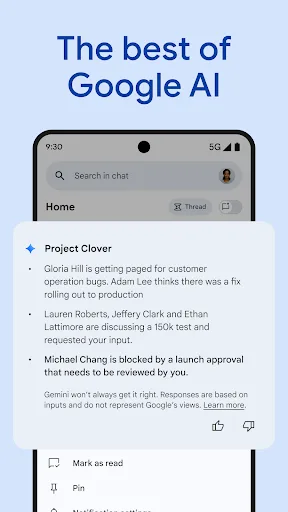
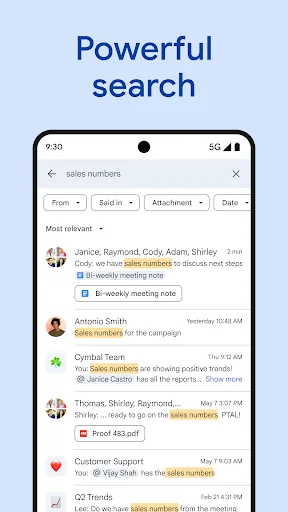
- AI-powered features including conversation summaries and smart search.
- Automatic message translation across 120+ languages.
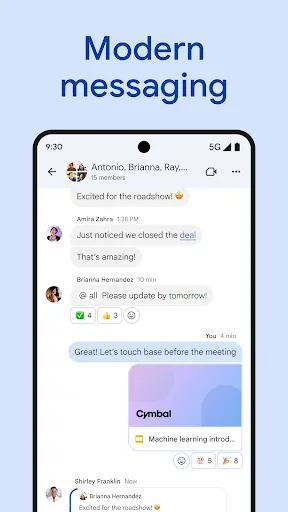
- Designed for team collaboration with spaces and direct messaging.
- Enterprise-grade security compliant with Google's standards.
Cons
- Requires a Google Workspace account; not suitable for personal use.
- Limited to 50 million installs, far less popular than Telegram.
- Less emphasis on speed and lightweight performance compared to Telegram.
Final Verdict
Our pick: Telegram
For most users seeking a fast, secure, and feature-rich messaging app for personal use, Telegram is the clear winner with its superior speed, cloud sync, and privacy features. However, if you are part of a team that relies heavily on Google Workspace and needs AI-enhanced collaboration, Google Chat is the better choice. Telegram offers more freedom and customization, while Google Chat excels in enterprise integration. Ultimately, the decision comes down to whether you prioritize personal messaging or team productivity.
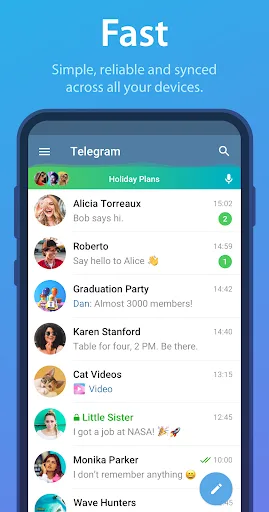
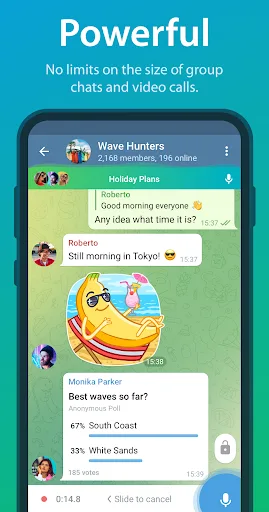
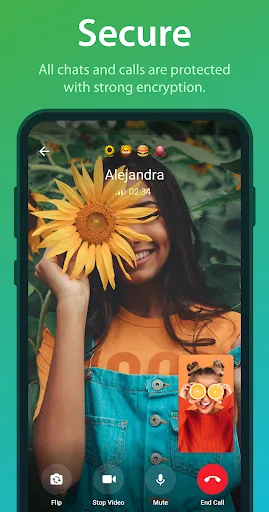
Telegram Screenshots
Official app screenshots from the Google Play Store.

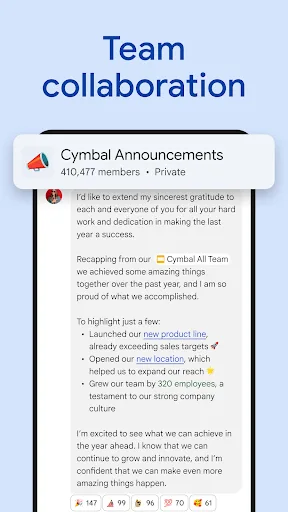
Google Chat Screenshots
Official app screenshots from the Google Play Store.
Frequently Asked Questions
Which app has a higher rating, Telegram or Google Chat?
Google Chat has a higher rating of 4.41 compared to Telegram's 3.87 on the Google Play Store. However, Telegram has over 1 billion installs, while Google Chat has 50 million.
Can I use Telegram or Google Chat offline?
Both apps require an internet connection for sending and receiving messages. Telegram allows you to view previously synced messages offline, but you cannot send new messages without connectivity.
Do Telegram and Google Chat show ads?
No, both Telegram and Google Chat are ad-free. Telegram does not display any ads, and Google Chat is ad-free as part of Google Workspace.
What are the device requirements for Telegram and Google Chat?
Telegram runs on Android 4.1+ and is lightweight. Google Chat requires Android 5.0+ and is optimized for Workspace users. Both are available on multiple platforms.
Which messaging app should I choose for personal use vs team collaboration?
For personal use, Telegram is better due to its speed, privacy, and cross-platform sync. For team collaboration within Google Workspace, Google Chat is the right choice with its AI features and integration.
Related Comparisons
 VS
VS

WhatsApp vs TextNow: Which Messaging App is Best for You
 VS
VS

Signal vs Google Messages: Privacy-Focused vs RCS-Powered Messaging Showdown
 VS
VS
textPlus vs Signal: Free Texting & Calling vs Privacy-First Messenger
VS
Telegram vs textPlus: Ultimate Messaging App Comparison
VS

Google Chat vs Zangi Private Messenger: The Ultimate Messaging Showdown
VS