Google Fit vs Google Health (Fitbit): Which Health App Reigns Supreme?
Google Fit is ideal for casual users who want simple activity tracking based on WHO guidelines, focusing on Heart Points and step counts. Google Health (Fitbit) caters to fitness enthusiasts seeking detailed sleep analysis, personalized AI coaching, and a comprehensive wellness ecosystem. Both apps are developed by Google LLC and have over 100 million installs, but they serve different user needs.

Google Fit: Activity Tracking
- Rating
- ★ 3.44
- Downloads
- 100,000,000+
- Developer
- Google LLC
Google Health (Fitbit)
Recommended- Rating
- ★ 3.70
- Downloads
- 100,000,000+
- Developer
- Google LLC
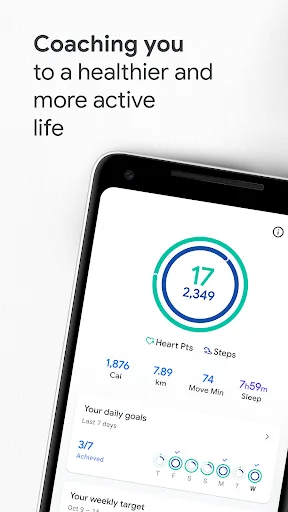
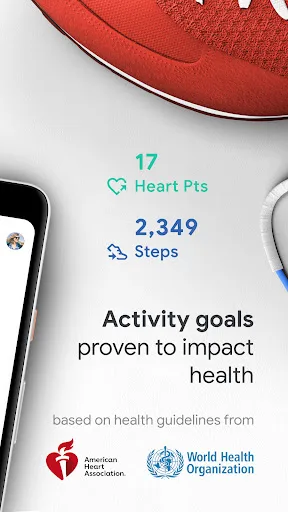
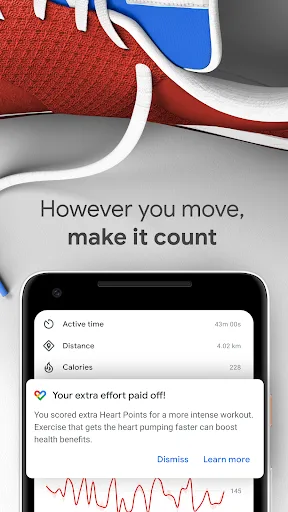
Get to a healthier and more active life with the new Google Fit! It's hard to know how much or what kind of activity you need to stay healthy. That's why Google Fit collaborated with the World Health Organization (WHO) and the American Heart Association (AHA) to bring you Heart P…
Pros
- Seamless integration with Android and Google services
- Simple, intuitive interface focused on Heart Points and steps
- Collaboration with WHO and AHA for evidence-based goals
- Lightweight app with minimal battery drain
- Free to use with no premium tier required
Cons
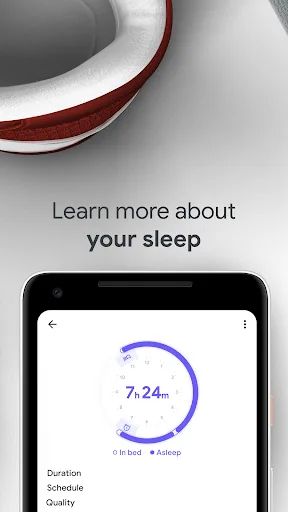
- Lacks advanced sleep tracking and analysis
- No AI-powered coaching or personalized workout plans
- Limited integration with third-party fitness devices
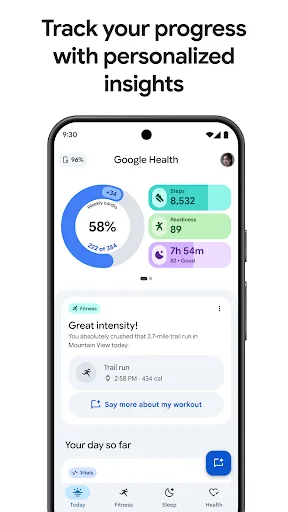
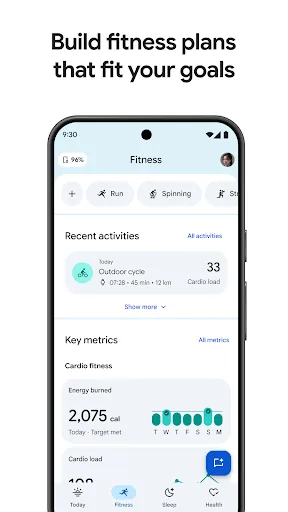
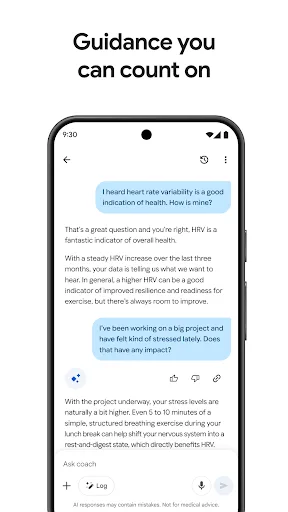
The Fitbit App is now Google Health, bringing out your best with effortless tracking and personalized coaching that’s built with Gemini. Personalized AI fitness plans, sleep insights, and health data make it easier than ever to stay on track toward your fitness goals. You set t…
Pros
- AI-driven personalized fitness plans using Gemini
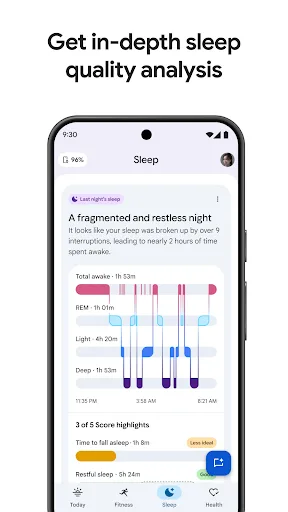
- Comprehensive sleep tracking with sleep score and stages
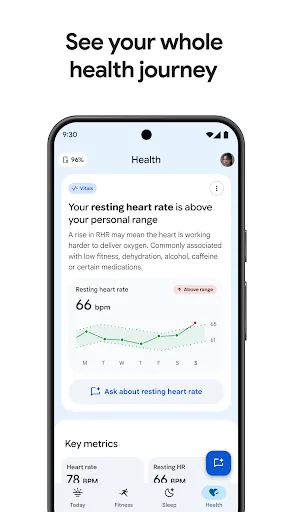
- Detailed health metrics including heart rate, stress, and SpO2
- Social features like challenges and community support
- Works with a wide range of Fitbit devices and third-party apps
Cons
- Some advanced features require a Fitbit Premium subscription
- Can be overwhelming for users who only want basic tracking
- Battery drain is higher due to continuous monitoring
Final Verdict
Our pick: Google Health (Fitbit)
For most users, Google Health (Fitbit) is the superior choice due to its richer feature set, including AI-driven fitness plans, advanced sleep insights, and a more holistic wellness approach. While Google Fit offers a straightforward, no-frills experience that integrates seamlessly with Android, it lacks the depth and personalization of Fitbit. Google Health also has a higher rating (3.75 vs 3.45), indicating greater user satisfaction. If you want a comprehensive health companion that adapts to your goals, choose Google Health (Fitbit). However, if you prefer minimalism and just need basic activity tracking, Google Fit suffices.
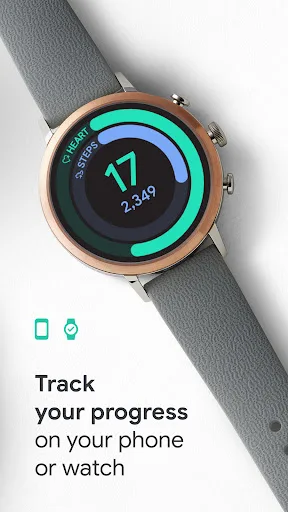
Google Fit: Activity Tracking Screenshots
Official app screenshots from the Google Play Store.
Google Health (Fitbit) Screenshots
Official app screenshots from the Google Play Store.
Frequently Asked Questions
Which app has a higher rating?
Google Health (Fitbit) has a higher rating of 3.75 compared to Google Fit's 3.45, indicating greater user satisfaction.
Do these apps work offline?
Both apps can track steps and basic activities offline, but features like AI coaching, sleep insights, and syncing require an internet connection.
Are there ads in these apps?
Google Fit is ad-free. Google Health (Fitbit) may show occasional promotional content for Fitbit Premium, but no intrusive ads.
What are the device requirements?
Both apps require Android 8.0 or later. Google Health (Fitbit) works best with a Fitbit device but can be used standalone with phone sensors.
Which app should I choose?
Choose Google Fit for simple, no-cost activity tracking. Choose Google Health (Fitbit) for advanced health insights, AI coaching, and a more comprehensive wellness experience.
Related Comparisons
 VS
VS

Map My Walk vs Noom: Walking Tracker vs Weight Loss & GLP-1 Care
 VS
VS
My Health vs Noom: Weight Loss & GLP-1 Care – Which Health App Reigns Supreme?
VS
Google Fit vs Noom: Best Health & Fitness App for Activity Tracking and Weight Loss
 VS
VS
Samsung Health vs Google Health (Fitbit): Which Health App is Best for You
 VS
VS
Verily Me vs Strava: Health App Comparison for Personalized Care vs Fitness Tracking
 VS
VS