Guava vs MyFitnessPal: Which Health Tracker App is Right for You?
Guava Health Tracker is designed for individuals managing chronic illnesses like POTS, EDS, MCAS, ME/CFS, or Long COVID, offering comprehensive symptom and health tracking. MyFitnessPal, on the other hand, is a leading calorie counter and fitness app for users focused on nutrition, weight management, and exercise logging. Both apps aim to improve health but cater to different primary needs. This comparison will help you decide which app aligns with your health journey.

MyFitnessPal: Calorie Counter
Recommended- Rating
- ★ 4.40
- Downloads
- 100,000,000+
- Developer
- MyFitnessPal, Inc.
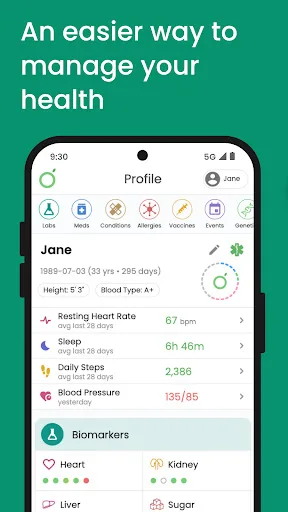
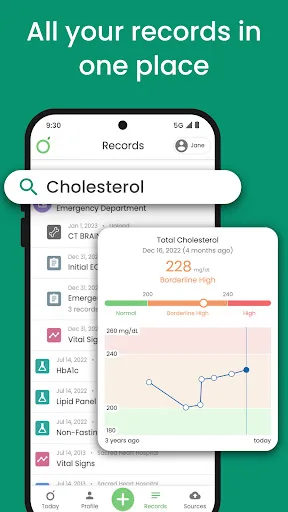
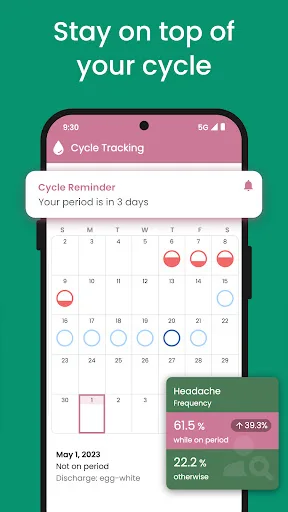
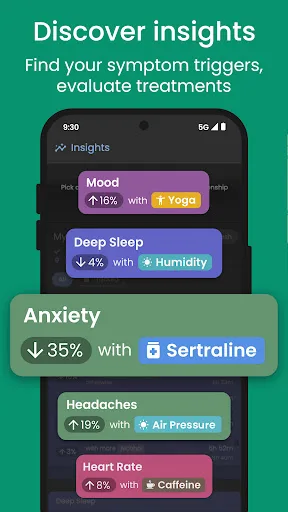
Guava empowers you to manage your overall health or chronic illness. Whether you’re seeking a diagnosis or living with complex conditions like POTS, EDS, MCAS, ME/CFS, or Long COVID, Guava simplifies health tracking with powerful tools and insights. Guava is a comprehensive sym…
Pros
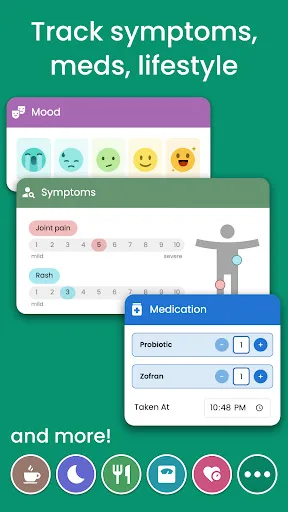
- Specialized for chronic illness tracking (symptoms, triggers, medications)
- Powerful insights and pattern recognition for complex conditions
- Clean, intuitive interface designed for daily logging
- Strong community support for conditions like POTS and Long COVID
- Includes mental health and pain tracking alongside physical symptoms
Cons
- Limited nutrition and calorie tracking features
- Smaller user base and less social features
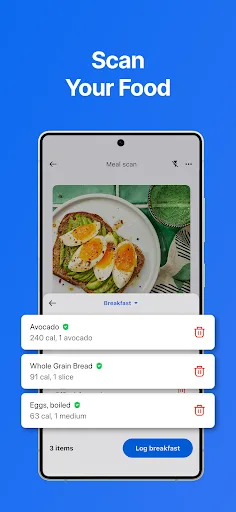
- No barcode scanner or extensive food database
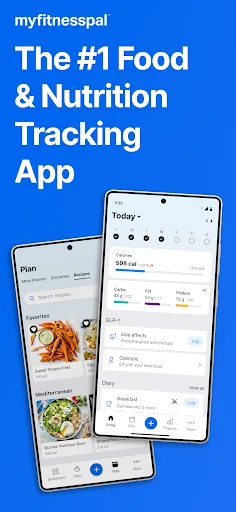
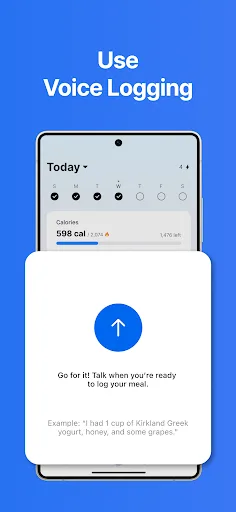
Achieve your nutrition, calorie, macro & fitness goals with MyFitnessPal – the AI-powered food & fitness tracker with everything you need. Calories, macros, food, workouts – track it all in one place with one of the most comprehensive health, nutrition & fitness tracking apps…
Pros
- Vast food database with barcode scanning for easy logging
- Comprehensive macro and calorie tracking with AI-powered insights
- Integration with many fitness apps and devices (Fitbit, Garmin, Apple Watch)
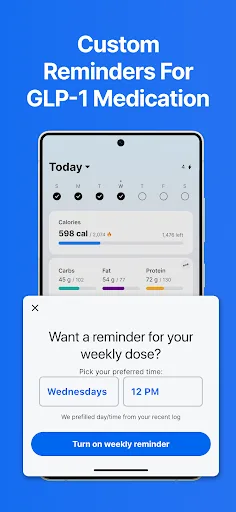
- GLP-1 journey support with dose logging and reminders
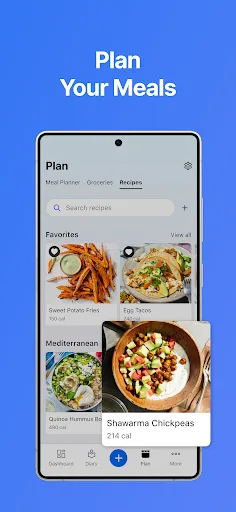
- Large community and recipe ideas for diet planning
Cons
- Premium subscription required for advanced features like macro breakdowns
- Can be overwhelming for users not focused on weight loss or nutrition
- Not designed for chronic illness symptom tracking or complex health conditions
Final Verdict
Our pick: MyFitnessPal: Calorie Counter
Choose Guava if you have a chronic condition requiring detailed symptom tracking and insights, as it excels in condition-specific tools and community support. MyFitnessPal is superior for general fitness and nutrition goals, with a massive food database and macro tracking. For most users focused on weight loss or fitness, MyFitnessPal is the better choice due to its broader feature set and larger user base. However, for chronic illness management, Guava offers specialized functionality that MyFitnessPal lacks. Ultimately, your health priorities dictate the winner.

Guava: Health Tracker Screenshots
Official app screenshots from the Google Play Store.
MyFitnessPal: Calorie Counter Screenshots
Official app screenshots from the Google Play Store.
Frequently Asked Questions
What are the ratings of Guava and MyFitnessPal?
Guava has a rating of 4.64 (based on 100,000+ installs), while MyFitnessPal has a rating of 4.39 (based on 100,000,000+ installs). Guava's higher rating reflects strong satisfaction among its niche user base.
Can I use these apps offline?
MyFitnessPal requires an internet connection for barcode scanning and database searches, but basic logging can work offline and sync later. Guava also needs internet for cloud sync and insights, but manual entries can be made offline.
Do these apps have ads?
MyFitnessPal displays ads in the free version, which can be removed with a premium subscription. Guava does not have ads in its free version, offering a cleaner experience.
What are the device requirements?
Both apps require Android 5.0 or later. MyFitnessPal may need additional permissions for camera and location for barcode scanning and exercise tracking. Guava requires minimal permissions focused on notification and storage.
Which app should I choose for my health goals?
If you have a chronic illness like POTS or Long COVID and need symptom tracking, choose Guava. If you want to lose weight, count calories, or improve fitness, choose MyFitnessPal. For general health monitoring, consider your primary focus.
Related Comparisons
 VS
VS

Map My Walk vs Noom: Walking Tracker vs Weight Loss & GLP-1 Care
 VS
VS
My Health vs Noom: Weight Loss & GLP-1 Care – Which Health App Reigns Supreme?
 VS
VS
Google Fit vs Noom: Best Health & Fitness App for Activity Tracking and Weight Loss
 VS
VS

Samsung Health vs Google Health (Fitbit): Which Health App is Best for You
 VS
VS

Verily Me vs Strava: Health App Comparison for Personalized Care vs Fitness Tracking
 VS
VS