Samsung Music vs Amazon Music: Songs & Podcasts - Which Android App Reigns Supreme?
Samsung Music is a dedicated music player for Samsung devices, offering a clean interface and support for high-resolution audio formats like FLAC. It's ideal for Samsung users who want a streamlined, offline listening experience without subscriptions. Amazon Music, on the other hand, is a streaming powerhouse with access to millions of songs and podcasts, catering to Prime members and those seeking on-demand content. Both apps serve different needs: one for local file management, the other for streaming.

Samsung Music
- Rating
- ★ 3.80
- Downloads
- 1,000,000,000+
- Developer
- Samsung Electronics Co., Ltd.
Amazon Music: Songs & Podcasts
Recommended- Rating
- ★ 3.94
- Downloads
- 100,000,000+
- Developer
- Amazon Mobile LLC
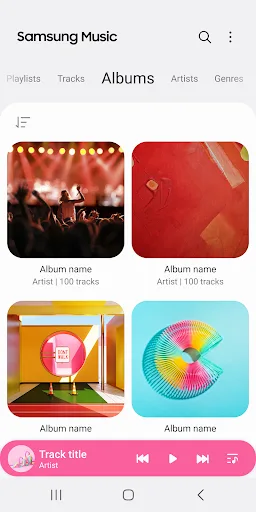
Samsung Music is optimized for Samsung android device and provides a powerful music play functionality and the best user interface. Key Features 1. Supports playback of various sound formats such as MP3, AAC, FLAC. (Supported file formats may vary depending on the device.) 2. Hel…
Pros
- Optimized for Samsung devices with smooth performance and UI
- Supports high-resolution audio formats like FLAC, AAC, and MP3
- Excellent offline music player with folder and category management
- No ads or subscriptions required for local playback
- Lightweight and pre-installed on many Samsung phones
Cons
- Limited to Samsung devices; not available on other Android phones
- No streaming or podcast integration; relies on local files
- Lacks advanced features like lyrics, equalizer presets, or smart playlists
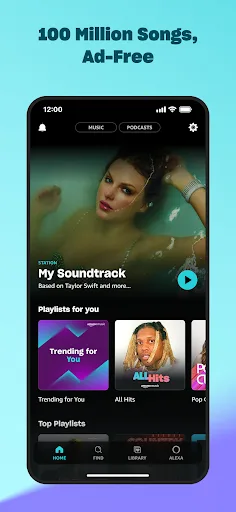
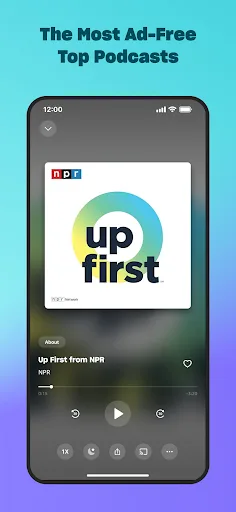
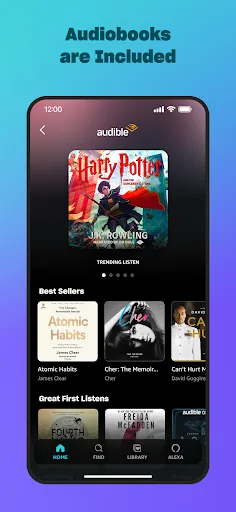
We're changing the way you discover and play the music you love. Listen free to music and podcasts with ads—no credit card required. Prime members can enjoy all the music + top podcasts ad-free. Want more benefits? Get 100 million songs on-demand, ad-free top podcasts, and audi…
Pros
- Massive library of songs, podcasts, and audiobooks (with subscription)
- Ad-free listening for Prime members and ad-supported free tier
- Offline download capability for on-demand content
- Seamless integration with Amazon ecosystem and Alexa
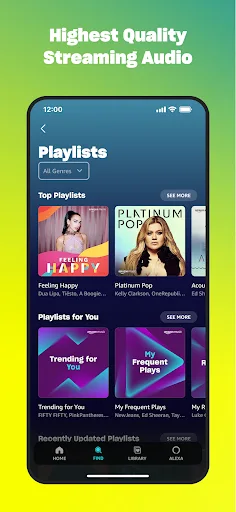
- High-quality streaming options up to HD and Ultra HD
Cons
- Requires subscription (Prime or Unlimited) for full features
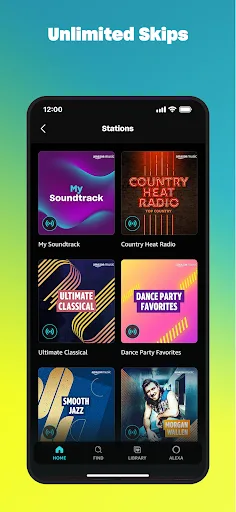
- Free tier has ads and limited skips; offline downloads restricted to paid plans
- Can be heavy on storage and battery compared to simple music players
Final Verdict
Our pick: Amazon Music: Songs & Podcasts
For Samsung device owners who primarily listen to local music files, Samsung Music is the clear winner due to its seamless integration and high-quality audio support. However, for users who prefer streaming, podcast discovery, and value-added Prime benefits, Amazon Music offers a richer, all-in-one experience. Overall, Amazon Music edges ahead with its broader features, including ad-free listening for Prime members and a vast library. If you value offline playback without subscriptions, choose Samsung Music; otherwise, Amazon Music is the better choice.
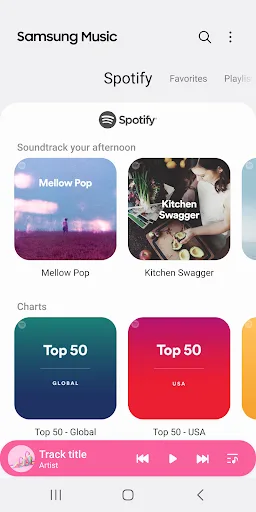
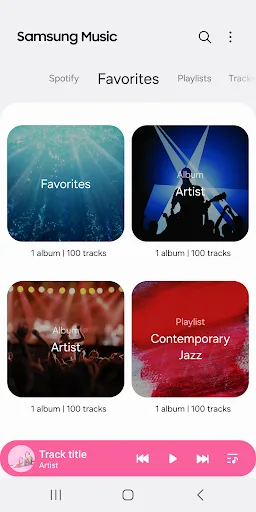
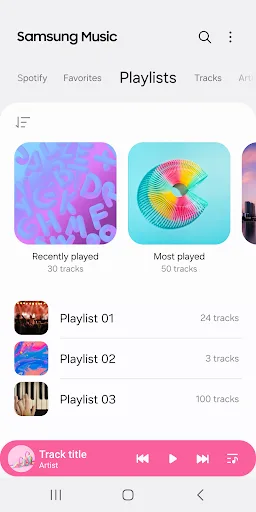
Samsung Music Screenshots
Official app screenshots from the Google Play Store.

Amazon Music: Songs & Podcasts Screenshots
Official app screenshots from the Google Play Store.
Frequently Asked Questions
Which app has a higher rating?
Amazon Music has a higher rating at 3.93 compared to Samsung Music's 3.80, based on Google Play reviews.
Can I use both apps for offline music?
Yes. Samsung Music plays local files offline without internet. Amazon Music allows offline downloads only with a Prime or Unlimited subscription.
Does either app have ads?
Samsung Music has no ads. Amazon Music's free tier includes ads; ad-free listening requires a Prime or Unlimited subscription.
Do I need a specific device for these apps?
Samsung Music is exclusive to Samsung devices. Amazon Music works on any Android device running Android 5.0 or higher.
Which app should I choose if I want both streaming and local playback?
Amazon Music is better for streaming and podcasts, but local playback is limited. Samsung Music excels at local files but lacks streaming. Choose based on your primary use case.
Related Comparisons
 VS
VS

Music Player vs Shazam: Which Music App Reigns in 2026
VS
Shazam vs SoundCloud: Which Music App Reigns Supreme in 2026
 VS
VS
TIDAL Music vs Shazam: Which Music App Should You Choose
 VS
VS

Pandora vs Poweramp: Music Streaming vs Local Player Comparison
VS

SoundCloud vs Deezer: Which Music App Is Best for You
VS