Samsung Wallet vs PayPal: Which Mobile Wallet App Is Best for You?
Samsung Wallet is designed for Samsung device users who want an all-in-one solution for payments, digital keys, and asset management. PayPal is a versatile cross-platform app for sending money, shopping, and earning rewards. Samsung Wallet excels in seamless integration with Samsung phones and smart home features. PayPal shines with its broad compatibility and robust peer-to-peer money transfer capabilities.

Samsung Wallet (Samsung Pay)
- Rating
- ★ 4.13
- Downloads
- 100,000,000+
- Developer
- Samsung Electronics Co., Ltd.

PayPal - Pay, Send, Save
Recommended- Rating
- ★ 4.24
- Downloads
- 100,000,000+
- Developer
- PayPal Mobile
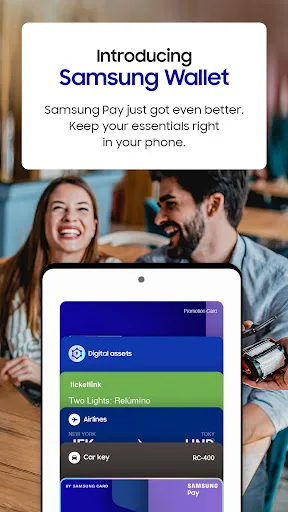
Samsung Pay got even better. Meet Samsung Wallet! Samsung Pay is now part of Samsung Wallet. With Wallet, you get the features and benefits of Samsung Pay, plus Samsung Pass, digital home and car keys, digital asset management, and more. All this comes in a simplified in-app expe…
Pros
- Seamless integration with Samsung devices and Samsung Pass.
- Supports digital home and car keys, plus asset management.
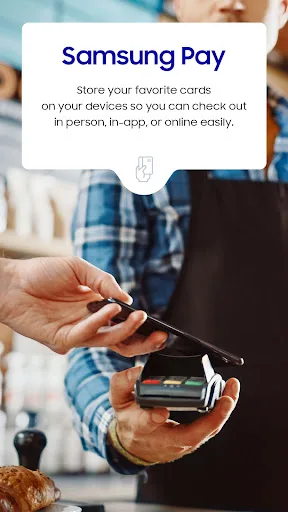
- Magnetic Secure Transmission (MST) for wide terminal compatibility.
- Quick Access via swipe-up gesture for fast payments.
- Secure with Samsung Knox and biometric authentication.
Cons
- Limited to Samsung devices only.
- Not as widely accepted for online payments as PayPal.
- Fewer rewards and cashback offers compared to PayPal.
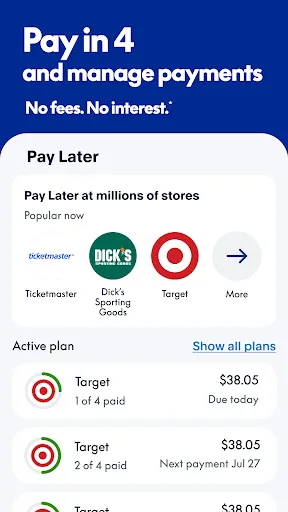
PayPal is a smart and secure way to shop in-store and online, earn cash back on brands you love, send money to friends and much more. Get started in the app. SAVE OFFERS IN THE APP Get cash back offers* from brands you love. We’ll automatically apply them at checkout. *Eligible…
Pros
- Accepted globally by millions of merchants online and in-store.
- Strong peer-to-peer money transfer and request features.
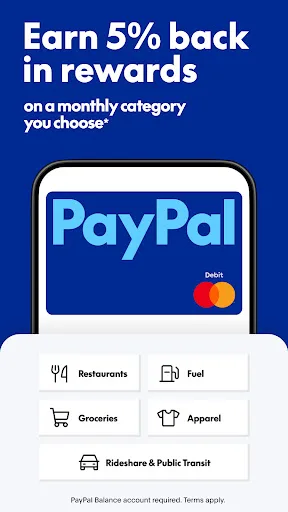
- Rewards points and cashback offers on eligible purchases.
- Buyer protection and dispute resolution for purchases.
- Works on both Android and iOS, no device restriction.
Cons
- Not as deeply integrated with hardware features on Samsung phones.
- Transaction fees for some currency conversions and transfers.
- Account freezes or holds can occur for suspicious activity.
Final Verdict
Our pick: PayPal - Pay, Send, Save
For Samsung device owners who want deep integration and expanded digital wallet features, Samsung Wallet is the clear choice. However, PayPal remains the superior option for cross-platform use, global payments, and reward programs. If you prioritize convenience within the Samsung ecosystem, choose Samsung Wallet. For universal payment flexibility and money transfer, PayPal is better. Overall, PayPal's broader appeal and higher rating give it a slight edge.
Samsung Wallet (Samsung Pay) Screenshots
Official app screenshots from the Google Play Store.



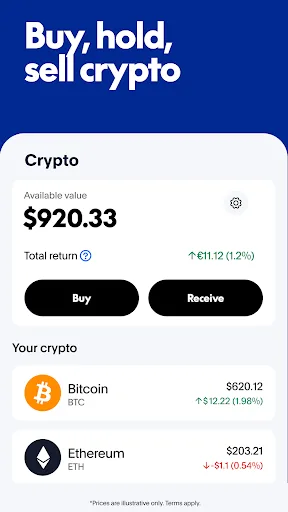
PayPal - Pay, Send, Save Screenshots
Official app screenshots from the Google Play Store.


Frequently Asked Questions
What are the ratings of Samsung Wallet and PayPal?
Samsung Wallet has a rating of 4.14, while PayPal has a rating of 4.24 (both out of 5). PayPal's rating is slightly higher.
Can I use these apps offline?
Samsung Wallet allows offline payments using MST or NFC if previously authorized. PayPal requires an internet connection for transactions and money transfers.
Do these apps contain ads?
Samsung Wallet may show promotional offers from partners. PayPal displays offers and rewards from brands, but neither app has intrusive ads.
What are the device requirements for each app?
Samsung Wallet is exclusive to Samsung Galaxy devices with Android 9 or later. PayPal works on any Android device running Android 5.0 or later, and also on iOS.
Which app should I choose if I have a Samsung phone?
If you want deep integration with Samsung services, digital keys, and asset management, choose Samsung Wallet. If you need cross-platform use, global acceptance, and robust money transfer features, choose PayPal.
Related Comparisons
 VS
VS

Cash App vs Paytm: Which Wallet App Wins for US vs India Users?
VS
PayPal vs Paytm: Which Wallet App is Best for You?
 VS
VS

Google Wallet vs Wallet - Digital Wallet Card: Which Digital Wallet App is Right for You?
 VS
VS
Remitly vs Wallet Digital Wallet Card: Which App Fits Your Needs?
 VS
VS

Revolut vs Wise: Which Multi-Currency Wallet App is Best for You?
VS