Sway vs YouTube Music: Offline Audio Player vs Streaming Giant
Sway is a dedicated offline music player with a powerful equalizer and no internet requirement, ideal for audiophiles who own their music files and want distraction-free playback. YouTube Music is a full-featured streaming service with millions of songs, personalized playlists, and live performance videos, perfect for discovering new music and listening online. Sway suits users with local libraries who value sound quality, while YouTube Music appeals to those who prefer streaming and variety.

Sway - Music Player
- Rating
- ★ 4.64
- Downloads
- 50,000+
- Developer
- Muhammad Ahmad Choudhary

YouTube Music
Recommended- Rating
- ★ 4.51
- Downloads
- 5,000,000,000+
- Developer
- Google LLC
🎵 PROFESSIONAL-GRADE SOUND PURE OFFLINE FREEDOM 🎧 Sway combines high-quality playback with a powerful equalizer, bringing professional sound-system depth and clarity to your music. No internet. No subscriptions. No distractions. Just pure listening, anywhere. ✨ 🚆 MUSIC…
Pros
- Professional-grade 10-band equalizer with presets
- Completely offline, no internet or subscription needed
- No ads or distractions during playback
- Lightweight app with smooth performance
- Supports high-resolution audio formats
Cons
- No streaming or music discovery features
- Limited to music files you already own
- No cloud sync or cross-device support
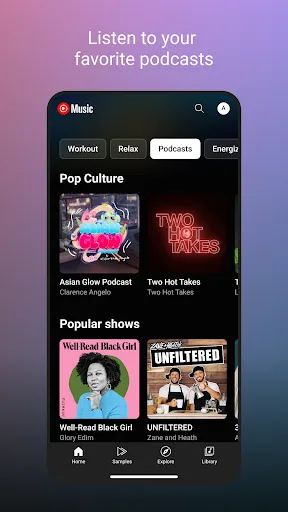
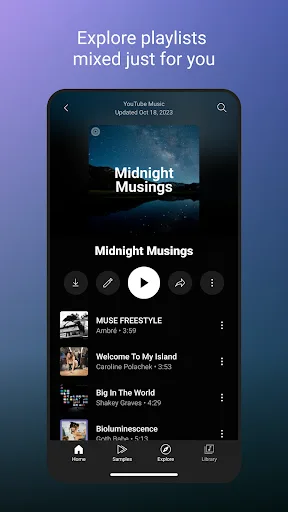
Connecting you to the world of music: ● Music content including live performances, covers, remixes and music content you can’t find elsewhere ● Thousands of curated playlist across many genres and activities Get personalized music, perfect for every moment: ● Personalized…
Pros
- Access to over 100 million official songs and remixes
- Personalized playlists and mixes based on your taste
- Includes live performances, covers, and music videos
- Seamless integration with Google services and YouTube
- Free tier with ads, or ad-free with YouTube Premium
Cons
- Requires internet for streaming (offline only with Premium)
- Free version has frequent video and audio ads
- Higher battery and data usage compared to local players
Final Verdict
Our pick: YouTube Music
For pure offline playback with professional sound tuning, Sway is the winner: it has no ads, no subscriptions, and a high rating of 4.64. However, YouTube Music offers unmatched library size (100M+ songs), personalized mixes, and live content, with 5 billion installs. If you only play local files and want the best audio control, choose Sway. If you want streaming, discovery, and convenience, YouTube Music is better. Overall, for most users, YouTube Music’s vast ecosystem wins, but for offline purists, Sway is superior.
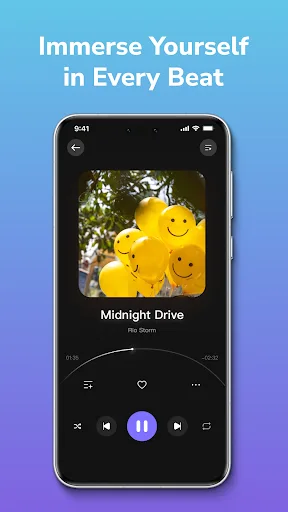
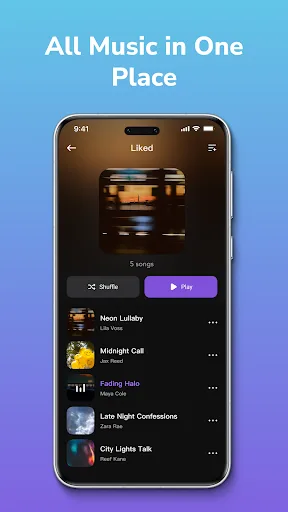
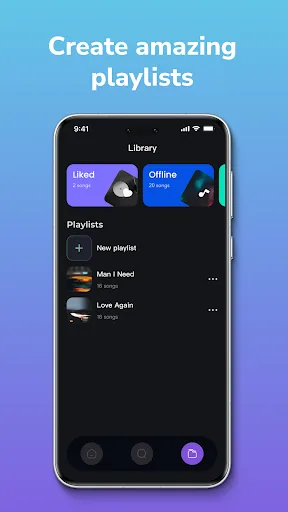
Sway - Music Player Screenshots
Official app screenshots from the Google Play Store.

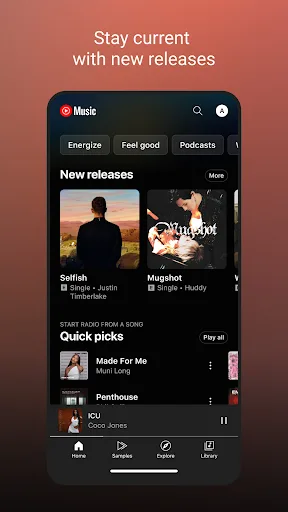
YouTube Music Screenshots
Official app screenshots from the Google Play Store.


Frequently Asked Questions
Which app has a higher rating?
Sway has a higher rating of 4.638554, while YouTube Music has 4.5083256. However, YouTube Music has far more reviews (billions vs thousands).
Can I listen to music offline on both apps?
Sway is fully offline and plays local files. YouTube Music requires YouTube Premium to download songs for offline listening; the free version streams online only.
Do these apps contain ads?
Sway has no ads. YouTube Music's free tier includes audio and video ads; ads are removed with a YouTube Premium subscription.
What are the device requirements?
Both apps run on Android 5.0+. Sway is lighter (~10 MB) and works on low-end devices. YouTube Music (~50 MB) may require more RAM and storage for smooth streaming.
Which app should I choose if I have my own music collection?
If you have a large local music library and want the best sound customization, choose Sway. If you also want to discover new music and stream, YouTube Music is better.
Related Comparisons
 VS
VS

Claro música vs Suno AI Music: Which Music App Reigns in 2026
 VS
VS
SiriusXM vs Sway Music Player: Which Music Streaming App is Right for You?
 VS
VS
Pandora vs Sway Music Player: Which Music Streaming App Reigns Supreme?
 VS
VS
Spotify vs YouTube Music: Which Music Streaming App Reigns Supreme
VS

Sway vs Deezer: Offline Music Player vs Streaming Giant – Which One Wins?
 VS
VS