CapCut vs PowerDirector: Which Video Editor Reigns Supreme
CapCut is a free, feature-rich video editor from Bytedance, ideal for TikTok and social media creators who want quick, trendy edits with auto captions and effects. PowerDirector, from Cyberlink, is a professional-grade editor with AI tools, designed for users who need advanced features like motion tracking and precise timeline control. Both apps cater to different skill levels: CapCut for beginners and casual creators, PowerDirector for enthusiasts and semi-pros.

CapCut - Video Editor
- Rating
- ★ 3.56
- Downloads
- 1,000,000,000+
- Developer
- Bytedance Pte. Ltd.

PowerDirector - Video Editor
Recommended- Rating
- ★ 4.21
- Downloads
- 100,000,000+
- Developer
- Cyberlink Corp
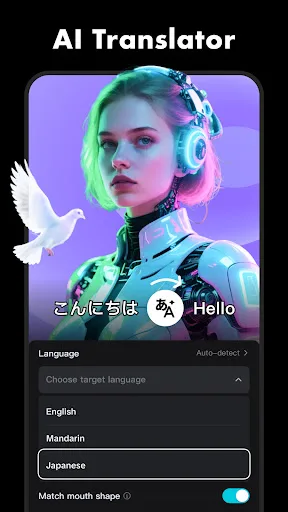
CapCut offers easy-to-use video editing functions, in-APP fonts and effects, advanced features such as keyframe animation, smooth slow-motion, chroma key, and stabilization, to help you capture and snip moments. Create fancy videos with other unique features: auto captions, text-…
Pros
- Completely free with no watermarks
- Auto captions and text-to-speech in multiple languages
- Seamless TikTok integration for viral trends
- User-friendly interface for beginners
- Regular updates with new effects and templates
Cons
- Lower overall rating (3.56) due to performance issues and ads
- Export quality can be inconsistent on some devices
- Advanced features like keyframes are less intuitive
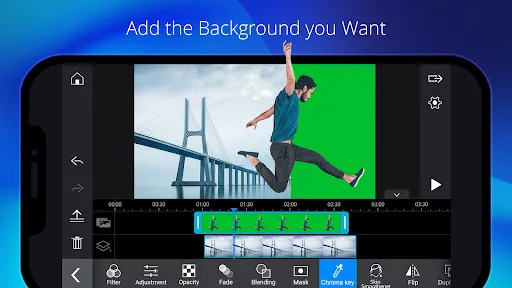
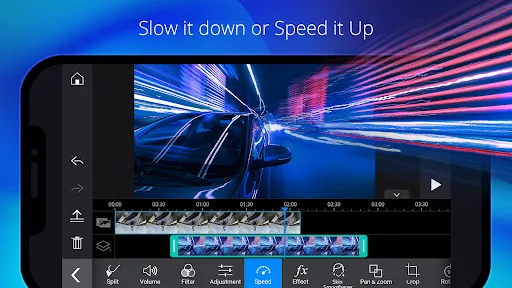
With over 150 million downloads and counting, PowerDirector is the Google Editor's Choice AI video editor that turns photos, clips, and text prompts into scroll-stopping videos optimized for TikTok, Reels and Shorts — in minutes, on your phone. 🎬 EASY VIDEO EDITING ■ Trim,…
Pros
- High rating (4.21) with strong user satisfaction
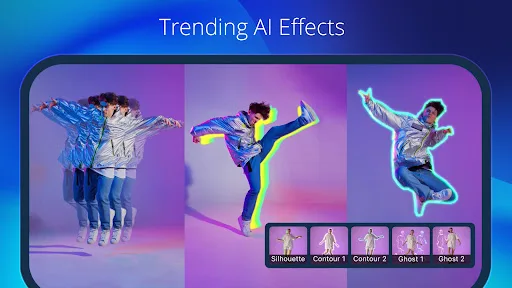
- AI-powered tools like text-to-video and motion tracking
- Professional-grade timeline and multi-track editing
- Supports 4K export and high bitrate
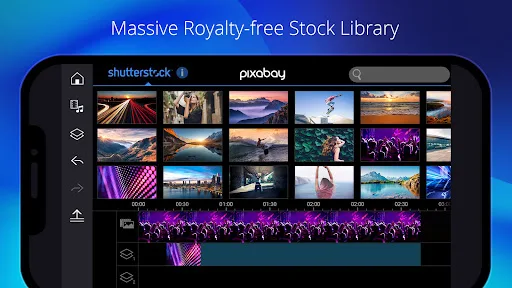
- Extensive library of transitions, effects, and royalty-free music
Cons
- Free version has a watermark and limited exports
- Subscription required for full feature access
- Steeper learning curve for beginners
Final Verdict
Our pick: PowerDirector - Video Editor
For most users, PowerDirector is the better choice due to its higher rating (4.21 vs 3.56), extensive AI features, and professional editing capabilities. It offers a more polished experience with tools like text-to-video and AI motion tracking. However, CapCut is completely free with no watermarks and deeply integrated with TikTok, making it ideal for social media virality. If you prioritize advanced features and a robust editor, choose PowerDirector. If you want a simple, free tool for quick social clips, CapCut is excellent.
CapCut - Video Editor Screenshots
Official app screenshots from the Google Play Store.




PowerDirector - Video Editor Screenshots
Official app screenshots from the Google Play Store.

Frequently Asked Questions
Which app has a better rating?
PowerDirector has a higher rating of 4.21 compared to CapCut's 3.56, based on user reviews.
Can I use these apps offline?
Both apps require an internet connection for initial download and some features like templates, but basic editing can be done offline.
Are there ads in these apps?
CapCut has occasional ads, while PowerDirector's free version shows ads and includes a watermark.
What are the device requirements?
Both apps require Android 5.0 or higher. PowerDirector recommends at least 2GB RAM for smooth performance, while CapCut works on most devices.
Which app should I choose for professional editing?
PowerDirector is better for professional editing due to its advanced features, multi-track timeline, and higher export quality.
Related Comparisons
VS

PowerDirector vs KineMaster: Best Video Editor for Android in 2026
 VS
VS

VN vs Video Guru: Which Free Video Editor Reigns Supreme?
 VS
VS

VivaCut vs Lightroom: Best Video Editor for Android
 VS
VS
Canva vs KineMaster: Best Video Editor for You? ( Comparison)
 VS
VS
Edits vs VivaCut: Best Free Video Editor for Creators
VS