Google Calendar vs Doable: The Ultimate Task Manager Showdown
Google Calendar is a powerhouse for scheduling and task management, ideal for users who need deep integration with Google services and a comprehensive view of their day. Doable is a minimalist to-do app designed for those who want a distraction-free, simple way to capture and manage tasks without complexity. Both apps cater to different productivity styles, so choosing the right one depends on your preference for feature-rich versus streamlined design.

Google Calendar
Recommended- Rating
- ★ 4.64
- Downloads
- 10,000,000,000+
- Developer
- Google LLC
Todo Liste App - Doable
- Rating
- Not available
- Downloads
- 1,000+
- Developer
- Lebenskompass
Get the official Google Calendar app, for your Android phone, tablet, or Wear OS device to stay organized and plan your day. Make the most of your day with easy event creation, multiple calendars, customizable views, widgets, tasks, and more With Google Calendar, you can: • Get…
Pros
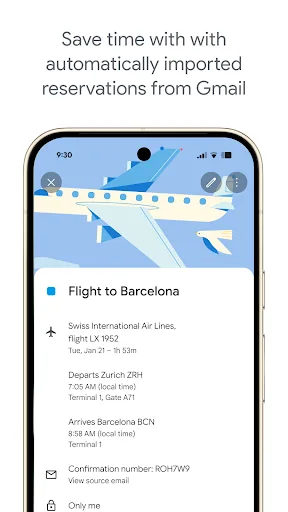
- Seamless integration with Gmail for automatic event extraction (flights, hotels, etc.)
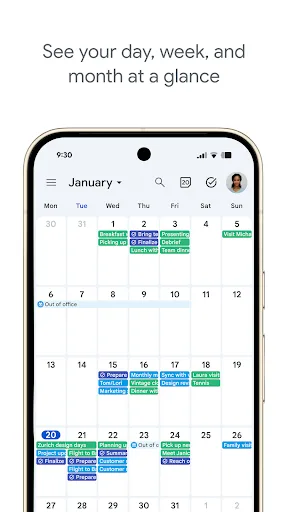
- Multiple calendar views (day, week, month, agenda) and customizable widgets
- Supports tasks and reminders alongside events
- Works across Android, Wear OS, and web with real-time sync
- Highly reliable with a massive user base and frequent updates
Cons
- Can be overwhelming for users who prefer a simple, distraction-free interface
- Requires a Google account and may not be ideal for privacy-conscious users
- Some advanced features (like natural language input) are not as robust as dedicated task apps
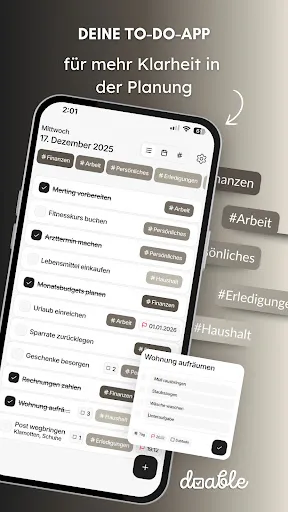
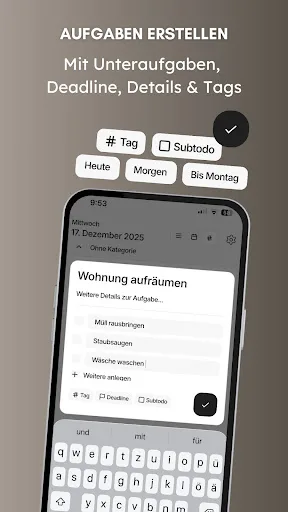
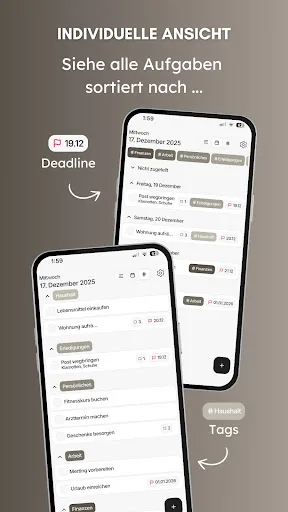
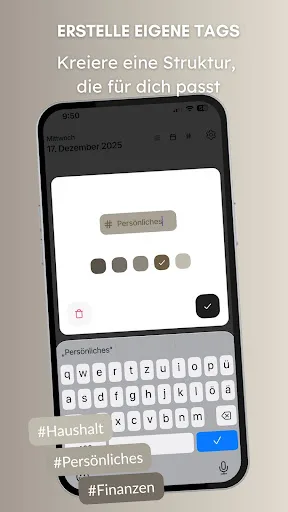
Doable – Your minimalist to-do app for more focus and clarity! Stay on top of your tasks, reduce distractions, and get things done – simply, quickly, and efficiently. With Doable, you can capture your to-dos in seconds, stay focused on important tasks, and become more product…
Pros
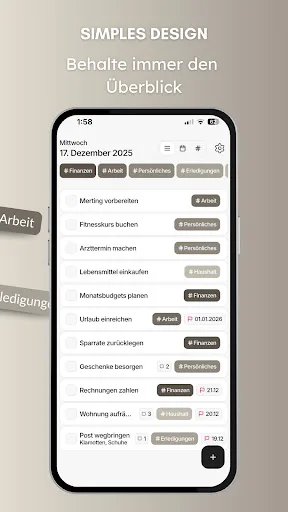
- Minimalist design reduces cognitive load and helps focus
- Extremely fast task capture with minimal steps
- No unnecessary features, perfect for simple to-do lists
- Lightweight app with low resource usage
- Privacy-friendly as it does not require an account
Cons
- Lacks calendar functionality and event scheduling
- No cloud sync or cross-device support
- Very limited features (no reminders, labels, or subtasks)
Final Verdict
Our pick: Google Calendar
For most users, Google Calendar is the clear winner due to its massive install base, seamless integration with Gmail and other Google services, and robust feature set including event creation, reminders, and widgets. It handles both calendar events and tasks in one place, making it a versatile tool for personal and professional productivity. However, if you crave simplicity and minimalism, Doable offers a refreshingly clean interface but lacks the depth and ecosystem of Google Calendar. Ultimately, Google Calendar's reliability and comprehensive functionality make it the recommended choice for the majority of Android users in 2026.
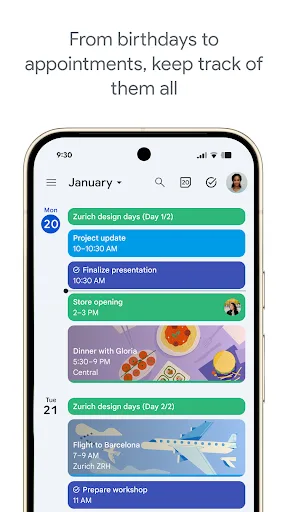
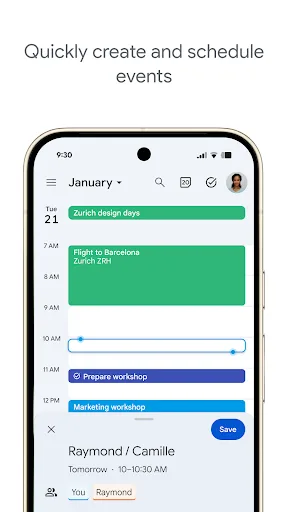
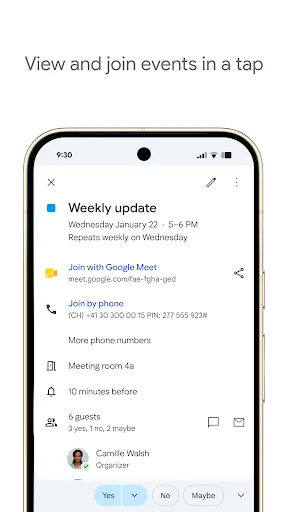
Google Calendar Screenshots
Official app screenshots from the Google Play Store.
Todo Liste App - Doable Screenshots
Official app screenshots from the Google Play Store.
Frequently Asked Questions
What are the ratings of Google Calendar and Doable?
Google Calendar has a rating of 4.64 based on over 10 billion installs, indicating high user satisfaction. Doable has no rating yet as it is new with only 1,000+ installs.
Can I use these apps offline?
Google Calendar supports offline access to your existing events, but you cannot create new ones without internet. Doable works entirely offline, as it stores data locally on your device.
Do these apps contain ads?
Google Calendar is free and ad-free. Doable is also free and ad-free, based on its minimal design philosophy.
What are the device requirements for these apps?
Google Calendar requires Android 7.0 or higher and works on Wear OS. Doable requires Android 8.0 or higher and is optimized for low-end devices.
Which app should I choose?
If you need a comprehensive tool that combines calendar and tasks, choose Google Calendar. If you want a distraction-free, simple to-do list with no extra features, choose Doable.
Related Comparisons
 VS
VS
TickTick vs To Do List (SplenDO): Best Task Manager for Android
VS
TickTick vs Habit Me: Task Manager Showdown
VS
To Do List vs Reminder Planner: Best Task Manager
 VS
VS
Tasks vs SplenDO: Which Task Manager App Reigns Supreme?
VS
Google Calendar vs Reminder Planner: Best Task Manager for Android
 VS
VS