Lightroom vs Photoroom: Best Collage & Photo Editor for Android
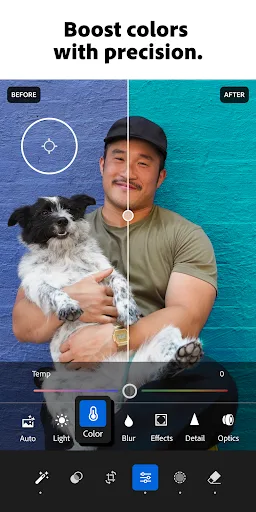
Adobe Lightroom is perfect for photographers who want professional-grade editing tools, including color grading, presets, and detailed adjustments for photos and videos. Photoroom, on the other hand, is designed for e-commerce sellers and social media creators who need quick background removal, AI-generated product images, and easy collage layouts. Both apps exceed 100 million installs and boast high ratings, but they serve different primary use cases.

Photoroom: AI Photo Editor
Recommended- Rating
- ★ 4.67
- Downloads
- 100,000,000+
- Developer
- Photoroom AI Photo Editor
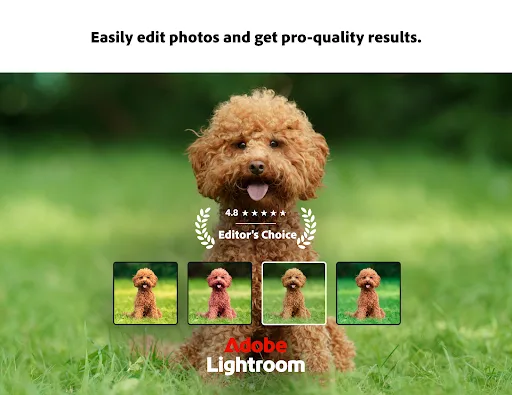
Ever wish your photos could really show what makes a moment special? Adobe Lightroom is a free photo and video editor that helps you do just that. From your dog’s goofy grin to that sunset that took your breath away, Adobe Lightroom makes it simple to bring those moments to lif…
Pros
- Professional-grade color grading and adjustment tools
- Extensive preset library with community sharing
- Supports RAW photo editing from DSLR cameras
- Seamless sync across desktop and mobile via cloud
- Built-in video editor with basic adjustments
Cons
- No dedicated collage or layout templates
- Premium features require Creative Cloud subscription
- Steep learning curve for beginners
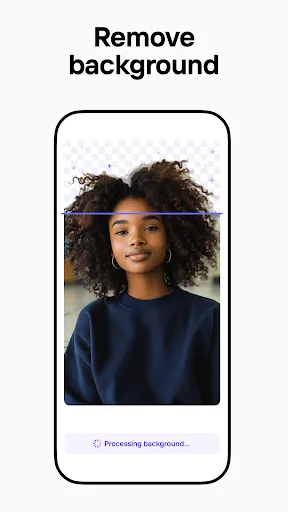
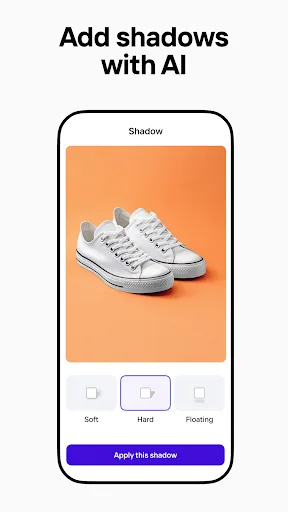
Create pro images that sell with Photoroom AI. Photoroom’s AI technology makes it easy to design, edit, and erase any background from your photos. Create professional-quality images that elevate your brand, boost engagement, and drive sales—all with the help of an intuitive e…
Pros
- AI-powered background removal in one tap
- Hundreds of customizable collage templates
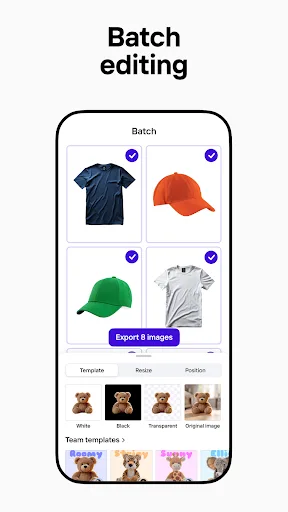
- Batch editing for product photos
- Remove objects or people with AI erase tool
- Free version offers extensive functionality
Cons
- Limited advanced photo editing (no curves or color grading)
- Watermark on free exports (removable with subscription)
- Some AI features require internet connection
Final Verdict
Our pick: Photoroom: AI Photo Editor
For collage creation specifically, Photoroom is the clear winner. Its AI-powered background removal and template-based collages make it incredibly fast and intuitive for creating professional-looking product shots and social media graphics. Lightroom excels in photo editing but lacks dedicated collage tools, making it better for refining individual images before collaging elsewhere. If you need to create collages regularly, especially for business, choose Photoroom. For overall photo editing and occasional collages, Lightroom is a solid choice but requires third-party apps for collage layouts.

Lightroom Photo & Video Editor Screenshots
Official app screenshots from the Google Play Store.



Photoroom: AI Photo Editor Screenshots
Official app screenshots from the Google Play Store.


Frequently Asked Questions
What are the ratings for Lightroom and Photoroom?
Lightroom has a rating of 4.50 (based on over 5 million reviews), while Photoroom has a rating of 4.67 (based on over 2 million reviews). Both are highly rated, but Photoroom edges ahead slightly.
Can I use these apps offline for collages?
Lightroom works offline for editing but requires internet for cloud sync and some presets. Photoroom works offline for basic editing and collage creation, but AI features like background removal need an internet connection.
Do these apps have ads?
Lightroom is ad-free. Photoroom displays occasional non-intrusive ads for its Pro features in the free version, but they do not interrupt editing.
What are the device requirements for these apps?
Both apps require Android 6.0 or higher and at least 2GB of RAM. Lightroom recommends 4GB RAM for optimal performance with RAW files. Photoroom works well on most devices but AI features may be slower on older phones.
Which app should I choose for creating collages?
Choose Photoroom if you need quick, AI-assisted collages for products or social media. Choose Lightroom if you prioritize in-depth photo editing and plan to create collages using a separate app.
Related Comparisons
VS

Lightroom vs Polish: Which Photo Editor & Collage Maker Wins in 2026
VS

Lightroom vs Photo Editor Collage Maker: Best Collage App for Android in 2026
 VS
VS
Picsart vs Adobe Express: The Ultimate Collage App Showdown
VS
Picsart vs Photoroom: Which AI Photo Editor Wins for Collages?
VS

Collage Maker Showdown: Photo Editor - Collage Maker vs Collage Maker & Photo Editor
 VS
VS