Collage Maker Showdown: Photo Editor - Collage Maker vs Collage Maker & Photo Editor
Photo Editor - Collage Maker (by Photo Editor & Collage Maker) is a powerhouse with over 100 million installs, offering 500+ layouts and extensive editing tools for users who want maximum variety. Collage Maker & Photo Editor (by Pic Collage Maker & Photo Editor) is a streamlined alternative with 50 million installs, focusing on ease of use and quick collage creation. Both apps are highly rated, but they cater to different needs: the first is for feature-hungry creators, the second for simplicity seekers.

Photo Editor - Collage Maker
Recommended- Rating
- ★ 4.86
- Downloads
- 100,000,000+
- Developer
- Photo Editor & Collage Maker

Collage Maker & Photo Editor
- Rating
- ★ 4.87
- Downloads
- 50,000,000+
- Developer
- Pic Collage Maker & Photo Editor
InCollage, a full-featured Photo Collage Maker & Photo Editor, offers 500+ picture collage layouts, frames, backgrounds, templates, stickers & text fonts to create stunning photo collages. It's your ultimate pic collage maker to customize layouts fit for every occasion, including…
Pros
- 500+ layouts and templates for every occasion
- One-tap selfie transformation feature
- Vast collection of frames, stickers, and fonts
- High customization with adjustable grid sizes
- Regular updates with new content
Cons
- App can feel cluttered due to many options
- Some features require internet connection
- Ads can be intrusive in free version
FotoCollage Photo Editor is a powerful and easy-to-use photo collage maker and photo editing app. Just select some images you love and easily arrange them in a perfect layout. Add a variety of backgrounds, text, stickers, and frames to create unique and awesome collages of your o…
Pros
- Simple and intuitive interface for quick collages
- Clean design with essential editing tools
- Good selection of backgrounds and stickers
- Lightweight app, fast performance
- Works well offline for basic features
Cons
- Limited layouts compared to competitor (around 100)
- Fewer advanced editing options
- No one-tap selfie transformation feature
Final Verdict
Our pick: Photo Editor - Collage Maker
For most users, Photo Editor - Collage Maker is the better choice due to its vast library of 500+ layouts, frames, and stickers, plus robust editing features like one-tap selfie transformation. It offers more value for those who want creative freedom and endless customization. However, if you prefer a lightweight, no-fuss app that gets the job done quickly without overwhelming options, Collage Maker & Photo Editor is a solid pick. Both are free with ads, but the first app's sheer volume of content edges it ahead. Winner: Photo Editor - Collage Maker.
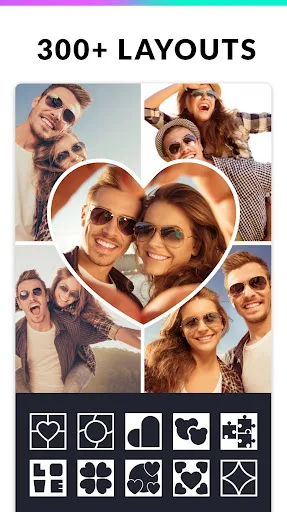
Photo Editor - Collage Maker Screenshots
Official app screenshots from the Google Play Store.




Collage Maker & Photo Editor Screenshots
Official app screenshots from the Google Play Store.
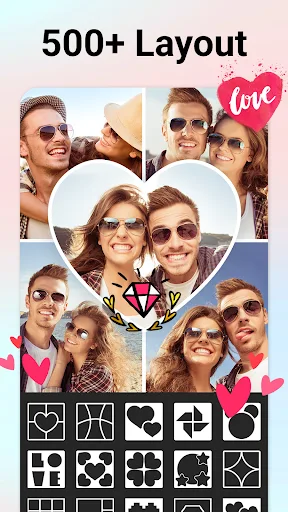

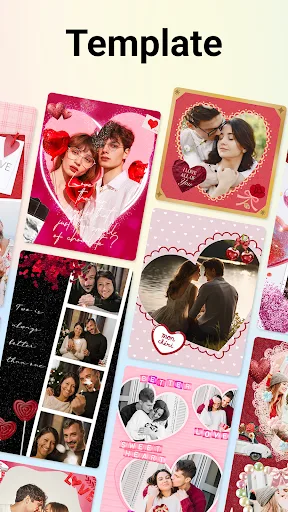
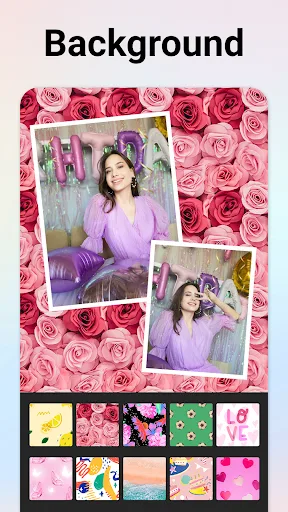

Frequently Asked Questions
Which app has higher ratings?
Both apps have nearly identical ratings: Photo Editor - Collage Maker at 4.8619 and Collage Maker & Photo Editor at 4.8650. The difference is negligible.
Can I use these apps offline?
Collage Maker & Photo Editor works well offline for basic collage creation. Photo Editor - Collage Maker requires internet for some features like downloading new templates.
Do these apps have ads?
Yes, both apps are free with ads. You can remove ads via in-app purchases in both apps.
What are the device requirements?
Both apps require Android 5.0 or higher and work on most modern devices. They are optimized for both phones and tablets.
Which app should I choose?
Choose Photo Editor - Collage Maker if you want the most layouts and creative tools. Choose Collage Maker & Photo Editor if you prefer a simpler, faster app.
Related Comparisons
 VS
VS

Lightroom vs Polish: Which Photo Editor & Collage Maker Wins in 2026
VS
Lightroom vs Photo Editor Collage Maker: Best Collage App for Android in 2026
 VS
VS
Picsart vs Adobe Express: The Ultimate Collage App Showdown
VS

Picsart vs Photoroom: Which AI Photo Editor Wins for Collages?
VS
Lightroom vs Photoroom: Best Collage & Photo Editor for Android
 VS
VS