Microsoft To Do vs Google Tasks: Which Task Manager Wins?
Microsoft To Do is ideal for users deeply integrated into the Microsoft ecosystem, offering rich features like lists, reminders, and collaboration. Google Tasks is perfect for those who live in Google Workspace, providing seamless sync with Gmail and Calendar. Both apps excel at basic task management but cater to different workflows. Your choice depends on which productivity suite you rely on most.
Microsoft To Do: Lists & Tasks
- Rating
- ★ 4.59
- Downloads
- 10,000,000+
- Developer
- Microsoft Corporation
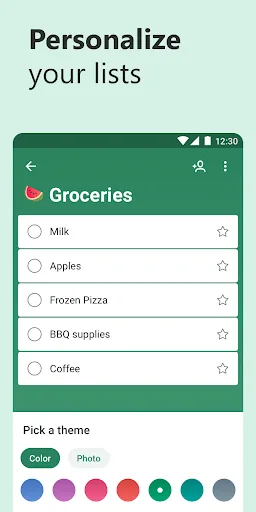
Microsoft To Do is a task management app to help you stay organized and manage your day-to-day. You can use Microsoft To Do to make shopping lists or task lists, take notes, record collections, plan an event, or set reminders to increase your productivity and focus on what matter…
Pros
- Deep integration with Microsoft 365 (Outlook, Teams, OneNote)
- Rich list creation with due dates, reminders, and steps
- Supports file attachments up to 25 MB per task
- Collaborative lists shared with others for teamwork
- Available on all platforms including Windows, macOS, and web
Cons
- Can feel bloated with features not needed by everyone
- Requires Microsoft account; no guest access
- No built-in calendar view; relies on Outlook integration
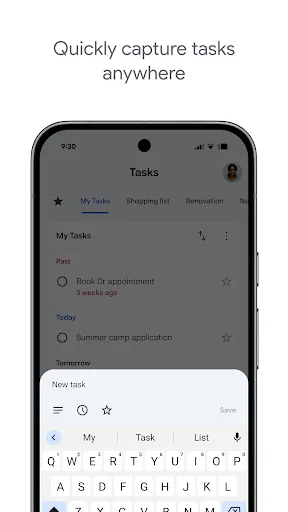
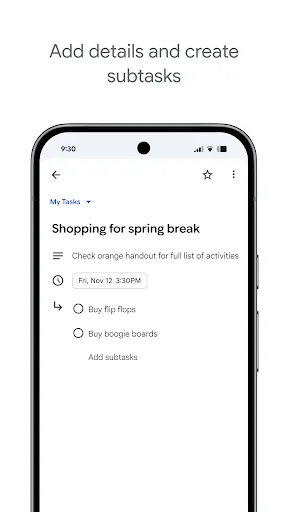
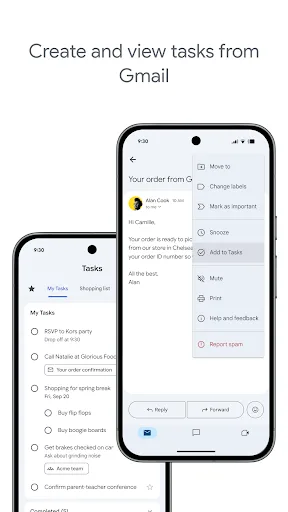
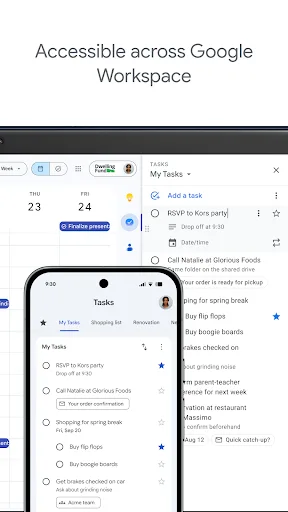
Stay on top of your to-dos with the Google Tasks mobile app. Easily capture, manage and get reminded about your tasks from anywhere, at any time. Your to-dos sync across all your devices, and integrations with Gmail and Google Tasks help you get tasks done— faster. With Google…
Pros
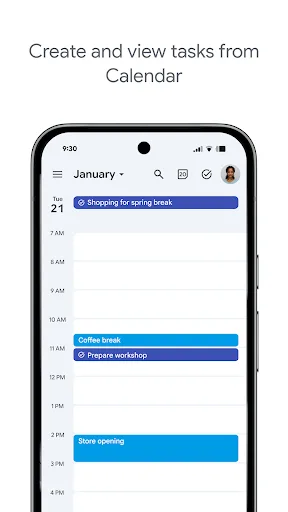
- Seamless sync with Gmail and Google Calendar
- Minimalist interface focused on speed and simplicity
- Add tasks directly from Gmail messages
- Integrated with Google Assistant for voice task creation
- Free with no ads and no premium tiers
Cons
- Lacks advanced features like subtasks, tags, or attachments
- No collaboration or shared lists
- Limited to Google ecosystem; no standalone desktop app
Final Verdict
Our pick: Google Tasks
For most users, Google Tasks is the better choice due to its seamless integration with Gmail and Google Calendar, making task capture effortless. Its simplicity ensures a clutter-free experience, while Microsoft To Do can feel overwhelming with its many features. However, if you use Outlook, Teams, or other Microsoft products, Microsoft To Do offers deeper integration and more advanced list features. Overall, Google Tasks wins for its ease of use and universal sync across Android and web.
Microsoft To Do: Lists & Tasks Screenshots
Official app screenshots from the Google Play Store.




Google Tasks Screenshots
Official app screenshots from the Google Play Store.
Frequently Asked Questions
Which app has a higher rating?
Microsoft To Do has a rating of 4.604, slightly higher than Google Tasks at 4.580. Both are highly rated with over 10 million installs.
Can I use these apps offline?
Both apps support offline task creation and editing. Changes sync when you reconnect. Google Tasks may have slight delays in sync compared to Microsoft To Do.
Are there any ads in these apps?
Neither Microsoft To Do nor Google Tasks display any ads. Both are completely free to use with no in-app purchases.
What are the device requirements?
Both apps require Android 5.0 or later. They are lightweight and run smoothly on most devices. Google Tasks is pre-installed on many Android phones.
Which app should I choose if I use both Microsoft and Google services?
If you use both ecosystems, consider Google Tasks for its simplicity and Gmail integration, or Microsoft To Do if you need advanced features like subtasks and file attachments. For most, Google Tasks is more straightforward.
Related Comparisons
 VS
VS

Google Calendar vs Doable: The Ultimate Task Manager Showdown
 VS
VS

TickTick vs To Do List (SplenDO): Best Task Manager for Android
VS

TickTick vs Habit Me: Task Manager Showdown
VS

To Do List vs Reminder Planner: Best Task Manager
 VS
VS
Tasks vs SplenDO: Which Task Manager App Reigns Supreme?
VS