Tasks vs Microsoft To Do: Which Task Manager App Reigns Supreme?
Tasks by Pocket Brilliance Limited is a beautifully simple, ad-free, and privacy-focused to-do list and reminders app, ideal for users who value minimalism and data privacy. Microsoft To Do, developed by Microsoft Corporation, is a feature-rich task management app deeply integrated with the Microsoft ecosystem, perfect for users who rely on Outlook, Teams, or other Microsoft services. Both apps help you organize daily tasks, set reminders, and boost productivity, but they cater to different user preferences and workflows.

Tasks: To Do List & Reminders
- Rating
- ★ 4.78
- Downloads
- 5,000,000+
- Developer
- Pocket Brilliance Limited
Microsoft To Do: Lists & Tasks
Recommended- Rating
- ★ 4.59
- Downloads
- 10,000,000+
- Developer
- Microsoft Corporation
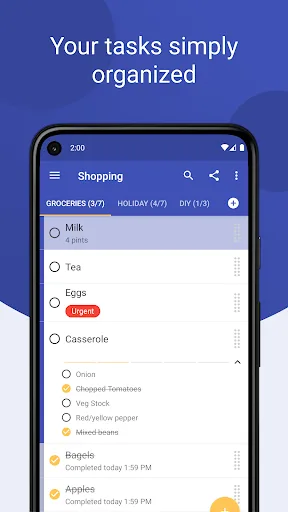
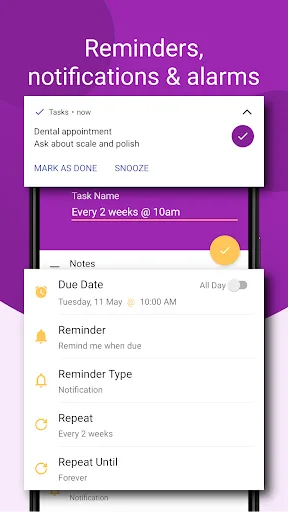
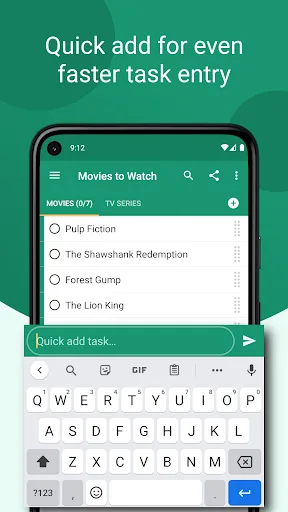
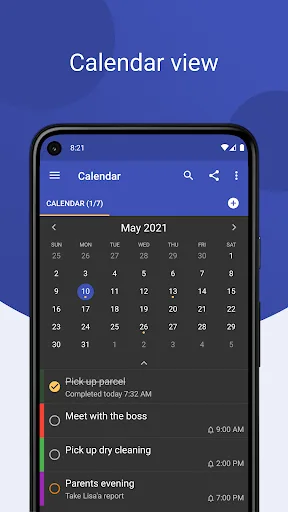
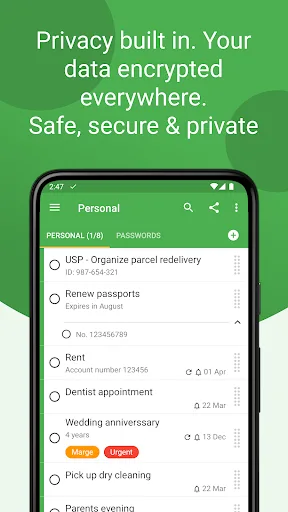
Tasks is a beautifully simple, ad-free, and privacy-focused to do list, planner, and reminders app designed to organize your busy life effortlessly and increase your productivity. Stay on top of your daily tasks, plan projects, set reminders, and schedule events—all in one easy…
Pros
- Completely ad-free and privacy-focused with no data collection
- Clean, intuitive interface that is easy to navigate
- Supports recurring tasks, subtasks, and reminders
- Lightweight app with fast performance
- Free to use with no premium subscriptions
Cons
- Limited collaboration features (no shared lists)
- No integration with third-party services like calendar or email
- Fewer customization options for task views and sorting
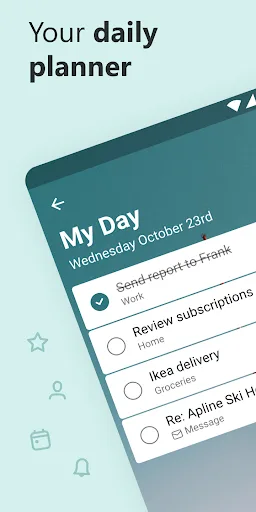
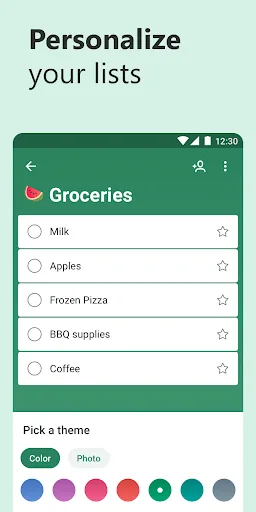
Microsoft To Do is a task management app to help you stay organized and manage your day-to-day. You can use Microsoft To Do to make shopping lists or task lists, take notes, record collections, plan an event, or set reminders to increase your productivity and focus on what matter…
Pros
- Seamless integration with Microsoft 365 (Outlook, Teams, Planner)
- Cross-platform support (Windows, macOS, iOS, Android, web)
- Collaboration features: share lists and assign tasks to others
- Smart suggestions and 'My Day' for daily focus
- Supports file attachments, notes, and rich text formatting
Cons
- Requires a Microsoft account; some features need a subscription
- Interface can feel cluttered with many options
- Privacy concerns due to Microsoft's data collection policies
Final Verdict
Our pick: Microsoft To Do: Lists & Tasks
For most users, Microsoft To Do is the better choice due to its seamless integration with Microsoft 365, cross-platform availability, and robust collaboration features. However, if you prioritize absolute privacy, an ad-free experience, and a clutter-free interface, Tasks is a strong contender. Tasks excels for individuals who want a no-frills, secure task manager without any tracking. Ultimately, choose Microsoft To Do if you are embedded in the Microsoft ecosystem; choose Tasks if you value privacy above all else.
Tasks: To Do List & Reminders Screenshots
Official app screenshots from the Google Play Store.
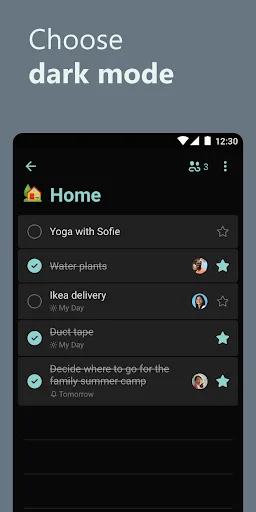
Microsoft To Do: Lists & Tasks Screenshots
Official app screenshots from the Google Play Store.


Frequently Asked Questions
Which app has a higher rating?
Tasks has a higher rating of 4.78 compared to Microsoft To Do's 4.61, based on user reviews on the Google Play Store.
Can I use these apps offline?
Both apps support offline use. Tasks allows you to create and edit tasks offline, syncing when connected. Microsoft To Do also works offline, but some features like file attachments require internet.
Do these apps contain ads?
Tasks is completely ad-free. Microsoft To Do is also ad-free, but it may include promotional content for Microsoft 365 services.
What are the device requirements?
Both apps require Android 5.0 or later. Tasks is lightweight (under 10 MB), while Microsoft To Do is larger (around 30 MB) due to more features.
Which app should I choose if I value privacy?
If privacy is your top priority, choose Tasks. It collects no user data and has no ads. Microsoft To Do collects some data for personalization and requires a Microsoft account.
Related Comparisons
 VS
VS

Google Calendar vs Doable: The Ultimate Task Manager Showdown
 VS
VS

TickTick vs To Do List (SplenDO): Best Task Manager for Android
VS

TickTick vs Habit Me: Task Manager Showdown
VS

To Do List vs Reminder Planner: Best Task Manager
VS
Tasks vs SplenDO: Which Task Manager App Reigns Supreme?
VS