WPS Office vs Microsoft Word: Best Android Office App for 2026
WPS Office is a comprehensive office suite that combines document editing, PDF tools, and spreadsheet management in one app, ideal for users who need an all-in-one solution with a familiar desktop-like interface. Microsoft Word, on the other hand, is the gold standard for word processing, offering seamless integration with Microsoft 365 and cloud services, perfect for professionals and students who rely on the Microsoft ecosystem. Both apps are top contenders in the office category, but they cater to different user preferences and workflows.

WPS Office-PDF, Word, Sheet
- Rating
- ★ 4.38
- Downloads
- 500,000,000+
- Developer
- WPS SOFTWARE PTE. LTD.

Microsoft Word: Edit Documents
Recommended- Rating
- ★ 4.78
- Downloads
- 1,000,000,000+
- Developer
- Microsoft Corporation
★ WPS Office – Office Suite, PDF Editor & Document Reader WPS Office is a powerful office suite designed to help you create, edit, read and manage documents efficiently. It supports Word documents, PDF files, Excel spreadsheets and PowerPoint presentations, making it a reliab…
Pros
- All-in-one suite: includes Word, PDF, Spreadsheet, and Presentation tools in a single app.
- Free to use with optional premium features, making it accessible for basic office tasks.
- Lightweight compared to Microsoft Word, with a smaller download size and lower resource usage.
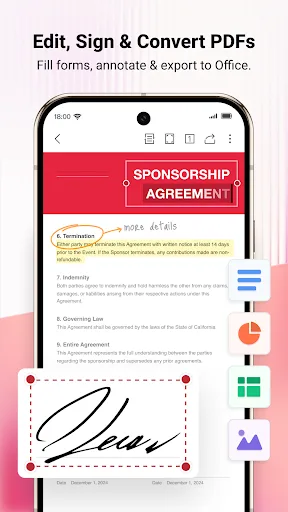
- Built-in PDF editor allows direct editing of PDFs without needing a separate app.
- Supports a wide range of file formats including DOCX, XLSX, PPTX, and PDF.
Cons
- User interface can be cluttered with ads in the free version, which may distract from work.
- Some advanced formatting features are less polished than Microsoft Word's.
- Cloud storage integration is not as seamless as Microsoft's, with limited free storage options.
Create, edit, read and share documents on your mobile device with the same power and familiarity you rely on from your PC. Write CVs, letters, assignments, notes or creative work on the go. Convert between Word and PDF, collaborate with others and access your files from anywhere.…
Pros
- Industry-standard word processing with robust formatting, editing, and collaboration tools.
- Seamless integration with OneDrive and Microsoft 365, allowing easy access to files across devices.
- High user rating (4.78) reflects excellent stability and user satisfaction.
- Offers advanced features like Track Changes, Smart Lookup, and translator.
- Regular updates with new features and security improvements.
Cons
- Requires a Microsoft 365 subscription for full functionality, though basic editing is free.
- Large app size and may require more storage and RAM compared to WPS Office.
- Lacks built-in PDF editing; PDF conversion is available but not full editing capabilities.
Final Verdict
Our pick: Microsoft Word: Edit Documents
For most users, Microsoft Word is the clear winner due to its superior editing experience, seamless integration with OneDrive and Microsoft 365, and higher user satisfaction reflected in its 4.78 rating. However, if you need a free, all-in-one office suite with built-in PDF editing and a more lightweight footprint, WPS Office is a fantastic choice, especially for budget-conscious users. Ultimately, your decision should hinge on whether you prioritize deep Microsoft ecosystem integration or a versatile, free alternative. For 2026, Microsoft Word remains the benchmark for mobile document editing, but WPS Office offers exceptional value.
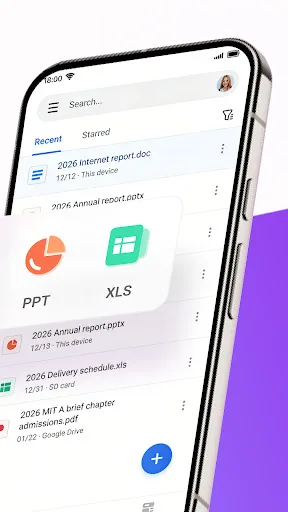
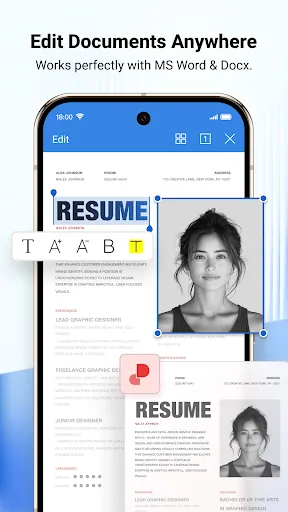
WPS Office-PDF, Word, Sheet Screenshots
Official app screenshots from the Google Play Store.

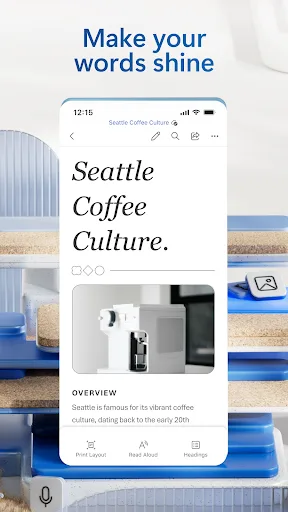
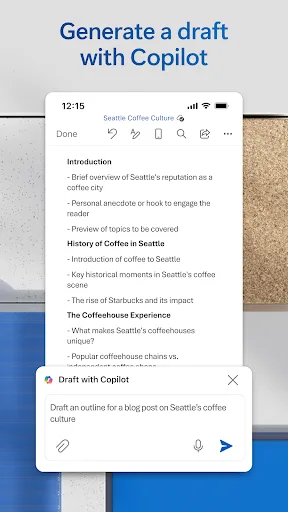
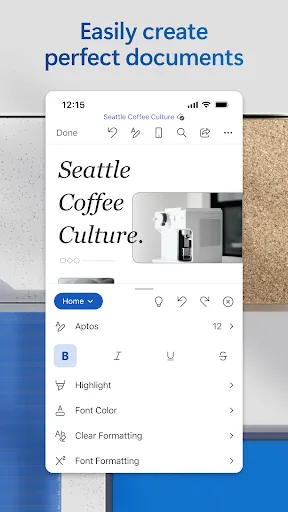
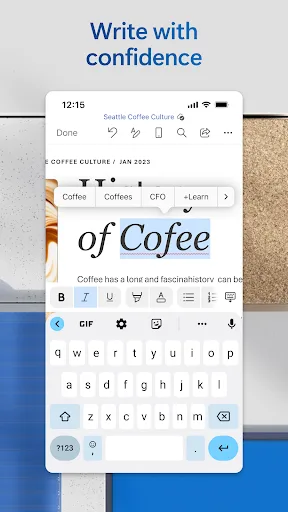
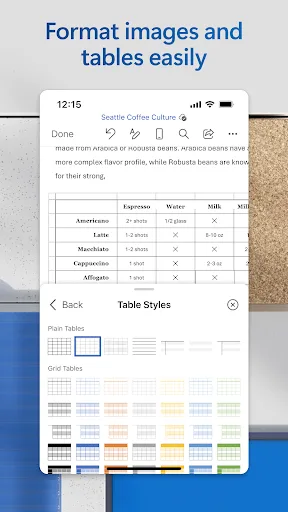
Microsoft Word: Edit Documents Screenshots
Official app screenshots from the Google Play Store.
Frequently Asked Questions
Which app has a better rating on Google Play?
Microsoft Word has a higher rating of 4.78 stars compared to WPS Office's 4.38 stars, indicating greater user satisfaction.
Can I use these apps offline?
Yes, both apps support offline editing. You can create and edit documents without an internet connection, but cloud features like syncing require connectivity.
Are there ads in the free versions?
WPS Office's free version contains ads, which can be removed with a premium subscription. Microsoft Word's free version is ad-free, but some features are locked behind a Microsoft 365 subscription.
What are the device requirements for these apps?
Both apps require Android 8.0 or higher. Microsoft Word may need more storage (around 200 MB) compared to WPS Office (around 80 MB), and both benefit from at least 2 GB of RAM for smooth performance.
Which app should I choose for my needs?
If you need a free, all-in-one office suite with PDF editing, choose WPS Office. If you rely on Microsoft ecosystem and need advanced word processing, choose Microsoft Word. For most professional and academic users, Microsoft Word is the safer bet.
Related Comparisons
 VS
VS

Microsoft PowerPoint vs Microsoft Excel: Which Office App Reigns Supreme
 VS
VS

WPS Office Lite vs Microsoft 365 Copilot: Best Office App for Android in 2026
VS
Microsoft Word vs Microsoft PowerPoint: Which Office App Reigns Supreme?
 VS
VS

OfficeSuite Pro + PDF vs Office Reader: Best Android Office App for Productivity?
VS
Microsoft PowerPoint vs Office Reader: Best Office App for Presentations & Documents
VS
