CapCut vs VN Video Editor: Which Free Video Editing App Reigns Supreme
CapCut, by Bytedance, is a powerhouse with over a billion installs, ideal for TikTok creators and social media enthusiasts who need trendy effects and auto-captions. VN, by Ubiquiti Labs, targets serious mobile editors with a multi-track timeline and no watermark, perfect for vloggers and professionals seeking desktop-like control. Both are free but cater to different workflows: CapCut for viral-ready content, VN for polished, customizable edits.

CapCut - Video Editor
- Rating
- ★ 3.56
- Downloads
- 1,000,000,000+
- Developer
- Bytedance Pte. Ltd.

VN: Photo & Video Editor
Recommended- Rating
- ★ 4.70
- Downloads
- 100,000,000+
- Developer
- Ubiquiti Labs, LLC
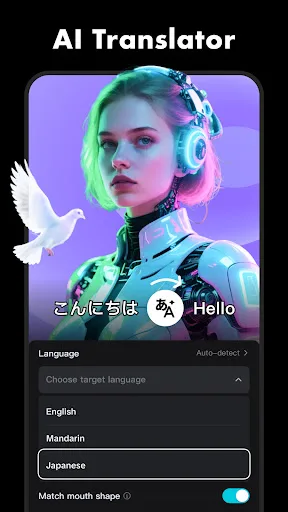
CapCut offers easy-to-use video editing functions, in-APP fonts and effects, advanced features such as keyframe animation, smooth slow-motion, chroma key, and stabilization, to help you capture and snip moments. Create fancy videos with other unique features: auto captions, text-…
Pros
- Extensive library of trendy effects, filters, and stickers
- Auto captions and text-to-speech in multiple languages
- Keyframe animation for precise motion control
- Built-in music and sound effects library
- Direct export to TikTok and other social platforms
Cons
- Exports have a watermark unless you pay or use workarounds
- Occasional ads and prompts to upgrade
- Lower user rating (3.56) due to bugs and crashes on some devices
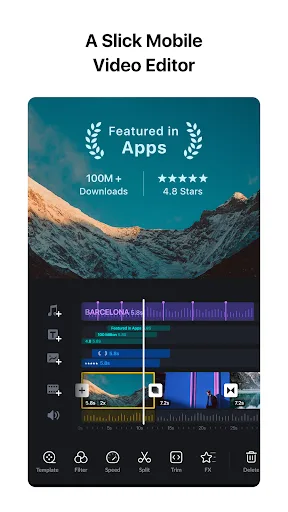
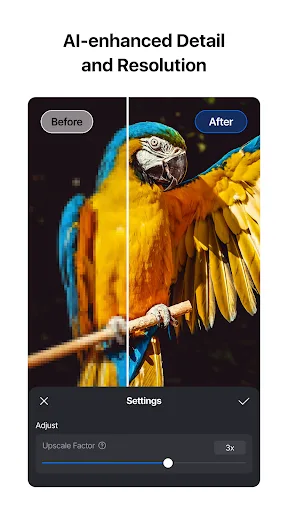
VN is an easy-to-use and free video editing app with no watermark. The intuitive interface makes video editing simple, with no prior knowledge needed. It offers all the features required to create professional and high-quality videos, satisfying both the needs of professional and…
Pros
- No watermark on exports – completely free
- Intuitive multi-track timeline for complex edits
- High user rating (4.69) with stable performance
- Advanced color grading and curve tools
- Supports 4K export and high bitrate
Cons
- Smaller library of built-in effects and transitions
- No auto-caption or text-to-speech features
- Slightly steeper learning curve for beginners
Final Verdict
Our pick: VN: Photo & Video Editor
For most users, VN is the winner due to its higher rating (4.69 vs 3.56), no watermark, and professional multi-track editing. It offers a cleaner, ad-free experience and more precise control. CapCut excels in ease of use and trendy features like auto captions and motion tracking, but its lower rating and watermark on free exports hold it back. Choose VN if you value quality and control; choose CapCut if you prioritize speed and social media integration.
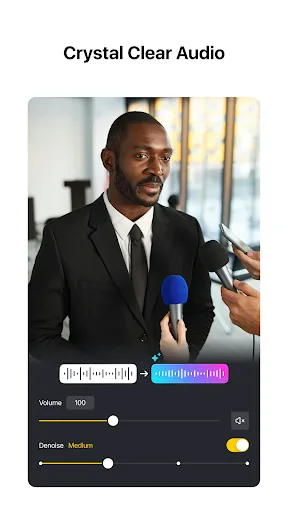
CapCut - Video Editor Screenshots
Official app screenshots from the Google Play Store.




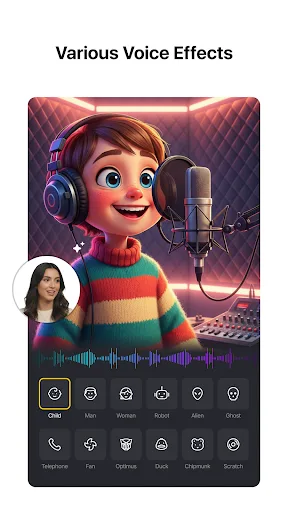
VN: Photo & Video Editor Screenshots
Official app screenshots from the Google Play Store.

Frequently Asked Questions
Which app has a better rating?
VN has a significantly higher rating of 4.69 compared to CapCut's 3.56, based on user reviews.
Can I edit videos offline with these apps?
Yes, both CapCut and VN allow offline editing. However, some features like auto captions or cloud templates may require an internet connection.
Do these apps contain ads?
CapCut displays ads and prompts for its premium version. VN is ad-free, offering a cleaner experience.
What are the device requirements for each app?
Both apps require Android 5.0 or later. CapCut recommends at least 4GB RAM for smooth performance; VN works well on devices with 2GB RAM but benefits from more.
Which app should I choose for professional video editing?
Choose VN for professional-grade multi-track editing, no watermark, and high rating. CapCut is better for quick, social-media-ready videos with trendy effects.
Related Comparisons
 VS
VS

PowerDirector vs KineMaster: Best Video Editor for Android in 2026
VS

VN vs Video Guru: Which Free Video Editor Reigns Supreme?
VS
CapCut vs PowerDirector: Which Video Editor Reigns Supreme
 VS
VS

VivaCut vs Lightroom: Best Video Editor for Android
 VS
VS
Canva vs KineMaster: Best Video Editor for You? ( Comparison)
 VS
VS