Collage Maker vs Photo Editor - Collage Maker: Which Collage App Reigns Supreme?
Collage Maker | Photo Editor (GridArt) and Photo Editor - Collage Maker (InCollage) are both top-rated collage apps with over 100 million installs each. GridArt excels with its 3D Popout effect and quick remixing, ideal for users who want creative, eye-catching collages. InCollage offers over 500 layouts and extensive customization, perfect for those who need versatile templates for specific occasions like weddings or holidays.

Collage Maker | Photo Editor
- Rating
- ★ 4.86
- Downloads
- 100,000,000+
- Developer
- Photo Editor & Collage Maker

Photo Editor - Collage Maker
Recommended- Rating
- ★ 4.86
- Downloads
- 100,000,000+
- Developer
- Photo Editor & Collage Maker
GridArt Collage Maker is your go-to photo collage maker and photo frame app in pics art trip. Just select several photos in your photo lab, Collage Maker instantly remix them into cool photo collage. Beyond standard grids, we now feature 3D Popout effect that allow your images to…
Pros
- Unique 3D Popout effect makes photos stand out
- Fast and intuitive collage creation process
- Pro filters and stickers for quick enhancement
- High rating of 4.8645
- Clean, user-friendly interface
Cons
- Fewer layout options compared to InCollage
- Less specialized templates for specific events
- Some advanced features may require in-app purchases
InCollage, a full-featured Photo Collage Maker & Photo Editor, offers 500+ picture collage layouts, frames, backgrounds, templates, stickers & text fonts to create stunning photo collages. It's your ultimate pic collage maker to customize layouts fit for every occasion, including…
Pros
- Over 500 collage layouts and frames
- Extensive library of backgrounds, stickers, and fonts
- Occasion-specific templates (weddings, holidays, etc.)
- Full-featured photo editor included
- Rating of 4.8636 with massive user base
Cons
- Interface can feel cluttered due to many options
- Some users report occasional ads
- Learning curve for beginners due to feature richness
Final Verdict
Our pick: Photo Editor - Collage Maker
For most users, Photo Editor - Collage Maker (InCollage) is the better choice due to its vast layout library and comprehensive editing tools. Its 500+ layouts and occasion-specific templates make it more versatile for everyday use. However, if you prioritize unique effects like 3D Popout and prefer a simpler, faster workflow, Collage Maker | Photo Editor (GridArt) is an excellent alternative. Both apps are highly rated, but InCollage's broader feature set gives it a slight edge for general collage making.
Collage Maker | Photo Editor Screenshots
Official app screenshots from the Google Play Store.
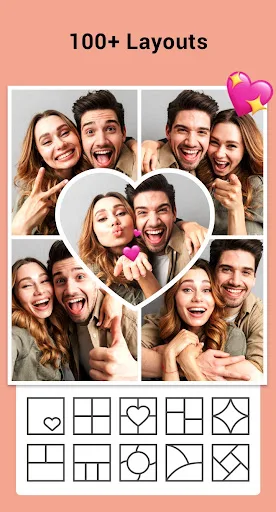


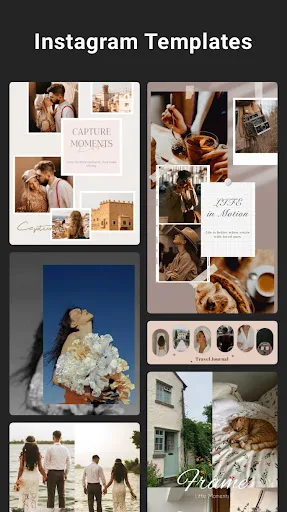
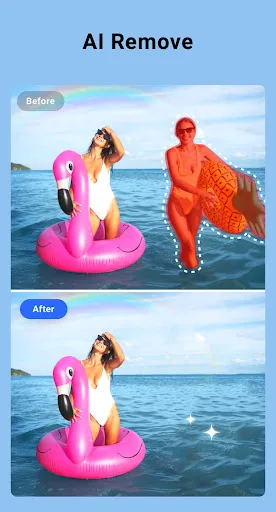
Photo Editor - Collage Maker Screenshots
Official app screenshots from the Google Play Store.




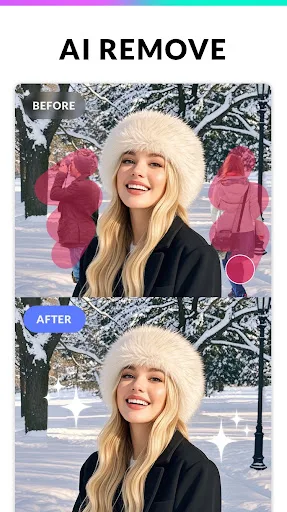
Frequently Asked Questions
What are the ratings of these apps?
Collage Maker | Photo Editor has a rating of 4.8645, while Photo Editor - Collage Maker has 4.8636. Both are excellent.
Can I use these apps offline?
Both apps offer basic offline functionality for creating collages, but some features like templates or stickers may require an internet connection.
Do these apps have ads?
Both apps contain ads, but they can be removed via in-app purchases. Photo Editor - Collage Maker may have more frequent ads due to its free feature set.
What are the device requirements?
Both apps require Android 5.0 or higher and work on most modern smartphones. They are optimized for various screen sizes.
Which app should I choose?
Choose Collage Maker for creative 3D effects and simplicity. Choose Photo Editor - Collage Maker for extensive layouts and occasion-specific templates.
Related Comparisons
 VS
VS

Lightroom vs Polish: Which Photo Editor & Collage Maker Wins in 2026
VS
Lightroom vs Photo Editor Collage Maker: Best Collage App for Android in 2026
 VS
VS
Picsart vs Adobe Express: The Ultimate Collage App Showdown
VS

Picsart vs Photoroom: Which AI Photo Editor Wins for Collages?
VS

Collage Maker Showdown: Photo Editor - Collage Maker vs Collage Maker & Photo Editor
VS