Google Calendar vs Business Calendar 2: Which Android Calendar App Wins?
Google Calendar is the default choice for most Android users, offering seamless integration with Google services and a clean interface. Business Calendar 2 Planner, on the other hand, is designed for power users who need advanced planning tools, task management, and customizable views. If you prioritize simplicity and ecosystem integration, go with Google Calendar. If you need robust scheduling and task organization with granular control, Business Calendar 2 is your pick.

Google Calendar
Recommended- Rating
- ★ 4.64
- Downloads
- 10,000,000,000+
- Developer
- Google LLC

Business Calendar 2 Planner
- Rating
- ★ 4.50
- Downloads
- 10,000,000+
- Developer
- Appgenix Software
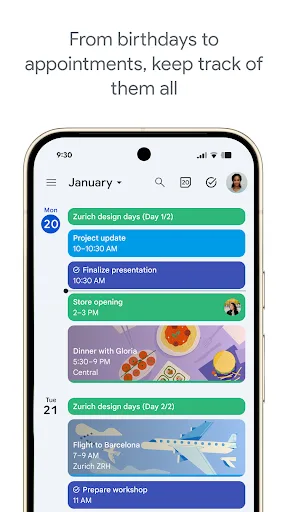
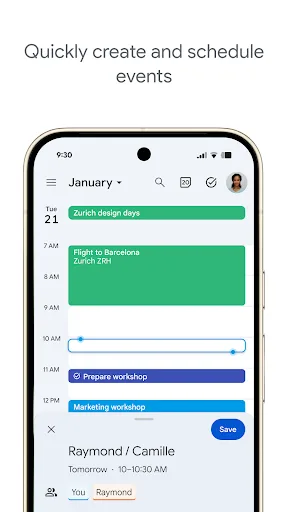
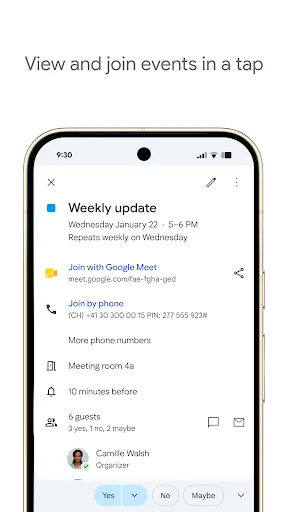
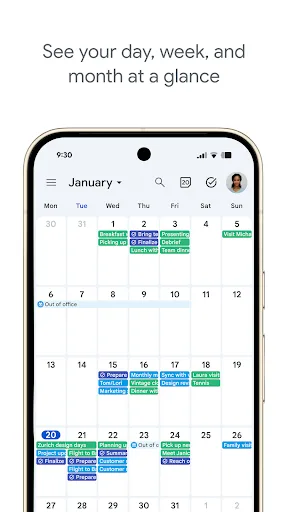
Get the official Google Calendar app, for your Android phone, tablet, or Wear OS device to stay organized and plan your day. Make the most of your day with easy event creation, multiple calendars, customizable views, widgets, tasks, and more With Google Calendar, you can: • Get…
Pros
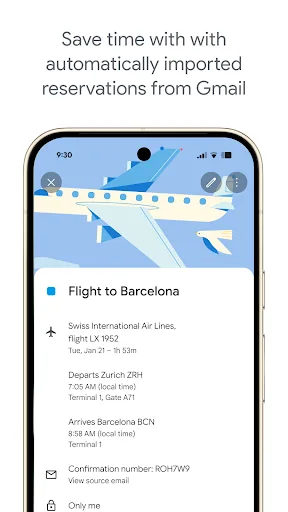
- Seamless integration with Gmail, automatically adding events from flights, hotels, and reservations.
- Multiple calendar views (day, week, month, year, schedule) with smooth switching.
- Free, with no ads and unlimited storage for personal calendars.
- Works across all devices including Wear OS and web.
- Smart suggestions and goals feature for time management.
Cons
- Limited customization for colors and notification settings compared to dedicated apps.
- Task management is basic; lacks advanced features like subtasks or dependencies.
- Requires Google account; not fully functional offline without prior sync.
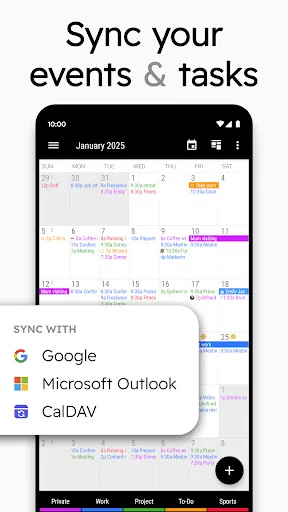
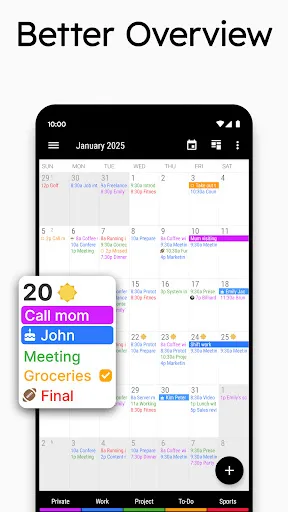
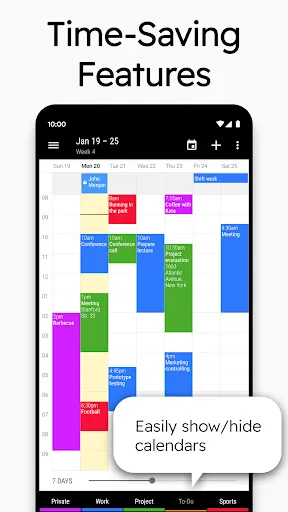
Business Calendar 2 has everything you need in a calendar app: It provides an excellent overview of your appointments, it’s easy to use and it gives you powerful tools for planning your events and tasks. 🎯 Calendar Planner and Task Organizer ▪ manage your appointments and…
Pros
- Unified view of events and tasks in a single timeline.
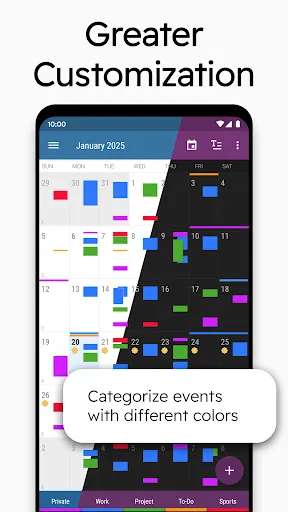
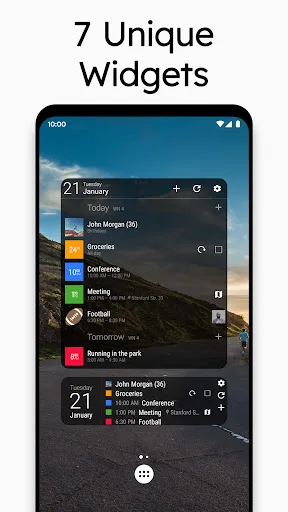
- Highly customizable: colors, fonts, widget sizes, and calendar layouts.
- Powerful task organizer with subtasks, priorities, and recurring tasks.
- Works fully offline; no internet required for creating and editing events.
- Quick hiding of calendars (work, family) to focus on specific ones.
Cons
- Free version has limited features; full version requires in-app purchase.
- Interface can feel cluttered with many options for new users.
- Integration with Google services is not as deep; no automatic Gmail events.
Final Verdict
Our pick: Google Calendar
Both apps are excellent, but the winner depends on your needs. Google Calendar is unbeatable for casual users and those heavily invested in Google services. Business Calendar 2 Planner offers superior customization, offline task management, and a unified view of events and tasks. For most users, Google Calendar's ease of use and reliability make it the top choice. However, if you're a professional or planner who needs more control, Business Calendar 2 is worth the switch.
Google Calendar Screenshots
Official app screenshots from the Google Play Store.
Business Calendar 2 Planner Screenshots
Official app screenshots from the Google Play Store.
Frequently Asked Questions
Which app has a better rating?
Google Calendar has a slightly higher rating (4.64) compared to Business Calendar 2 Planner (4.50), but both are highly rated.
Can I use these apps offline?
Google Calendar requires prior sync for offline access; Business Calendar 2 Planner works fully offline without internet.
Do these apps have ads?
Google Calendar is completely ad-free. Business Calendar 2 Planner is ad-free in the free version but offers in-app purchases for premium features.
What are the device requirements?
Both apps require Android 5.0+ and are optimized for phones and tablets. Google Calendar also supports Wear OS.
Which one should I choose?
Choose Google Calendar for simplicity, integration, and reliability. Choose Business Calendar 2 Planner if you need advanced task management and customization.
Related Comparisons
 VS
VS

Daily Planner vs TickTick: Best Calendar & To-Do App for 2026
 VS
VS
TimeTree vs Samsung Calendar: Which Shared Calendar App Wins for Families?
VS
TickTick vs TimeTree: Which Calendar & To-Do App Wins
 VS
VS
Any.do vs Todolize: Which To-Do List & Calendar App Reigns Supreme?
VS
Daily Planner vs Todoist: Which Calendar & Task App Wins?
VS