Lightroom vs Adobe Express: Which Adobe Collage & Editing App is Best?
Adobe Lightroom is a powerful photo and video editor designed for photographers and enthusiasts who want precise control over image adjustments and presets. Adobe Express, on the other hand, is a versatile content creation app that simplifies making collages, social media posts, and videos with templates and brand kits. Lightroom excels in raw editing and color grading, while Express shines in quick, template-based designs. If you're into detailed photo editing, Lightroom is your go-to; for effortless collages and social graphics, Adobe Express is ideal.
Adobe Express: AI Photo, Video
Recommended- Rating
- ★ 4.63
- Downloads
- 100,000,000+
- Developer
- Adobe
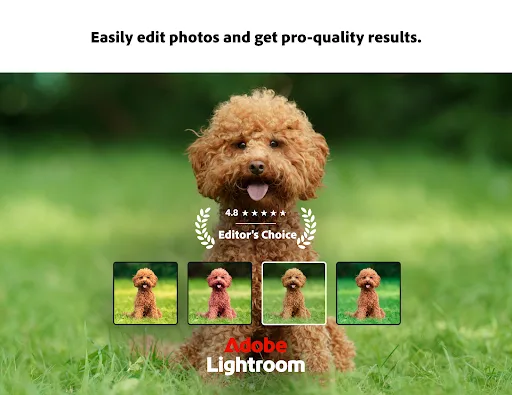
Ever wish your photos could really show what makes a moment special? Adobe Lightroom is a free photo and video editor that helps you do just that. From your dog’s goofy grin to that sunset that took your breath away, Adobe Lightroom makes it simple to bring those moments to lif…
Pros
- Professional-grade photo editing tools including curves, color grading, and selective adjustments
- Advanced presets and profiles for one-click edits
- Non-destructive editing with full history
- Excellent raw file support
- Cloud sync across devices
Cons
- No dedicated collage or layout templates
- Steeper learning curve for beginners
- Free version has limited features compared to premium
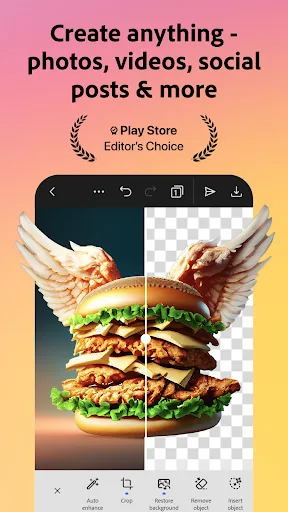
Adobe Express is the quick and easy app to create on-brand content that helps your business stand out and make an impact. Whether you're a beginner or a seasoned creator, Adobe Express empowers you and your team to make high-quality marketing and business materials while maintain…
Pros
- Hundreds of customizable collage templates and layouts
- Easy drag-and-drop interface with no design skills needed
- Built-in brand kits for consistent branding
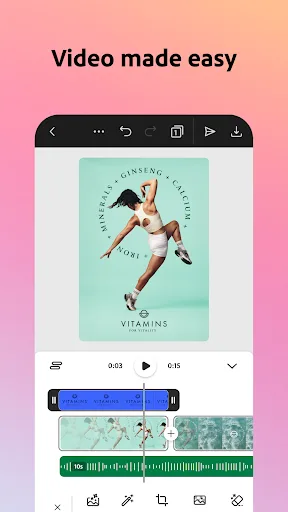
- Quick video editing and animation features
- Free plan includes many templates and assets
Cons
- Photo editing tools are basic compared to Lightroom
- Some premium templates require subscription
- Can be overwhelming with too many templates
Final Verdict
Our pick: Adobe Express: AI Photo, Video
For collage making specifically, Adobe Express is the clear winner due to its dedicated collage templates, easy drag-and-drop interface, and brand consistency tools. While Lightroom offers excellent photo editing, it lacks native collage features. Adobe Express provides a wide variety of layouts and customization options, making it perfect for quick, polished collages. Lightroom remains superior for individual photo enhancement. Therefore, we recommend Adobe Express for collage projects, but keep Lightroom for editing your source images.

Lightroom Photo & Video Editor Screenshots
Official app screenshots from the Google Play Store.




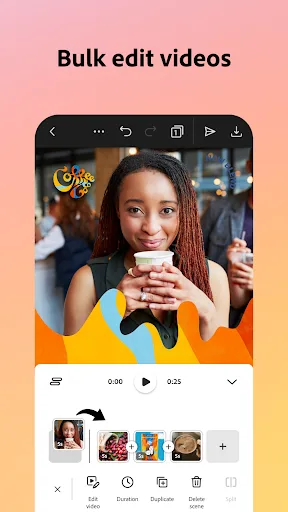
Adobe Express: AI Photo, Video Screenshots
Official app screenshots from the Google Play Store.


Frequently Asked Questions
Which app has a higher rating?
Adobe Express has a slightly higher rating of 4.636 compared to Lightroom's 4.507. Both apps have over 100 million installs.
Can I create collages offline?
Both apps require an internet connection for initial download and some features, but Adobe Express allows offline editing of saved projects. Lightroom does not have collage features.
Do these apps have ads?
Both apps are ad-free in their free versions, though they promote premium subscriptions within the app.
What are the device requirements?
Both apps require Android 6.0 or higher and a stable internet connection. They are optimized for modern devices but may run slower on older hardware.
Which app should I choose for social media collages?
Choose Adobe Express for its vast template library and ease of use. Lightroom is better for editing individual photos before placing them in a collage.
Related Comparisons
VS

Lightroom vs Polish: Which Photo Editor & Collage Maker Wins in 2026
VS

Lightroom vs Photo Editor Collage Maker: Best Collage App for Android in 2026
 VS
VS
Picsart vs Adobe Express: The Ultimate Collage App Showdown
VS

Picsart vs Photoroom: Which AI Photo Editor Wins for Collages?
VS

Collage Maker Showdown: Photo Editor - Collage Maker vs Collage Maker & Photo Editor
VS