Lumii vs Gallery: AI Photo Editor vs Smart Gallery – Which App Reigns Supreme?
Lumii by InShot is a feature-rich AI photo editor designed for users who want advanced editing tools like background removal, retouching, and 100+ filters. It's ideal for social media enthusiasts and content creators seeking professional-looking results without complex software. In contrast, Google Gallery is a lightweight, offline-first gallery app focused on automatic organization and basic editing. It's perfect for users who need a fast, simple way to manage and enhance photos on the go. Both apps are free with optional in-app purchases, but they serve very different purposes.

AI Photo Editor - Lumii
Recommended- Rating
- ★ 4.75
- Downloads
- 100,000,000+
- Developer
- InShot Video Editor
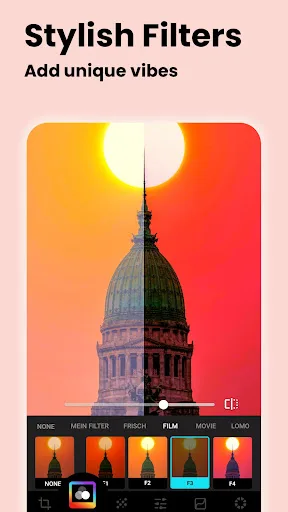
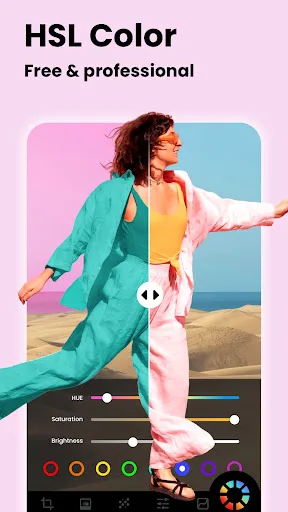
Lumii is a powerful AI Photo Editor that combines professional tools with smart AI editing features. Easily enhance photo quality, remove backgrounds, retouch selfies, and apply 100+ trendy photo filters and effects to edit photos. Create artistic, high-quality photos effortlessl…
Pros
- AI-powered background removal and retouching tools
- Over 100 trendy filters and effects for creative editing
- High rating (4.75) from over 100 million installs
- Professional-grade features without needing expertise
- Regular updates with new presets and editing options
Cons
- Requires internet for some AI features
- Contains ads in the free version
- Large app size compared to basic gallery apps
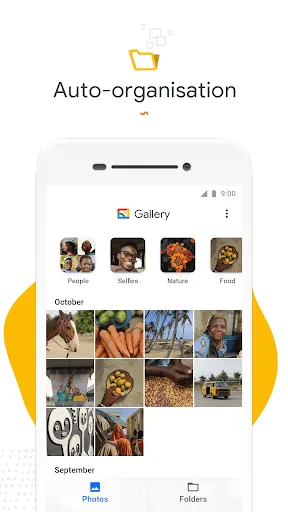
Meet Gallery, a smart, light and fast photo and video gallery built by Google to help you: ✨ Find photos faster with automatic organization 😎 Look your best with editing tools like auto-enhance 🏝️ Use less data - works offline, all in a small app size AUTOMATIC ORGANIZA…
Pros
- Lightweight and fast, works offline with minimal data usage
- Automatic nightly organization of photos
- Basic editing tools like auto-enhance for quick fixes
- Developed by Google, ensuring reliability and updates
- Small app size suitable for devices with limited storage
Cons
- Limited advanced editing features compared to dedicated editors
- Lower rating (4.21) with fewer user reviews
- No AI-powered tools like background removal or retouching
Final Verdict
Our pick: AI Photo Editor - Lumii
For users who prioritize creative control and advanced AI editing features, Lumii is the clear winner. Its powerful tools and extensive filter library make it a standout choice for photographers and social media creators. However, if you need a fast, offline-capable gallery with automatic organization and basic enhancements, Google Gallery excels in simplicity and storage efficiency. Given the broader appeal and higher rating, Lumii is recommended for most users seeking a versatile photo editor. Its package ID is photo.editor.photoeditor.filtersforpictures.
AI Photo Editor - Lumii Screenshots
Official app screenshots from the Google Play Store.




Gallery Screenshots
Official app screenshots from the Google Play Store.



Frequently Asked Questions
Which app has a higher rating?
Lumii has a higher rating of 4.75 compared to Gallery's 4.21, based on user reviews.
Can I use these apps offline?
Gallery is designed to work fully offline. Lumii requires internet for some AI features but offers basic editing offline.
Do these apps contain ads?
Both apps are free with ads. Lumii includes ads in the free version, while Gallery also shows ads but less frequently.
What are the device requirements?
Both apps run on Android 5.0+. Gallery is very lightweight, while Lumii requires more storage and RAM for AI features.
Which app should I choose for editing photos?
Choose Lumii for advanced AI editing and filters. Choose Gallery for simple organization and basic enhancements.
Related Comparisons
 VS
VS

Lensa vs Instagram: Which Photo App Wins in 2026
 VS
VS

Pixel Camera vs Canva: AI Photo & Video Editor – Which Photography App Reigns Supreme
VS

Instagram vs Camera360: Which Photo App Wins for Social Sharing & Selfie Editing?
 VS
VS

Lightroom vs InShot: Which Photo & Video Editor Reigns Supreme?
VS

Lensa vs Snapseed: Which Photo Editor Reigns Supreme?
VS