Lensa vs Snapseed: Which Photo Editor Reigns Supreme?
Lensa by Prisma Labs is a portrait-focused photo editor with AI-powered retouching and artistic filters, ideal for selfie enthusiasts. Snapseed by Google offers professional-grade tools like selective adjustments and film simulations, catering to serious photographers. Both are free but differ in approach: Lensa emphasizes AI enhancements, while Snapseed provides manual control. Choose based on whether you prefer automated beautification or hands-on editing.

Lensa: photo editor & AI art
- Rating
- ★ 4.06
- Downloads
- 10,000,000+
- Developer
- Prisma Labs, Inc.
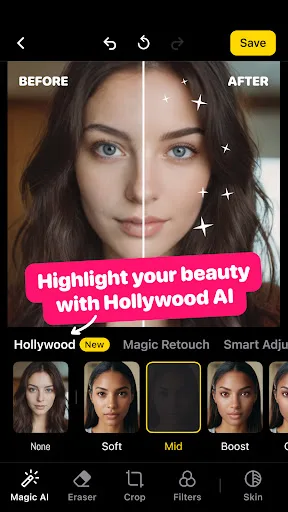
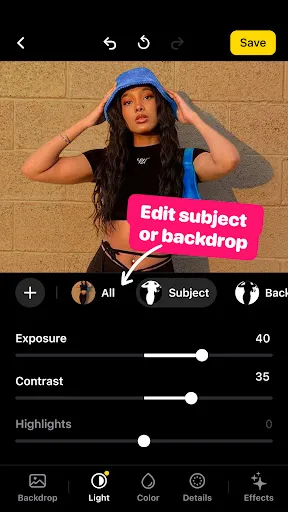
Lensa is a photo editor tool for retouching portrait selfies. The app has many photo editing filters and techniques for pictures to get a sweet selfie, remove any blur background or do any other necessary editing. With its simple editing features and camera editor effects, you ca…
Pros
- AI-powered portrait retouching with skin smoothing and face reshaping
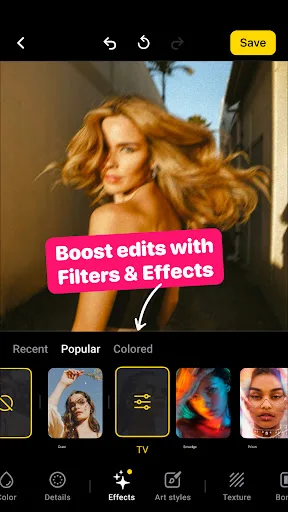
- Artistic filters that transform photos into various art styles
- Background blur and bokeh effects for professional-looking portraits
- User-friendly interface tailored for quick selfie editing
- Regular updates with new filters and AI features
Cons
- Requires subscription for full access to advanced features
- AI processing can sometimes produce unnatural results
- Limited manual editing controls compared to professional editors
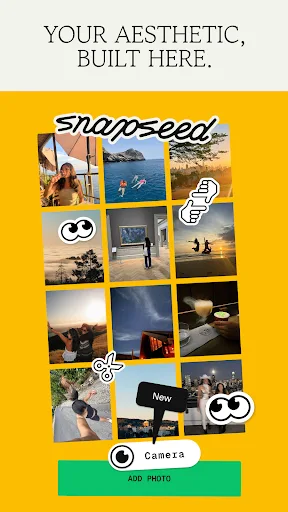
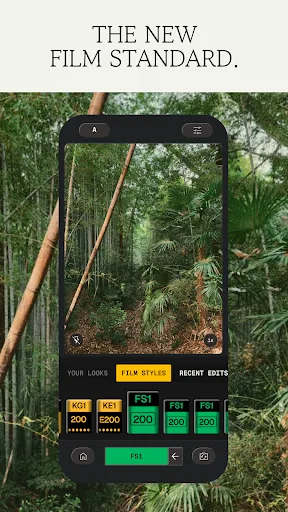
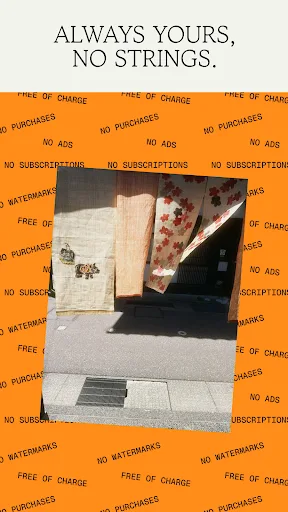
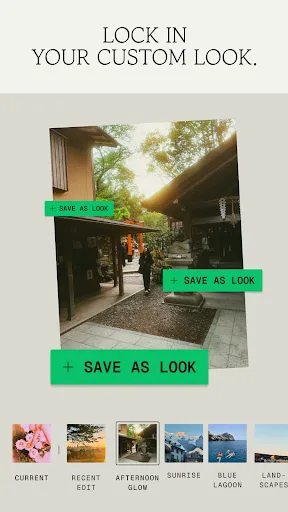
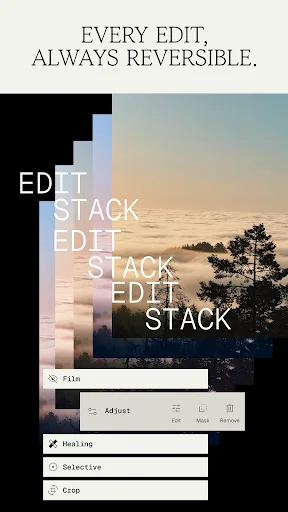
Snapseed is a complete and professional photo editor developed by Google. Pro-level tools, authentic film simulations, smart masking and more — all with no strings attached. == KEY FEATURES == • No Strings Attached: Get 30+ pro tools and filters - no subscriptions, purchases,…
Pros
- 30+ professional tools including selective adjustments and healing
- No subscriptions, purchases, ads, or watermarks
- Smart masking for precise local edits
- Authentic film simulations with grain and bloom effects
- Non-destructive editing with stackable adjustments
Cons
- Interface may be overwhelming for beginners
- No direct AI portrait retouching like skin smoothing
- Limited cloud backup or sharing features
Final Verdict
Our pick: Snapseed
Snapseed emerges as the winner for its comprehensive, ad-free, and subscription-free professional toolkit. While Lensa excels in AI-driven portrait retouching, Snapseed offers greater versatility with 30+ tools, precise masking, and no strings attached. For users seeking a powerful, no-cost editor for any photo type, Snapseed is the superior choice. However, if your primary need is flawless selfies with minimal effort, Lensa is a strong contender.
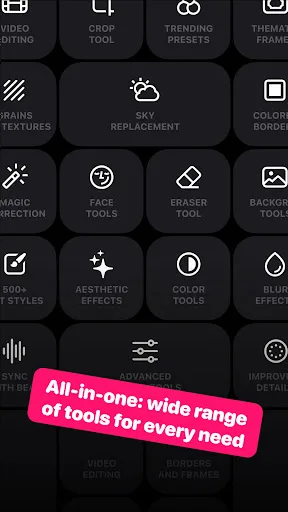
Lensa: photo editor & AI art Screenshots
Official app screenshots from the Google Play Store.


Snapseed Screenshots
Official app screenshots from the Google Play Store.
Frequently Asked Questions
Which app has a higher rating?
Lensa has a rating of 4.06, while Snapseed has 3.60. However, ratings can vary by region and user preferences.
Can I use these apps offline?
Both apps work offline for editing. Lensa's AI features may require internet for some filters. Snapseed is fully functional offline.
Do these apps contain ads?
Lensa has a subscription model but may show ads in the free version. Snapseed is completely ad-free.
What are the device requirements?
Both run on Android 5.0 and up. Snapseed requires 90MB storage; Lensa requires 150MB. Ensure your device supports OpenGL ES 3.0 for best performance.
Which app should I choose for casual photo editing?
For quick, AI-enhanced selfies, choose Lensa. For versatile, professional editing with no costs, choose Snapseed.
Related Comparisons
VS
Lensa vs Instagram: Which Photo App Wins in 2026
 VS
VS

Pixel Camera vs Canva: AI Photo & Video Editor – Which Photography App Reigns Supreme
VS

Instagram vs Camera360: Which Photo App Wins for Social Sharing & Selfie Editing?
 VS
VS

Lightroom vs InShot: Which Photo & Video Editor Reigns Supreme?
VS
Canva vs Snapseed: Ultimate Photo Editor Showdown for Creatives & Purists
VS