Pixel Camera vs Canva: AI Photo & Video Editor – Which Photography App Reigns Supreme
Pixel Camera, developed by Google, is designed for users who own a Pixel device and want to leverage advanced computational photography features like Night Sight and HDR+. It focuses on capturing high-quality photos with minimal editing. Canva, on the other hand, is a versatile design tool that includes AI-powered photo and video editing, making it ideal for content creators, social media managers, and anyone who needs to create polished visuals quickly. While Pixel Camera excels in capturing raw moments, Canva shines in post-processing and graphic design.

Canva: AI Photo & Video Editor
Recommended- Rating
- ★ 4.77
- Downloads
- 500,000,000+
- Developer
- Canva
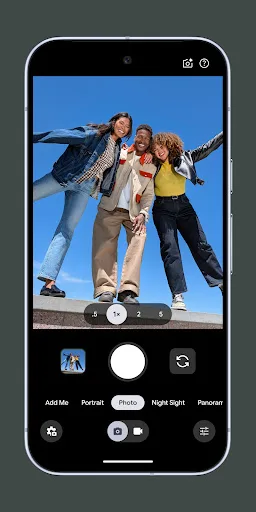
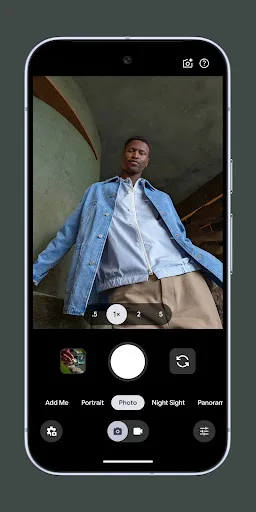
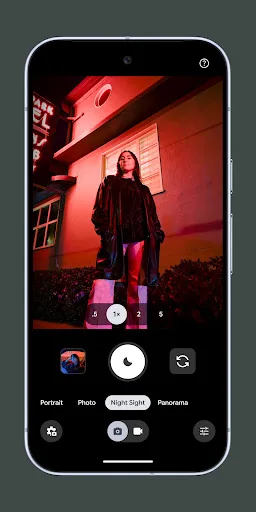
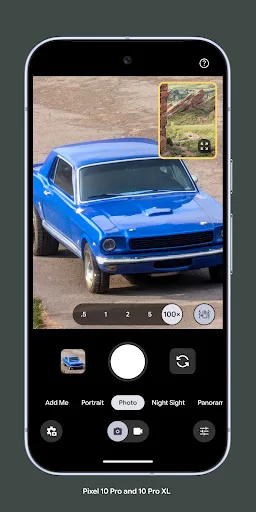
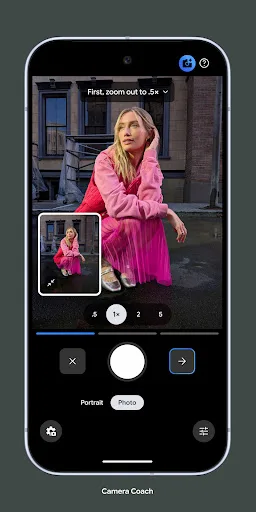
Never miss a moment with Pixel Camera! Take fantastic photos and videos using features like Portrait, Night Sight, Time Lapse, and Cinematic Blur. Take stunning photos • HDR+ with Exposure and White Balance Controls - Take incredible photos using HDR+, especially in low-light o…
Pros
- Exceptional HDR+ and Night Sight for low-light photography
- Cinematic Blur and Portrait modes with professional results
- Seamless integration with Pixel devices and Google Photos
- Real-time exposure and white balance controls
- Lightweight app with minimal permissions
Cons
- Only available on Google Pixel devices (limited compatibility)
- No built-in editing tools beyond basic adjustments
- Relatively low rating (2.9) due to bugs and performance issues on some devices
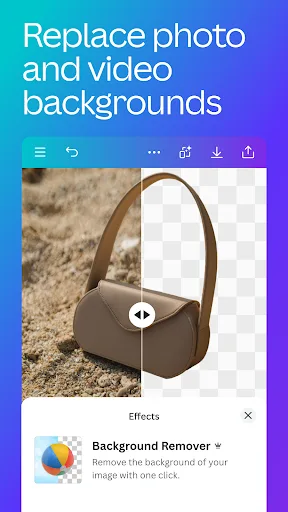
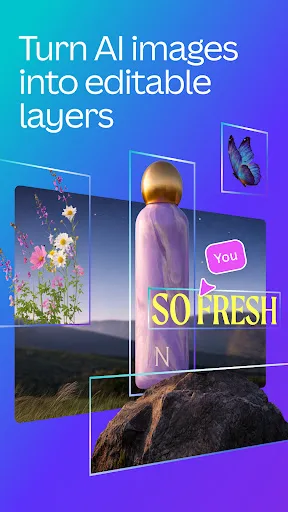
Canva is your free photo editor, logo maker, collage maker, and video editor in one editing app! Design digital art faster with powerful magic AI tools built-in, like the AI image generator that allows you to transform text to image in just a few minutes Make stunning social medi…
Pros
- Over 500 million installs with a high rating of 4.77
- AI-powered text-to-image generation and magic editing tools
- Comprehensive suite: photo editor, video editor, logo maker, collage maker
- Thousands of customizable templates for social media, presentations, etc.
- Free to use with optional premium features
Cons
- Requires internet connection for most AI features
- Some advanced tools are locked behind a subscription
- Can be overwhelming for users who only need basic photo editing
Final Verdict
Our pick: Canva: AI Photo & Video Editor
For pure photography, especially if you own a Pixel phone, Pixel Camera offers unparalleled computational photography features that produce stunning results straight out of camera. However, Canva's massive install base and high rating reflect its broad appeal as an all-in-one editing and design platform. If your primary need is editing and creating visual content, Canva is the better choice. But for capturing photos with advanced AI-driven camera features, Pixel Camera is unmatched. Overall, Canva wins for versatility, while Pixel Camera wins for photography purists.

Pixel Camera Screenshots
Official app screenshots from the Google Play Store.
Canva: AI Photo & Video Editor Screenshots
Official app screenshots from the Google Play Store.



Frequently Asked Questions
Which app has a higher rating?
Canva has a significantly higher rating of 4.77 compared to Pixel Camera's 2.9. Canva is more widely used and appreciated.
Can I use these apps offline?
Pixel Camera works fully offline for capturing and basic editing. Canva requires an internet connection for AI features and template downloads, but some offline editing is possible with cached assets.
Do these apps contain ads?
Pixel Camera is ad-free. Canva is free but may show occasional prompts to upgrade to Canva Pro; it does not display third-party ads.
What are the device requirements?
Pixel Camera is exclusive to Google Pixel devices running Android 12+. Canva requires Android 8.0 or higher and works on most modern smartphones.
Which app should I choose if I want to edit photos creatively?
Canva is the better choice for creative editing, design, and social media content. Pixel Camera is best for capturing high-quality photos with minimal editing.
Related Comparisons
 VS
VS
Lensa vs Instagram: Which Photo App Wins in 2026
VS

Instagram vs Camera360: Which Photo App Wins for Social Sharing & Selfie Editing?
 VS
VS

Lightroom vs InShot: Which Photo & Video Editor Reigns Supreme?
VS

Lensa vs Snapseed: Which Photo Editor Reigns Supreme?
VS
Canva vs Snapseed: Ultimate Photo Editor Showdown for Creatives & Purists
VS