Camera360 vs Adobe Lightroom: Best Photo Editor for Selfies & Professional Editing
Camera360 is a fun, all-in-one camera app designed for selfie lovers and casual users who want quick beauty filters, stickers, and easy sharing. Lightroom, by Adobe, is a professional-grade photo and video editor aimed at photographers and creators who need precise controls like curves, color grading, and raw editing. Both apps are free with optional subscriptions, but they serve very different audiences.

Camera360 :Photo Editor&Selfie
- Rating
- ★ 4.26
- Downloads
- 100,000,000+
- Developer
- PINGUO TECHNOLOGY HK CO LIMITED

Lightroom Photo & Video Editor
Recommended- Rating
- ★ 4.50
- Downloads
- 100,000,000+
- Developer
- Adobe
Downloaded by over 1 billion people from around the world! A camera app that lets you be who you really want to be! Celebrities around the world are using, an essential for selfies. 20 years of devotion to photography technologies, offering you the greatest decorating experience.…
Pros
- Exclusive beauty filters and skin smoothing for selfies
- Over 1 billion downloads, huge community and support
- Real-time camera effects and fun stickers
- Simple one-tap editing for quick results
- Free with many features, no Adobe account needed
Cons
- Heavy ads and in-app purchase prompts
- Limited manual controls and raw editing
- Privacy concerns due to data collection
Ever wish your photos could really show what makes a moment special? Adobe Lightroom is a free photo and video editor that helps you do just that. From your dog’s goofy grin to that sunset that took your breath away, Adobe Lightroom makes it simple to bring those moments to lif…
Pros
- Professional-grade editing tools (curves, color grading, masks)
- Non-destructive editing with full history
- Seamless sync across desktop and mobile via Creative Cloud
- Excellent raw file support and camera profiles
- Clean, intuitive interface with powerful presets
Cons
- Free version lacks some advanced features (e.g., healing brush, cloud storage)
- Requires Adobe account for full functionality
- Steeper learning curve for beginners
Final Verdict
Our pick: Lightroom Photo & Video Editor
For most users, Adobe Lightroom is the stronger choice due to its superior editing tools, non-destructive workflow, and seamless integration with Adobe ecosystem. Camera360 excels at quick, fun selfies with beauty filters but lacks depth for serious editing. If you want professional results and control, pick Lightroom. If you just want to snap and beautify selfies instantly, Camera360 is fine but limited. Overall, Lightroom offers better long-term value and quality.
Camera360 :Photo Editor&Selfie Screenshots
Official app screenshots from the Google Play Store.





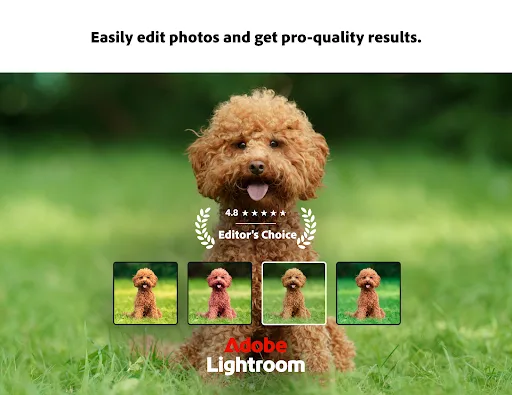
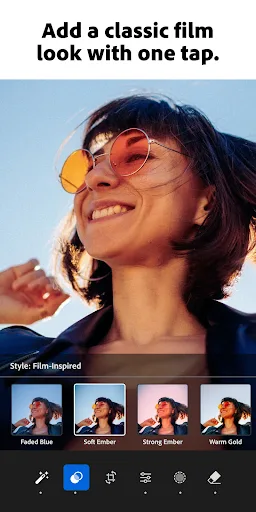
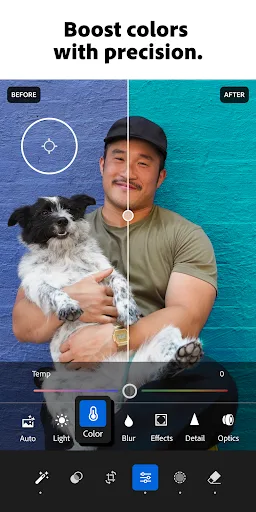
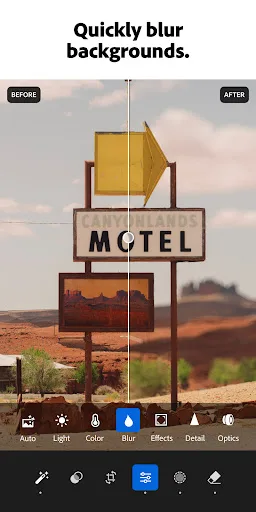
Lightroom Photo & Video Editor Screenshots
Official app screenshots from the Google Play Store.

Frequently Asked Questions
Which app has a higher rating?
Lightroom has a higher rating of 4.50 vs Camera360's 4.27, based on millions of reviews.
Can I use these apps offline?
Both apps work offline for basic editing, but Camera360 requires internet for some filters and Lightroom needs it for cloud sync and some features like AI masking.
Do these apps contain ads?
Camera360 has frequent ads and pop-ups for premium features. Lightroom is ad-free but prompts to subscribe to unlock advanced tools.
What are the minimum device requirements?
Both run on Android 6.0+ with 2GB RAM. For smooth performance, Lightroom recommends 4GB RAM; Camera360 works on lower-end devices but may lag with heavy filters.
Which app should I choose for professional photography?
Choose Lightroom for professional editing, raw support, and precise controls. Camera360 is best for quick, fun selfies and casual use.
Related Comparisons
 VS
VS

Lensa vs Instagram: Which Photo App Wins in 2026
 VS
VS

Pixel Camera vs Canva: AI Photo & Video Editor – Which Photography App Reigns Supreme
VS
Instagram vs Camera360: Which Photo App Wins for Social Sharing & Selfie Editing?
VS

Lightroom vs InShot: Which Photo & Video Editor Reigns Supreme?
VS

Lensa vs Snapseed: Which Photo Editor Reigns Supreme?
VS