Canva vs AI Photo Editor - Lumii: Best Photography App for Design & Editing
Canva is ideal for users who need an all-in-one design tool for social media graphics, presentations, and video editing with powerful AI features. Lumii, on the other hand, is perfect for those focused solely on photo enhancement, offering professional filters and retouching tools. Both apps have high ratings and massive install bases, but cater to different creative needs. Choose based on whether you prioritize design versatility or photo-specific editing.

Canva: AI Photo & Video Editor
Recommended- Rating
- ★ 4.77
- Downloads
- 500,000,000+
- Developer
- Canva
AI Photo Editor - Lumii
- Rating
- ★ 4.75
- Downloads
- 100,000,000+
- Developer
- InShot Video Editor
Canva is your free photo editor, logo maker, collage maker, and video editor in one editing app! Design digital art faster with powerful magic AI tools built-in, like the AI image generator that allows you to transform text to image in just a few minutes Make stunning social medi…
Pros
- All-in-one design platform for graphics, video, and photo editing
- Powerful AI tools like text-to-image and magic edit
- Huge library of templates, fonts, and stock images
- Collaboration features for team projects
- Free version with extensive functionality
Cons
- Some advanced features require a paid subscription
- Can be overwhelming with too many options
- Heavy app size may consume storage
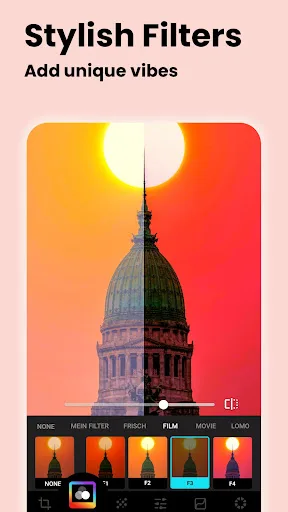
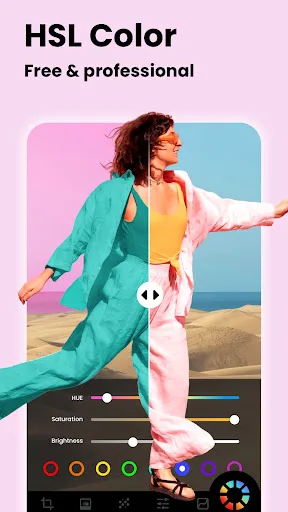
Lumii is a powerful AI Photo Editor that combines professional tools with smart AI editing features. Easily enhance photo quality, remove backgrounds, retouch selfies, and apply 100+ trendy photo filters and effects to edit photos. Create artistic, high-quality photos effortlessl…
Pros
- Specialized in AI photo enhancement and retouching
- 100+ trendy filters and effects
- Easy background removal and selfie retouch
- Lightweight and fast performance
- Simple interface focused on photo editing
Cons
- Limited to photo editing; no graphic design or video
- Fewer templates and creative assets
- Some filters require in-app purchases
Final Verdict
Our pick: Canva: AI Photo & Video Editor
For most users, Canva is the better choice due to its comprehensive design capabilities and AI tools that go beyond photo editing. Its 500M+ installs and 4.77 rating reflect its popularity and reliability. However, if your primary need is advanced photo editing with filters and effects, Lumii offers a more specialized experience. We recommend Canva for its versatility and broader appeal.
Canva: AI Photo & Video Editor Screenshots
Official app screenshots from the Google Play Store.




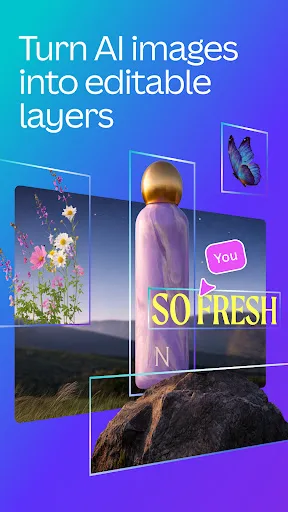
AI Photo Editor - Lumii Screenshots
Official app screenshots from the Google Play Store.



Frequently Asked Questions
Which app has a higher rating?
Canva has a rating of 4.7704654, while Lumii has 4.7523727. Both are excellent, but Canva is slightly higher.
Can these apps be used offline?
Canva requires internet for most features, especially AI tools. Lumii also needs internet for some filters, but basic editing works offline.
Do these apps contain ads?
Both apps are free with ads. Canva offers a paid version without ads, while Lumii also has in-app purchases to remove ads.
What are the device requirements?
Both apps require Android 5.0 or later. Canva may need more RAM and storage due to its size, while Lumii runs smoothly on most devices.
Which app should I choose for social media content?
Canva is the best choice for creating social media posts, stories, and videos with templates. Lumii is better for editing photos before posting.
Related Comparisons
 VS
VS

Lensa vs Instagram: Which Photo App Wins in 2026
 VS
VS
Pixel Camera vs Canva: AI Photo & Video Editor – Which Photography App Reigns Supreme
VS

Instagram vs Camera360: Which Photo App Wins for Social Sharing & Selfie Editing?
 VS
VS

Lightroom vs InShot: Which Photo & Video Editor Reigns Supreme?
VS

Lensa vs Snapseed: Which Photo Editor Reigns Supreme?
VS