Canva vs Photoroom: AI Photo Editor Showdown – Which App Reigns Supreme?
Canva is a versatile all-in-one design platform perfect for creating social media graphics, presentations, and videos with powerful AI tools. Photoroom specializes in AI-driven background removal and product photography, ideal for e-commerce sellers and marketers. While Canva excels in broad creative projects, Photoroom focuses on making professional product images quickly. This comparison helps you choose based on your primary needs.

Canva: AI Photo & Video Editor
Recommended- Rating
- ★ 4.77
- Downloads
- 500,000,000+
- Developer
- Canva

Photoroom: AI Photo Editor
- Rating
- ★ 4.67
- Downloads
- 100,000,000+
- Developer
- Photoroom AI Photo Editor
Canva is your free photo editor, logo maker, collage maker, and video editor in one editing app! Design digital art faster with powerful magic AI tools built-in, like the AI image generator that allows you to transform text to image in just a few minutes Make stunning social medi…
Pros
- Vast template library for social media, presentations, logos, and more
- Powerful AI tools including text-to-image, magic eraser, and bulk resize
- Supports both photo and video editing in one app
- Collaborative features for team projects
- Free tier offers extensive functionality with no watermark
Cons
- Can be overwhelming for simple background removal tasks
- Some advanced AI features require a paid subscription
- File export options are limited in free version
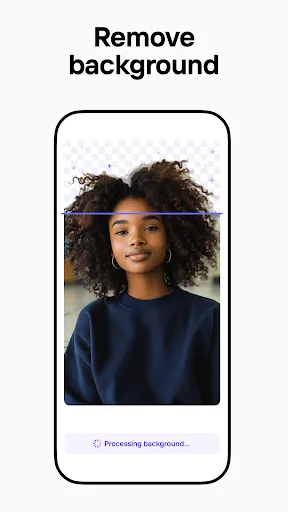
Create pro images that sell with Photoroom AI. Photoroom’s AI technology makes it easy to design, edit, and erase any background from your photos. Create professional-quality images that elevate your brand, boost engagement, and drive sales—all with the help of an intuitive e…
Pros
- Best-in-class AI background removal with edge detection
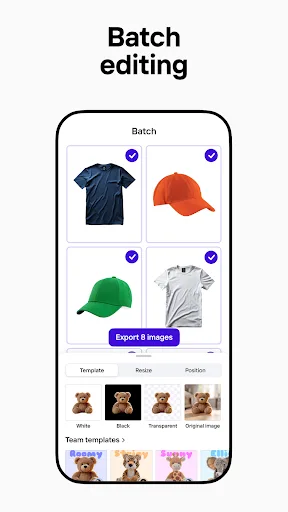
- Batch editing for product photos saves time
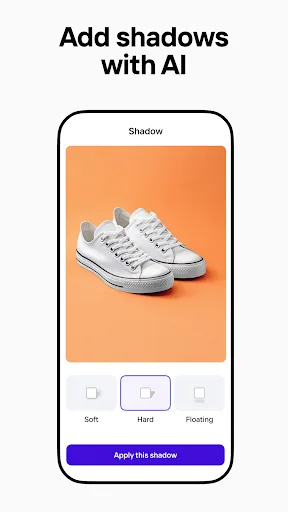
- Retouching tools like shadows and reflections for realistic product images
- Clean, intuitive interface focused on product photography
- Free version has no watermark on exported images
Cons
- Limited to photo editing; no video or graphic design features
- Template library is smaller and focused on e-commerce
- Advanced features like AI resize require subscription
Final Verdict
Our pick: Canva: AI Photo & Video Editor
For most users, Canva is the superior choice due to its massive template library, extensive editing tools, and AI features like text-to-image generation. However, if your primary need is high-quality background removal and product photo enhancement, Photoroom offers faster and more precise results. Canva wins overall for versatility and value, but Photoroom is the specialist tool for e-commerce. We recommend Canva for general use and Photoroom for product-focused photography.
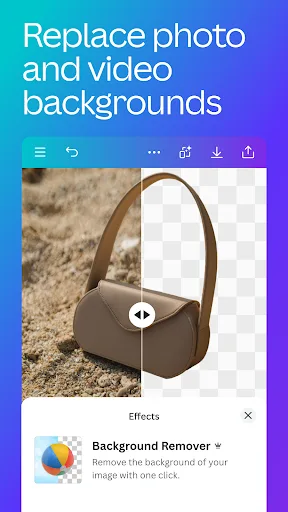
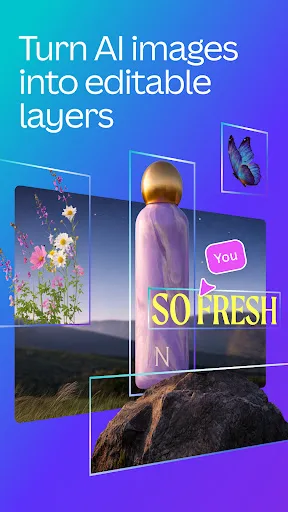
Canva: AI Photo & Video Editor Screenshots
Official app screenshots from the Google Play Store.



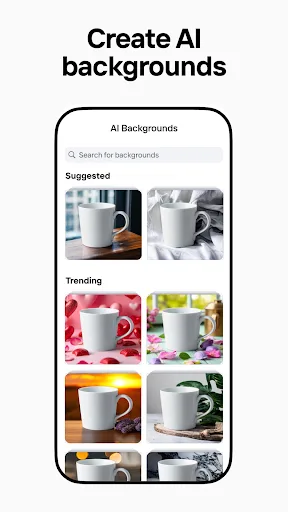
Photoroom: AI Photo Editor Screenshots
Official app screenshots from the Google Play Store.

Frequently Asked Questions
Which app has a better rating?
Canva has a rating of 4.77, while Photoroom is at 4.67. Both are highly rated, but Canva edges ahead slightly.
Can I use these apps offline?
Canva requires internet for most features, especially AI tools and template access. Photoroom also needs internet for AI processing, but basic editing may work offline.
Do these apps have ads?
Canva is ad-free in both free and paid versions. Photoroom is also ad-free, offering a clean experience.
What are the device requirements?
Both apps run on Android 6.0+ and require a stable internet connection for AI features. Canva needs more storage due to templates.
Which app should I choose for product photography?
Photoroom is specifically designed for product photography and offers superior background removal and retouching tools. Canva is better for general design.
Related Comparisons
 VS
VS
Collage Maker vs Photoroom: Which Photo Editor Reigns Supreme in 2026
 VS
VS
CapCut vs Photoshop Express: Best Photo Editor for You
 VS
VS

InShot vs Google Photos: Which Photo Editor App Reigns Supreme
VS
Photoroom vs InShot: Best Photo & Video Editor for Android
 VS
VS
Picsart vs Canva: Which AI Photo Editor Reigns Supreme
VS