DigiCal vs Any.do: Best Calendar App for Android
DigiCal is a powerful calendar app with multiple agenda views and deep customization, ideal for users who need a dedicated calendar with flexible views. Any.do combines a to-do list, planner, and calendar in one app, perfect for those seeking an all-in-one productivity tool. DigiCal excels in calendar-specific features, while Any.do shines in task management and simplicity.
DigiCal Calendar Agenda
Recommended- Rating
- ★ 4.47
- Downloads
- 10,000,000+
- Developer
- Digibites

Any.do - To do list & Calendar
- Rating
- ★ 4.40
- Downloads
- 10,000,000+
- Developer
- Any.do To-do list & Calendar
🏆 Favorite: best calendar apps for Android – The Next Web 🏆 DigiCal is one of the most flexible, customizable calendars – Lifehacker Our daily planner has a clean design and multiple agenda views to make scheduling quick and easy. ☁ SYNC WITH GOOGLE CALENDAR…
Pros
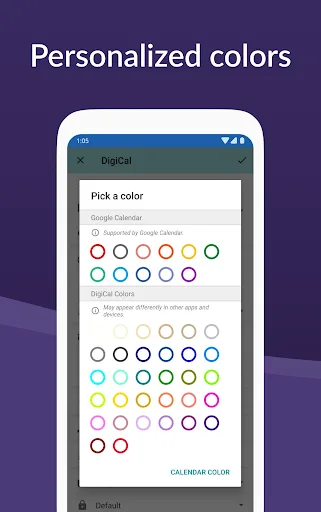
- Highly customizable with multiple themes and widgets
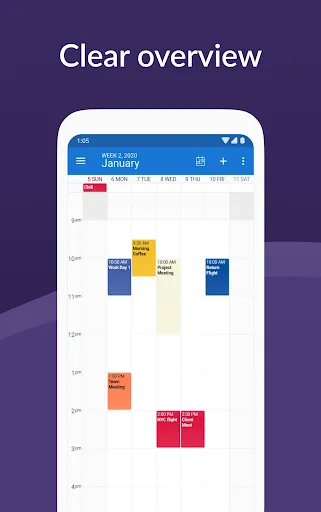
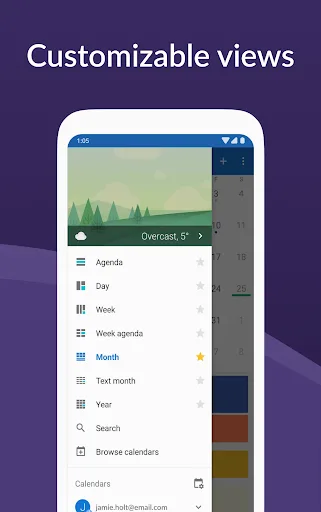
- 7 different agenda views including month, week, and list
- Seamless sync with Google Calendar, Outlook, and Exchange
- Natural language input for quick event creation
- Integrated weather forecast and world clock
Cons
- Free version includes ads
- Some advanced features require paid upgrade
- Steeper learning curve due to many options
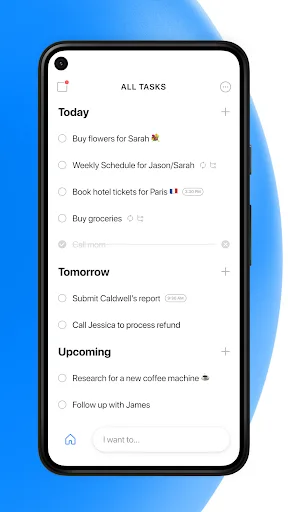
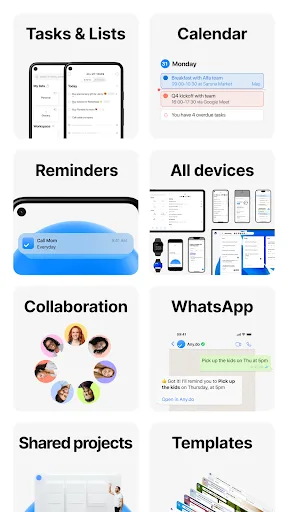
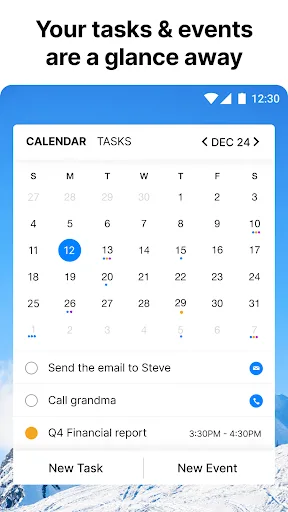
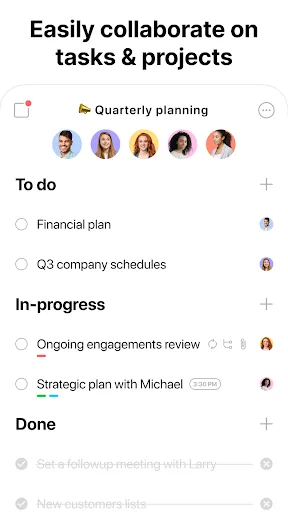
🥇 "#1 To do list app out there” - WSJ 🏆 Editor's Choice by Google Over +40M people, families and teams rely on Any.do to stay organized and get more done. It's a simple and powerful to do list app with built in tasks, reminders, daily planner and calendar - all-in-one. �…
Pros
- Combines to-do list, calendar, and reminders in one app
- Simple and intuitive user interface
- Collaboration features for sharing lists and tasks
- Cross-platform support (Android, iOS, web)
- Voice input for quick task creation
Cons
- Calendar features are less powerful than dedicated apps
- Limited customization for calendar views
- Some features require premium subscription
Final Verdict
Our pick: DigiCal Calendar Agenda
For most users, DigiCal is the better choice due to its superior calendar views, customization, and higher rating. It integrates seamlessly with Google Calendar, Outlook, and Exchange, and offers 7 different agenda views. Any.do is excellent if you need a combined to-do list and calendar, but its calendar features are more basic. If you primarily need a calendar, go with DigiCal. If you want an all-in-one planner with tasks, choose Any.do. Overall, DigiCal wins for calendar-focused needs.
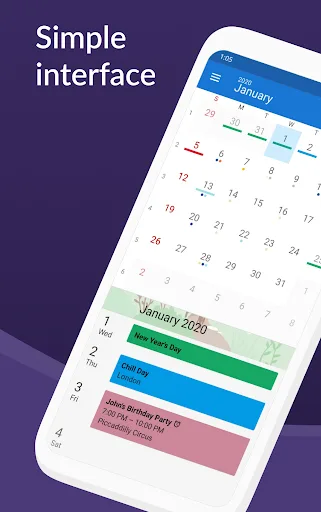
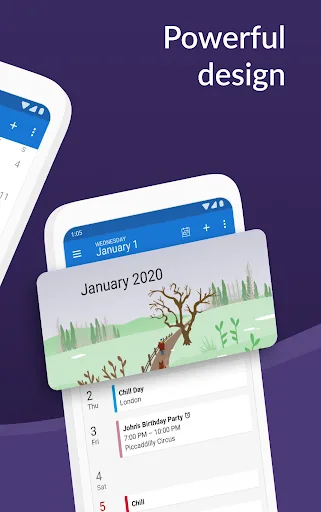
DigiCal Calendar Agenda Screenshots
Official app screenshots from the Google Play Store.
Any.do - To do list & Calendar Screenshots
Official app screenshots from the Google Play Store.
Frequently Asked Questions
Which app has a higher rating?
DigiCal has a rating of 4.47162, while Any.do has 4.4027777. DigiCal is slightly higher.
Can I use these apps offline?
Both apps support offline viewing of previously synced events and tasks. Changes made offline will sync when connection is restored.
Do these apps contain ads?
DigiCal free version includes ads, but they can be removed via in-app purchase. Any.do free version is ad-free.
What are the device requirements?
Both apps require Android 5.0 or later and are optimized for phones and tablets. They are available on Google Play with over 10 million installs each.
Which app should I choose for task management?
Any.do is better for task management as it integrates a to-do list with reminders and calendar. DigiCal focuses primarily on calendar events.
Related Comparisons
 VS
VS

Daily Planner vs TickTick: Best Calendar & To-Do App for 2026
 VS
VS
TimeTree vs Samsung Calendar: Which Shared Calendar App Wins for Families?
VS
TickTick vs TimeTree: Which Calendar & To-Do App Wins
VS
Any.do vs Todolize: Which To-Do List & Calendar App Reigns Supreme?
 VS
VS
Google Calendar vs Business Calendar 2: Which Android Calendar App Wins?
VS