DigiCal vs TickTick: Best Calendar & Task App for Android
DigiCal is ideal for users who prioritize a highly customizable calendar view with multiple agenda layouts and seamless Google/Outlook sync. TickTick, on the other hand, is a full-featured task manager with built-in calendar, habit tracking, and Pomodoro timer, perfect for those who want an all-in-one productivity suite. Both apps have over 10 million installs and high ratings, but they serve different primary purposes.

TickTick:To Do List & Calendar
Recommended- Rating
- ★ 4.59
- Downloads
- 10,000,000+
- Developer
- TickTick Limited
🏆 Favorite: best calendar apps for Android – The Next Web 🏆 DigiCal is one of the most flexible, customizable calendars – Lifehacker Our daily planner has a clean design and multiple agenda views to make scheduling quick and easy. ☁ SYNC WITH GOOGLE CALENDAR…
Pros
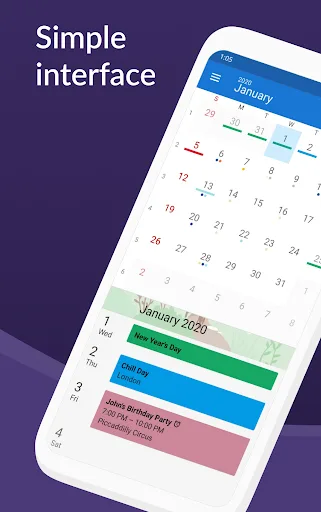
- Multiple calendar views (month, week, agenda, day, etc.)
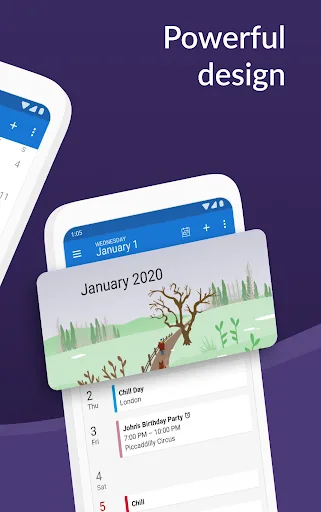
- Highly customizable with themes and widgets
- Supports Google Calendar, Outlook, and Exchange sync
- Natural language input for quick event creation
- Integrated weather forecast and world clock
Cons
- Free version limited to one calendar sync
- No built-in task management or to-do lists
- Occasional sync delays with Exchange accounts
🥇 Great to-do list app for new Android device - The Verge 🥇 The best to-do app for Android - MakeUseOf 🥇 The best to-do list app for 2020 - Wirecutter (A New York Times Company) 🙌 MKBHD's favorite productivity tool TickTick is your personal productivity powerhouse, ex…
Pros
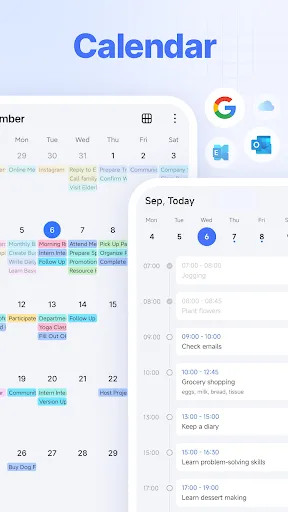
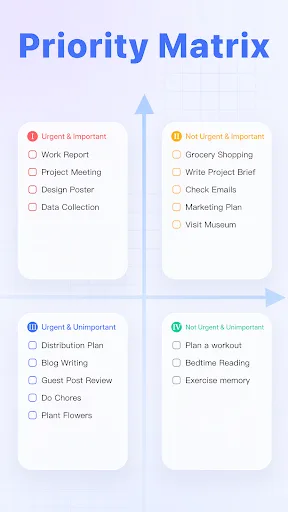
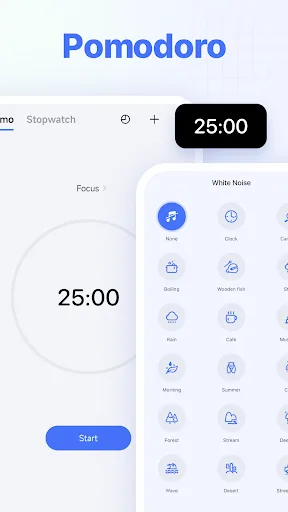
- All-in-one: tasks, calendar, habits, Pomodoro timer
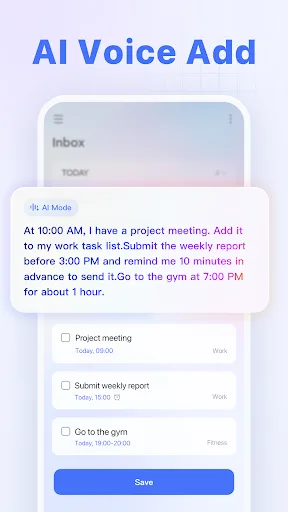
- Excellent natural language input for tasks and events
- Collaboration features for team projects
- Cross-platform support (Android, iOS, web, desktop)
- Customizable reminders and location-based alerts
Cons
- Calendar view less customizable than DigiCal
- Free version limits some advanced features (e.g., filters)
- Can be overwhelming for users who only need a simple calendar
Final Verdict
Our pick: TickTick:To Do List & Calendar
For users who need a powerful, flexible calendar with excellent widget support and multiple view options, DigiCal is the winner. However, if you want a comprehensive task manager that also includes a calendar, habit tracker, and collaboration features, TickTick is the better choice. Given that TickTick offers a broader feature set and slightly higher rating (4.59 vs 4.47), it edges out as the overall recommendation for most users. But if your core need is a superior calendar experience, stick with DigiCal.
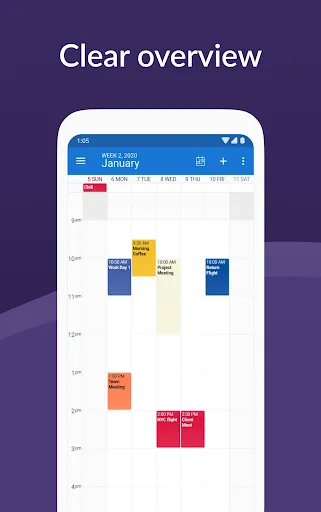
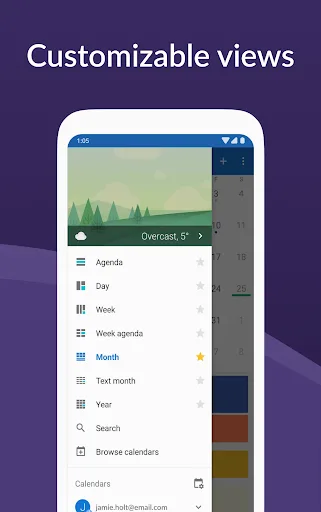
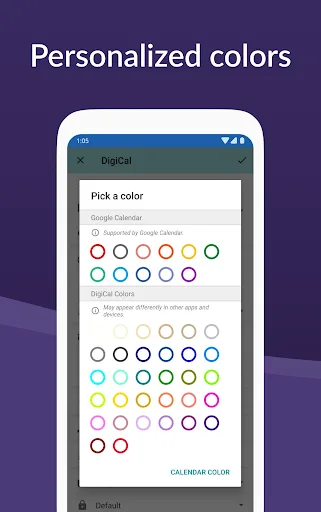
DigiCal Calendar Agenda Screenshots
Official app screenshots from the Google Play Store.
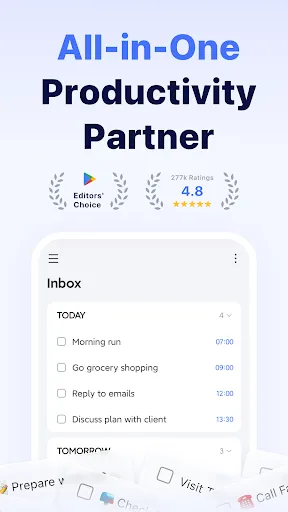
TickTick:To Do List & Calendar Screenshots
Official app screenshots from the Google Play Store.
Frequently Asked Questions
Which app has a higher rating on Google Play?
TickTick has a slightly higher rating of 4.59 compared to DigiCal's 4.47.
Can I use these apps offline?
Both apps allow offline access to previously synced data, but full functionality requires an internet connection for syncing.
Do these apps contain ads?
DigiCal has a free version with ads, while TickTick's free version is ad-free. Both offer premium subscriptions to remove ads and unlock features.
What are the device requirements?
Both apps require Android 5.0 or later. They are optimized for phones and tablets, with TickTick also supporting Wear OS.
Which app should I choose for productivity?
If you need a robust calendar with customization, choose DigiCal. For an all-in-one task manager with calendar, choose TickTick.
Related Comparisons
 VS
VS
Daily Planner vs TickTick: Best Calendar & To-Do App for 2026
 VS
VS
TimeTree vs Samsung Calendar: Which Shared Calendar App Wins for Families?
VS
TickTick vs TimeTree: Which Calendar & To-Do App Wins
 VS
VS
Any.do vs Todolize: Which To-Do List & Calendar App Reigns Supreme?
 VS
VS
Google Calendar vs Business Calendar 2: Which Android Calendar App Wins?
VS