Evernote vs TickTick: Which Productivity App Reigns Supreme?
Evernote is a veteran note-taking app ideal for users who need robust organization of notes, documents, and web clippings across devices. TickTick, on the other hand, excels as a powerful to-do list and task manager with built-in calendar and habit tracking. If you prioritize comprehensive note-taking and document management, Evernote is your go-to. For those seeking a flexible, feature-rich task manager with Pomodoro and calendar integration, TickTick is the better choice.

Evernote - Note Organizer
- Rating
- ★ 3.52
- Downloads
- 100,000,000+
- Developer
- Evernote by Bending Spoons

TickTick:To Do List & Calendar
Recommended- Rating
- ★ 4.59
- Downloads
- 10,000,000+
- Developer
- TickTick Limited
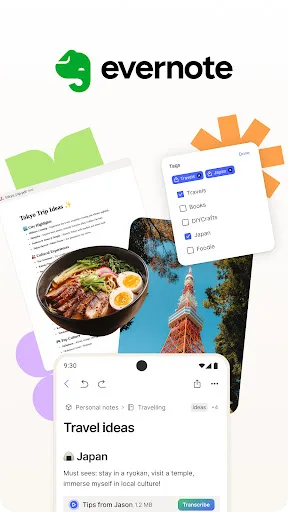
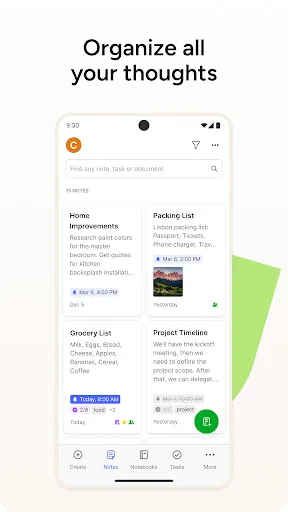
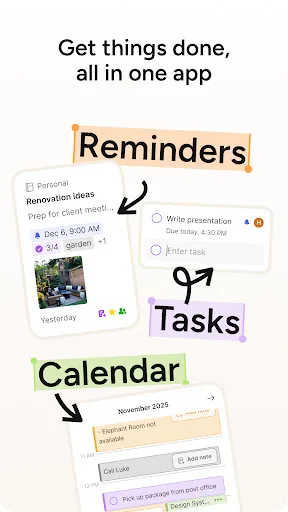
Capture ideas when inspiration strikes. Bring your notes, to-dos, and schedule together to tame life’s distractions and accomplish more—at work, at home, and everywhere in between. Evernote syncs to all your devices, so you can stay productive on the go. Tackle your to-do lis…
Pros
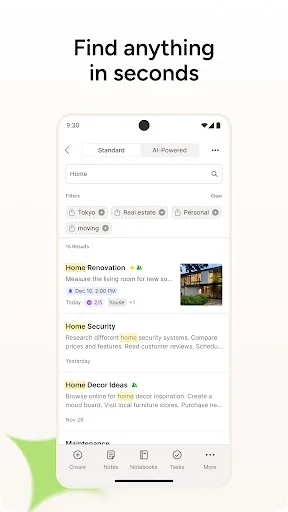
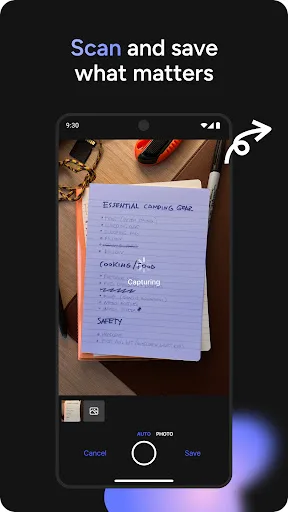
- Powerful OCR search across handwritten and printed text in images
- Extensive note formatting options with rich media support
- Cross-platform sync with web clipper for saving articles
- Robust notebook and tag organization system
- Integrates with Google Calendar and other third-party services
Cons
- Free tier limited to 60 MB monthly upload and two devices
- Occasional sync delays and conflicts reported by users
- Outdated user interface compared to modern competitors
🥇 Great to-do list app for new Android device - The Verge 🥇 The best to-do app for Android - MakeUseOf 🥇 The best to-do list app for 2020 - Wirecutter (A New York Times Company) 🙌 MKBHD's favorite productivity tool TickTick is your personal productivity powerhouse, ex…
Pros
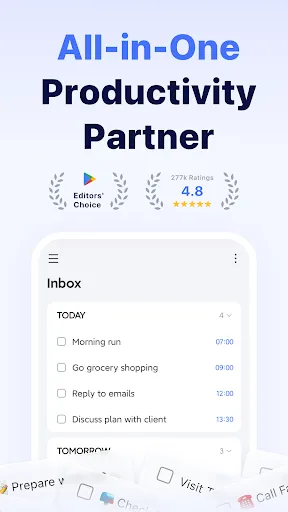
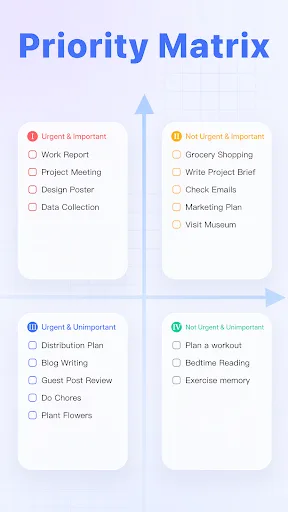
- Highly intuitive and customizable task management with smart lists
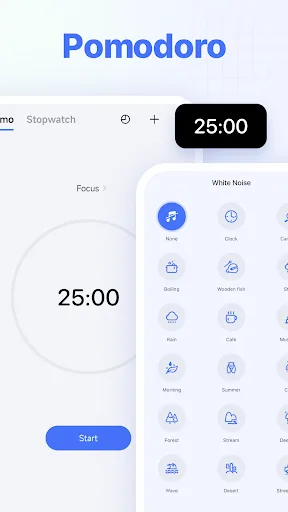
- Built-in Pomodoro timer and habit tracker for productivity
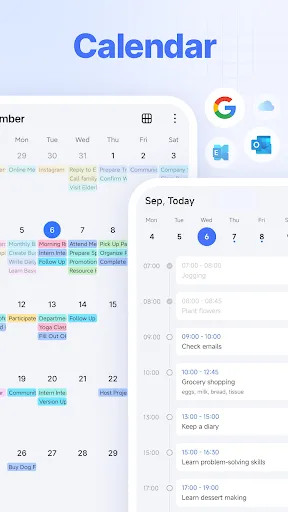
- Seamless calendar view with event creation and syncing
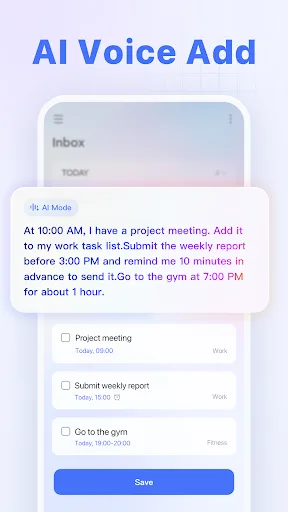
- Natural language input for quick task creation
- Excellent collaboration features for shared lists and assignments
Cons
- Note-taking capabilities are basic compared to dedicated apps
- Some advanced features require premium subscription
- Web clipper is less robust than Evernote's version
Final Verdict
Our pick: TickTick:To Do List & Calendar
For most users, TickTick emerges as the winner due to its superior task management features, higher user rating (4.59 vs 3.52), and modern interface. While Evernote offers unmatched note-taking depth with OCR and document scanning, its dated design and frequent sync issues detract from the experience. TickTick's seamless integration of to-dos, calendar, and habits makes it a more complete productivity hub. We recommend TickTick for anyone focused on task management and daily planning, while Evernote remains a strong option for heavy note-takers who need advanced search and organization.
Evernote - Note Organizer Screenshots
Official app screenshots from the Google Play Store.
TickTick:To Do List & Calendar Screenshots
Official app screenshots from the Google Play Store.
Frequently Asked Questions
Which app has a better rating on Android?
TickTick has a significantly higher rating of 4.59 compared to Evernote's 3.52, based on user reviews.
Can I use these apps offline?
Both apps offer offline access. Evernote allows viewing and editing notes offline, with sync when online. TickTick also supports offline task management and syncs changes when connectivity is restored.
Do these apps contain ads?
Evernote's free version is ad-free, while TickTick's free version is also ad-free. Neither app displays third-party ads.
What are the device requirements for each app?
Evernote requires Android 5.0+ and varies by device. TickTick requires Android 4.4+ and is optimized for modern devices. Both are available on the Play Store.
Which app should I choose for task management vs note-taking?
For heavy note-taking with OCR and document management, choose Evernote. For comprehensive task management with calendar, habits, and Pomodoro, choose TickTick.
Related Comparisons
 VS
VS

Any.do vs Google Keep: Which Productivity App Reigns Supreme?
 VS
VS
Microsoft To Do vs Google Keep: Which Productivity App Reigns Supreme?
 VS
VS
Microsoft 365 Copilot vs Any.do: Which Productivity App Reigns Supreme
 VS
VS
Forest vs Microsoft To Do: Productivity Showdown – Focus Timer vs Task Manager
 VS
VS
To-Do List & Daily Planner vs TickTick: Which Productivity Powerhouse Reigns Supreme?
 VS
VS