Forest vs Microsoft To Do: Productivity Showdown – Focus Timer vs Task Manager
Forest is designed for users struggling with phone addiction and distraction, using a gamified Pomodoro timer to encourage deep focus. Microsoft To Do caters to those who need a robust task manager to organize daily tasks, lists, and reminders. If your goal is to stay on task without getting sidetracked by your phone, Forest is your ally. If you need a structured system to manage complex projects and to-dos, Microsoft To Do will serve you better.

Forest: Focus for Productivity
- Rating
- ★ 4.36
- Downloads
- 10,000,000+
- Developer
- Seekrtech
Microsoft To Do: Lists & Tasks
Recommended- Rating
- ★ 4.59
- Downloads
- 10,000,000+
- Developer
- Microsoft Corporation
Stop scrolling! The ultimate Pomodoro timer and ADHD focus app to beat phone addiction and stay focused on what matters most. ★ Google Play Best App of the Year & Editors' Choice ★ ★ Nominated for Google Play Best Social Impact App ★ Over 60,000,000 users worldwide choose…
Pros
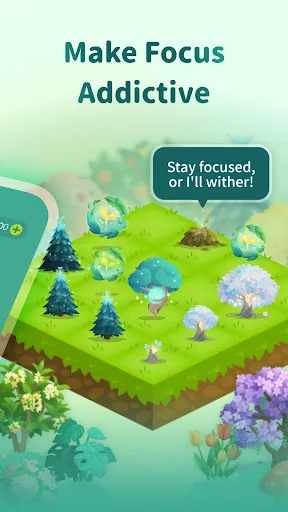
- Gamified focus timer that grows virtual trees, providing a visual reward for staying off your phone.
- Effective for ADHD users with customizable focus sessions and white noise options.
- Offline mode allows growing trees without internet connection.
- Global community challenges and leaderboards to stay motivated.
- Lightweight app with minimal permissions, respecting user privacy.
Cons
- No built-in task list or reminder system beyond the focus timer.
- Tree planting is virtual only unless you earn enough coins for real trees, which takes time.
- Limited integration with other productivity tools like calendars or email.
Microsoft To Do is a task management app to help you stay organized and manage your day-to-day. You can use Microsoft To Do to make shopping lists or task lists, take notes, record collections, plan an event, or set reminders to increase your productivity and focus on what matter…
Pros
- Seamless sync across Windows, iOS, Android, and web with Microsoft 365 integration.
- Smart suggestions and 'My Day' feature for daily planning.
- Supports shared lists and task assignment for team collaboration.
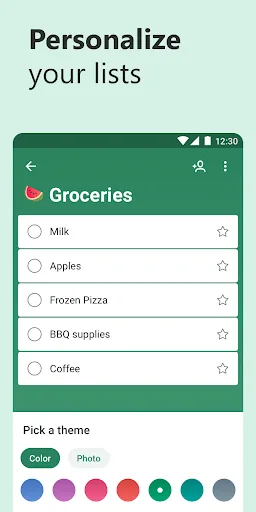
- Rich formatting, subtasks, due dates, reminders, and file attachments.
- Free to use with no ads, and works offline with sync when connected.
Cons
- Requires a Microsoft account for full functionality, which may not appeal to all users.
- Can be overwhelming for simple task lists due to many features.
- No gamification or focus timer to prevent phone distraction.
Final Verdict
Our pick: Microsoft To Do: Lists & Tasks
Both apps excel in different areas. Forest wins for focus and reducing screen time, with its unique tree-planting motivation and ADHD-friendly design. Microsoft To Do is superior for task management, offering seamless integration with Microsoft 365, smart suggestions, and collaborative features. For pure concentration and habit building, choose Forest. For comprehensive task organization and productivity workflows, Microsoft To Do is the clear winner. Our recommendation goes to Microsoft To Do for its broader utility and integration capabilities.
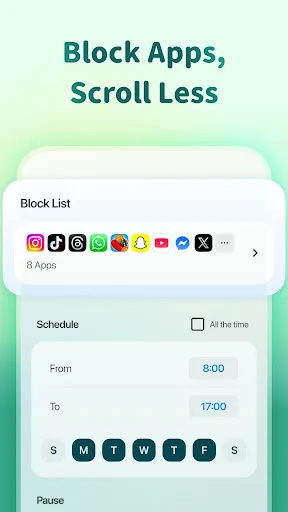
Forest: Focus for Productivity Screenshots
Official app screenshots from the Google Play Store.



Microsoft To Do: Lists & Tasks Screenshots
Official app screenshots from the Google Play Store.




Frequently Asked Questions
Which app has better ratings?
Microsoft To Do has a slightly higher rating of 4.59 compared to Forest's 4.36. Both are well-regarded, but Microsoft To Do edges ahead in user satisfaction.
Can I use Forest offline?
Yes, Forest works offline. You can plant trees and track focus sessions without an internet connection, though some features like leaderboards require connectivity.
Does Microsoft To Do have ads?
No, Microsoft To Do is completely ad-free. It is free to use with no in-app purchases or advertisements.
What are the device requirements for these apps?
Forest requires Android 5.0+ and about 30 MB of storage. Microsoft To Do requires Android 8.0+ and around 50 MB. Both run smoothly on most modern devices.
Which app should I choose for daily productivity?
If your main issue is phone addiction and you need a focus timer, choose Forest. If you need a comprehensive task manager with lists, reminders, and integration, choose Microsoft To Do.
Related Comparisons
 VS
VS

Any.do vs Google Keep: Which Productivity App Reigns Supreme?
VS
Microsoft To Do vs Google Keep: Which Productivity App Reigns Supreme?
 VS
VS
Microsoft 365 Copilot vs Any.do: Which Productivity App Reigns Supreme
 VS
VS

To-Do List & Daily Planner vs TickTick: Which Productivity Powerhouse Reigns Supreme?
 VS
VS
Evernote vs TickTick: Which Productivity App Reigns Supreme?
 VS
VS