Microsoft To Do vs Google Keep: Which Productivity App Reigns Supreme?
Microsoft To Do is designed for users who need robust task management with features like due dates, reminders, and integration with Microsoft 365. It's ideal for professionals and students who want to organize their daily tasks and projects. Google Keep, on the other hand, is perfect for quick note-taking and simple lists, appealing to users who prefer a lightweight, easy-to-use app for capturing ideas on the go. Both apps are free but cater to different productivity styles.
Microsoft To Do: Lists & Tasks
Recommended- Rating
- ★ 4.59
- Downloads
- 10,000,000+
- Developer
- Microsoft Corporation

Google Keep - Notes and lists
- Rating
- ★ 4.69
- Downloads
- 1,000,000,000+
- Developer
- Google LLC
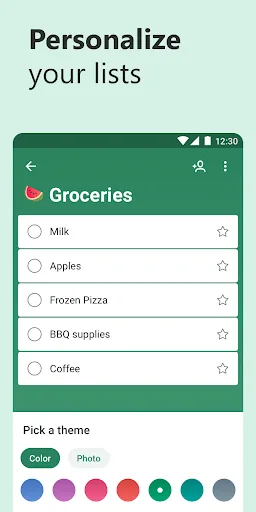
Microsoft To Do is a task management app to help you stay organized and manage your day-to-day. You can use Microsoft To Do to make shopping lists or task lists, take notes, record collections, plan an event, or set reminders to increase your productivity and focus on what matter…
Pros
- Seamless integration with Microsoft 365 and Outlook tasks
- Smart lists like 'My Day' and 'Important' for prioritization
- Supports file attachments up to 25MB per task
- Customizable themes and list groups for organization
- Cross-platform sync with Windows, Mac, iOS, and Android
Cons
- No native note-taking features like voice memos or drawings
- Limited collaboration features compared to competitors
- Requires Microsoft account for full functionality
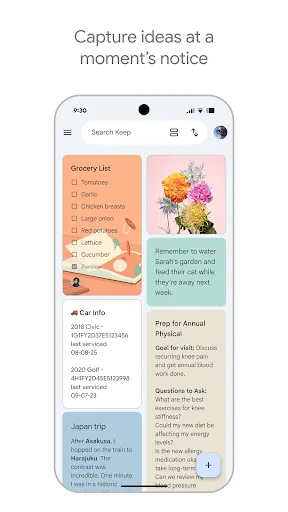
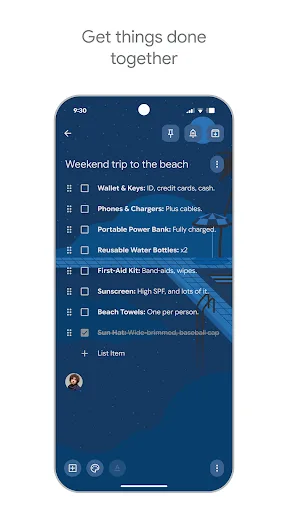
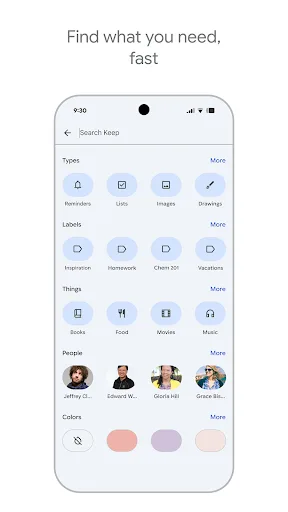
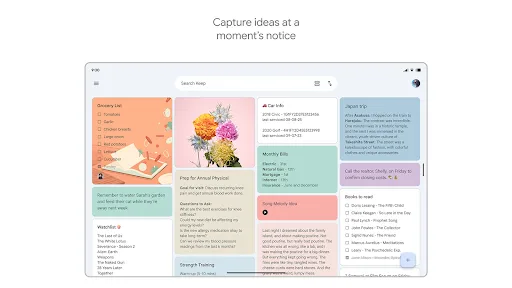
Quickly capture and share your thoughts, manage your to-dos, and stay organized. Google Keep has all of the functionality you need, with advanced security and privacy measures to keep your information safe. Capture what’s on your mind • Inspiration strikes anywhere. Jot down…
Pros
- Quick capture with text, voice, photo, and drawing notes
- Automatic sync with Google Drive and other Google services
- Reminders based on time or location for context-aware alerts
- Collaborative notes and lists shared with others in real-time
- Lightweight app with minimal storage footprint
Cons
- Lacks advanced task management features like due dates and subtasks
- No integration with third-party productivity tools
- Notes can become cluttered without robust organization options
Final Verdict
Our pick: Microsoft To Do: Lists & Tasks
For users seeking a comprehensive task manager with advanced organization features, Microsoft To Do is the better choice. Its integration with Outlook and Microsoft ecosystem, along with smart lists and file attachments, makes it powerful for project management. However, Google Keep excels in simplicity and speed for note-taking and quick reminders. If you prioritize deep task management, go with Microsoft To Do; if you need a versatile note-taking app, choose Google Keep. Overall, Microsoft To Do edges out for productivity-focused users, but Google Keep is unbeatable for casual use.
Microsoft To Do: Lists & Tasks Screenshots
Official app screenshots from the Google Play Store.




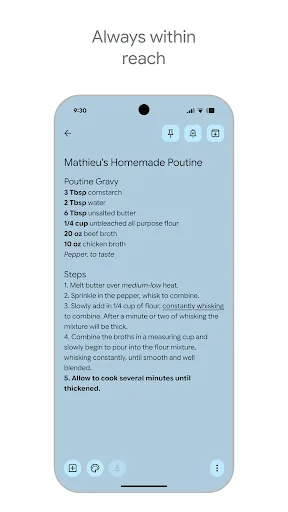
Google Keep - Notes and lists Screenshots
Official app screenshots from the Google Play Store.
Frequently Asked Questions
Which app has a higher rating?
Google Keep has a slightly higher rating of 4.69 compared to Microsoft To Do's 4.59, but both are highly rated.
Can I use these apps offline?
Yes, both apps allow offline access to previously synced data. Changes sync when you reconnect to the internet.
Are there ads in these apps?
Neither Microsoft To Do nor Google Keep display ads. Both are free to use without advertisements.
What are the device requirements?
Both apps require Android 5.0 or higher. Google Keep may need Google Play Services, while Microsoft To Do needs a Microsoft account.
Which app should I choose for task management?
If you need detailed task lists with deadlines and subtasks, choose Microsoft To Do. For quick notes and simple lists, Google Keep is better.
Related Comparisons
 VS
VS
Any.do vs Google Keep: Which Productivity App Reigns Supreme?
 VS
VS
Microsoft 365 Copilot vs Any.do: Which Productivity App Reigns Supreme
 VS
VS
Forest vs Microsoft To Do: Productivity Showdown – Focus Timer vs Task Manager
 VS
VS

To-Do List & Daily Planner vs TickTick: Which Productivity Powerhouse Reigns Supreme?
 VS
VS
Evernote vs TickTick: Which Productivity App Reigns Supreme?
 VS
VS